



Zoho Books vs QuickBooks (2026): Pricing, Features and Which to Choose
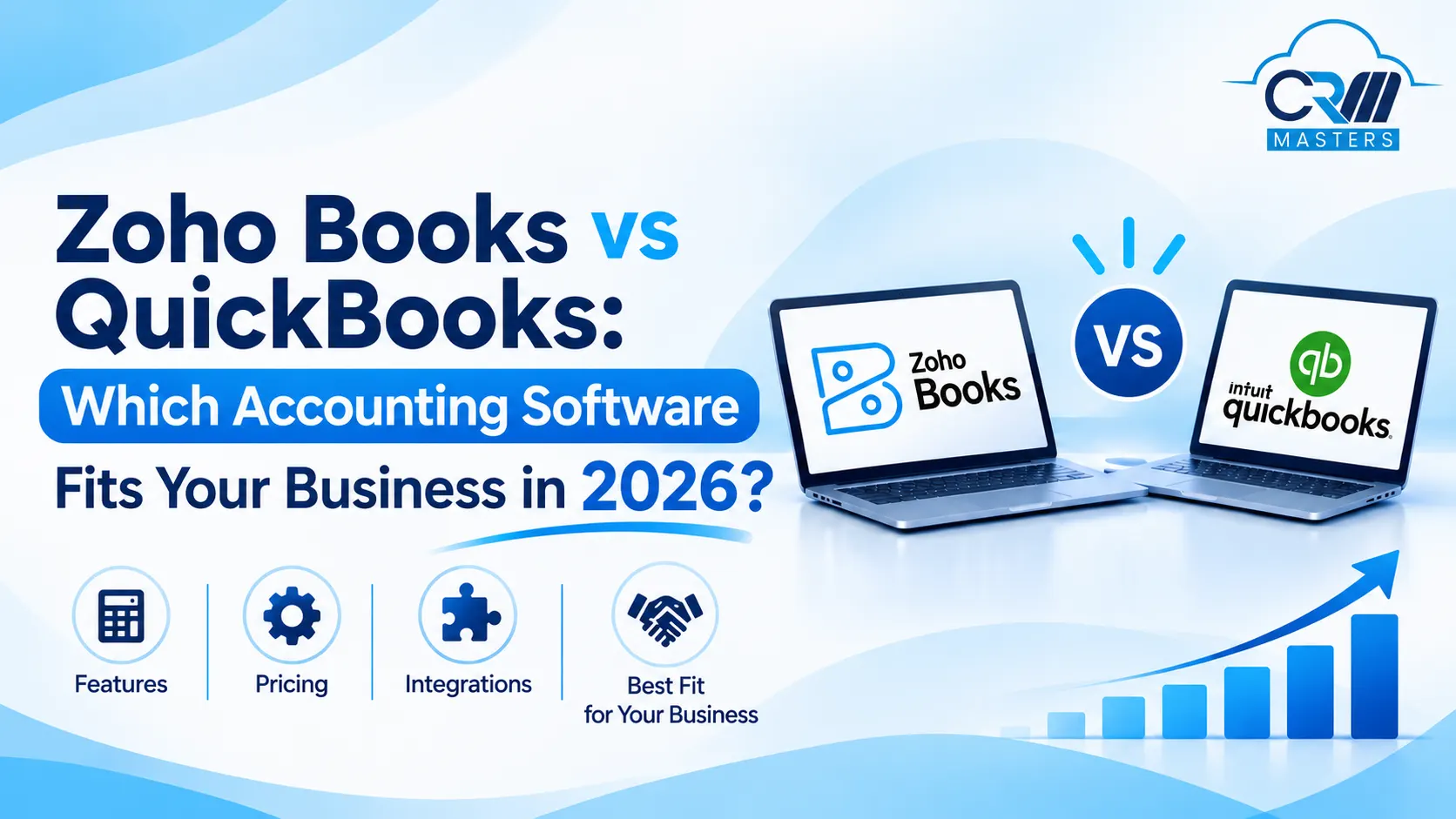
Choosing between Zoho Books and QuickBooks Online has become harder in 2026, because both platforms have changed their pricing, plan structure and payroll offering over the past year. QuickBooks Online raised prices for renewals on or after August 1, 2026, while Zoho Books continues to offer a free plan and a wider range of lower priced tiers. Many comparison articles still repeat older figures, which makes it difficult for a business owner to know what each platform actually costs and includes today.
This guide compares the two tools on current US pricing, plan limits, features, payroll, integrations and ease of migration. Each feature is matched to the exact plan that includes it, so you can see which tier your business needs on each platform before you commit. By the end, you will know how the two platforms differ, which type of business suits each one, and how to test and switch between them with confidence.
Quick Summary: Zoho Books vs QuickBooks in 2026
Pricing and Plans: Zoho Books offers a free plan and more affordable pricing tiers, while QuickBooks Online has announced renewal price increases starting August 1, 2026.
Free Plan and Trial: Zoho Books provides a free plan for very small businesses and a 14-day trial on paid plans. QuickBooks Online offers a 30-day trial but no standard free plan.
Cost Per User: Zoho Books is generally more affordable for smaller teams, while QuickBooks Advanced becomes more competitive for teams with up to 25 users.
Feature Availability: Both platforms distribute features across different plans, including invoicing, bank feeds, inventory, approvals and advanced reporting.
Best Fit: Zoho Books suits cost-conscious businesses looking for automation, while QuickBooks Online appeals to businesses that value accountant familiarity and a broad app marketplace.
What Is Zoho Books?
Zoho Books is a cloud accounting platform from Zoho that handles invoicing, expenses, bank reconciliation, inventory, projects, taxes and reporting in one place. It is designed for small and mid-sized businesses, and it connects natively with the wider Zoho suite, including Zoho CRM, Zoho Inventory, Zoho Payroll and Zoho Analytics.
A defining trait of Zoho Books is its tiered structure. The free plan covers the basics for very small businesses, and each higher plan unlocks a specific group of features such as purchase orders, budgeting, warehouse management or advanced analytics.
Also Read: Zoho Books Easy Setup Guide
What Is QuickBooks Online?
QuickBooks Online is the cloud accounting product from Intuit, and it is one of the most widely used small business accounting tools in the United States. It covers invoicing, expense tracking, bill management, reporting and tax preparation, and it connects to Intuit’s own payroll and payments products.
Its plan structure is simpler on the surface. You choose between Simple Start, Essentials, Plus and Advanced, and each step up adds users along with more advanced tools for bills, inventory, projects and reporting.
Zoho Books vs QuickBooks at a Glance
How Do the Prices Compare?
Zoho Books Plans and Pricing
Zoho prices Books per organization, and the monthly price drops when you commit to annual billing. Standard costs $15, Professional $40, Premium $60, Elite $120 and Ultimate $240 per month on annual billing, or $20, $50, $70, $150 and $275 on monthly billing. The free plan includes one user plus one accountant and up to 1,000 invoices a year.
| Plan | Annual Billing (Per Month) | Monthly Billing | Users Included | Main Upgrade Reason |
|---|---|---|---|---|
| Free | $0 | $0 | 1 + 1 Accountant | Basic invoicing for very small businesses |
| Standard | $15 | $20 | 3 | Bank feeds and sales tax support |
| Professional | $40 | $50 | 5 | Bills, inventory, multi-currency, projects and approvals |
| Premium | $60 | $70 | 10 | Budgeting, vendor portal and custom functions |
| Elite | $120 | $150 | 10 | Warehouses and sales channel integrations |
| Ultimate | $240 | $275 | 15 | Advanced analytics and dashboards |
Zoho also sets yearly transaction limits. Annual invoice caps are 1,000 on Free, 5,000 on Standard, 10,000 on Professional, 25,000 on Premium and 100,000 on Elite and Ultimate. Most small businesses will never reach these limits, but a high volume biller should check them before choosing a plan.
QuickBooks Online Plans and Pricing
| Plan | Price Per Month | Users Included | Main Upgrade Reason |
|---|---|---|---|
| Simple Start | $38 | 1 | Invoicing, bank feeds and basic reports |
| Essentials | $85 | 3 | Bill management, time tracking and multi currency |
| Plus | $140 | 5 | Inventory, projects, budgets and class tracking |
| Advanced | $340 | 25 | Custom roles, workflow automation and advanced reporting |
Simple Start allows one user, Essentials allows three, Plus allows five and Advanced allows 25. QuickBooks charges the same list price whether you pay monthly or annually. New customers have recently been able to get these plans at half price for the first three months, but promotions change often, so confirm the current offer on Intuit’s site.
Intuit also lists lower cost options, including a free tier and a $20 Lite plan, for eligible self employed users, so solo freelancers should check what applies to them.
What Does Each Platform Cost Per User?
Because the two tools price differently, a cost per user view is a helpful way to compare them. The figures below are our own calculation from the list prices above, using Zoho’s annual billing rates.
| Zoho Books Plan | Cost Per User / Month | QuickBooks Plan | Cost Per User / Month |
|---|---|---|---|
| Standard (3 users) | About $5 | Simple Start (1 user) | $38 |
| Professional (5 users) | $8 | Essentials (3 users) | About $28 |
| Premium (10 users) | $6 | Plus (5 users) | $28 |
| Ultimate (15 users) | $16 | Advanced (25 users) | About $14 |
Zoho Books is far cheaper for small teams, while QuickBooks Advanced becomes competitive per seat once a team grows toward 25 users. Plans at the same price point do not contain identical features, so always match plans by what you need rather than by seat count.
Price Increases and Hidden Costs
Price stability matters as much as the starting price. QuickBooks Online prices changed for renewals on or after August 1, 2026, affecting Essentials, Plus and Advanced. Essentials rose from $75 to $85, Plus from $115 to $140, and Advanced from $275 to $340. NerdWallet estimates average yearly increases since 2023 of about 12.7% for Simple Start, 11.9% for Essentials, 13.1% for Plus and 17.3% for Advanced.
Both tools also carry costs outside the plan price. Payroll, payment processing fees, extra users and add ons can raise the real monthly bill on either platform, so total these costs before you decide.
Also Read: Top 10 Zoho Consultants Serving US Businesses in 2026
Zoho Books vs QuickBooks: Feature by Feature Comparison
Most accounting features are tied to a specific plan on both platforms, so each section below says which plan includes the feature. All details are for the US editions.
1. Invoicing and Customer Portal
Zoho Books
Every Zoho Books plan, including the free plan, supports invoicing and a self service client portal where customers can view their transactions and pay. The Professional plan adds sales orders, retainer invoices and project billing, which suits service businesses that bill in stages.
QuickBooks Online
All four plans include invoicing and online payment collection, and batch invoicing arrives on the Advanced plan. QuickBooks does not offer a self service customer portal of the kind Zoho includes, so customers usually interact through invoice links and email.
2. Recurring Invoices, Expenses and Payment Reminders
Zoho Books
The free plan includes recurring invoices and payment reminders, Standard adds recurring expenses, and Professional adds recurring bills and recurring journals. Recurring tools therefore grow with the plan instead of being limited to invoices.
QuickBooks Online
QuickBooks supports recurring billing, automatic payment reminders and online payments, and it uses its AI tools to draft reminders. Recurring invoices and reminders are available on the paid plans.
3. Bank Feeds and Reconciliation
Zoho Books
Bank reconciliation is included on every plan, including Free, but connected bank feeds start on Standard, and on the free plan you import statements yourself. Businesses that want automatic transaction imports therefore need at least the $15 per month Standard plan.
QuickBooks Online
QuickBooks syncs bank accounts and automatically categorizes transactions, and bank connections are part of the entry level paid plan. AI assisted reconciliation and anomaly flags are listed from the Plus plan.
4. Expense Tracking and Receipt Capture
Zoho Books
Expense and mileage tracking are available on the free plan. Receipt autoscans are capped at 50 per month on Free, 200 on Standard and Professional, and 1,000 on Premium and above, and extra document autoscans can be added for $8 per 50 scans per month on annual billing.
QuickBooks Online
Receipt capture lets you snap a photo and match it to an expense, and the mobile app also tracks mileage. QuickBooks does not publish a monthly scan cap on its plan pages, which makes it simpler for businesses with high receipt volume.
5. Sales and Purchase Approvals
Zoho Books
Professional includes sales and purchase approvals and timesheet approvals, so one person can prepare a transaction and another can review it before it is sent. Premium expands this to 25 custom approval workflows.
QuickBooks Online
Approvals depend on the Bill Pay Elite feature. It adds custom approval workflows, an audit trail and 1099 e-filing, costs $45 a month as an add on for lower plans, and is included in Advanced.
6. Bills, Purchase Orders and Vendor Management
Zoho Books
Vendor bills, purchase and sales orders, multi currency transactions and inventory tracking all start on Professional, and the Standard plan does not include vendor bills. A vendor portal, where suppliers can view payments and statements, is available from Premium.
QuickBooks Online
Essentials adds bill management with free ACH payment, and purchase orders arrive on Plus. QuickBooks does not offer a vendor self service portal comparable to Zoho’s.
7. Multi Currency
Zoho Books
Multi currency tracking starts on the Professional plan, and it includes automatic exchange rates. The Free and Standard plans do not support it.
QuickBooks Online
Multicurrency and billable time start at Essentials, which means QuickBooks reaches multi currency one tier earlier than Zoho in plan position, though at a higher price ($85 compared with $40 on annual billing).
8. Inventory Management
Zoho Books
Basic inventory tracking starts on Professional. Warehouses and sales channels arrive on Elite, and batch tracking is also an Elite feature, which makes that plan the right fit for stock spread across locations or sold on marketplaces.
QuickBooks Online
Inventory covers stock levels, purchase orders, cost of goods sold and reorder alerts, and it is available on Plus and Advanced. Simple Start and Essentials do not support inventory.
9. Projects and Time Tracking
Zoho Books
Professional includes billable timesheets and project profitability. Time tracking and project billing sit on the same plan, so a services business needs only one upgrade.
QuickBooks Online
Time tracking starts on Essentials, while project profitability arrives on Plus. A project based business therefore needs the $140 Plus plan to see profit by job.
10. Budgeting and Cash Flow Forecasting
Zoho Books
Premium adds budgets, cash flow forecasting and fixed assets.
QuickBooks Online
Budgets are available from Plus, and forecasting is part of Advanced.
11. Automation and Workflows
Zoho Books
Professional includes 10 workflow rules, and Premium raises that to 200 rules along with validation rules, record locking, custom functions and webhooks. This depth of customization is one of the clearest strengths of Zoho Books.
QuickBooks Online
Workflow automation, batch invoices and expenses, and Excel data sync are limited to Advanced. Lower plans rely on recurring transactions and reminders.
12. User Roles and Permissions
Zoho Books
Custom user roles are available from Professional.
QuickBooks Online
Custom user roles and permissions are available only on Advanced, and all lower plans use basic permissions.
13. Reporting and Analytics
Zoho Books
Professional includes up to 25 custom reports, and advanced analytics are available on Ultimate.
QuickBooks Online
The custom report builder, management reports and Excel sync are limited to Advanced.
14. Payroll
Zoho Books
Zoho sells payroll as a separate product called Zoho Payroll. It covers all 50 US states and integrates with Zoho Books to post payroll journal entries automatically.
QuickBooks Online
Intuit sells payroll as a separate subscription, which is its most established advantage. The Advanced plan now bundles Workforce Elite payroll and Bill Pay Elite at no added cost.
15. Integrations
Zoho Books
Zoho Books connects natively with Zoho CRM, Zoho Inventory, Zoho Payroll and Zoho Analytics, and it also works with gateways such as Stripe and PayPal. Reviewers note that it connects deeply with Zoho CRM.
QuickBooks Online
QuickBooks offers a broader range of integrations through the Intuit ecosystem, especially for payroll and time tracking. This matters if your business depends on a specific third party plug in.
16. Users and Plan Limits
Zoho Books
Included users are one plus one accountant on Free, then 3, 5, 10, 10 and 15 on the paid plans. Extra users on Professional cost about $2.50 each per month. Yearly invoice caps run from 1,000 on Free to 100,000 on Elite and Ultimate.
QuickBooks Online
Included users are 1, 3, 5 and 25 across the four plans. Plus caps classes and locations at 40 combined, and custom fields rise from 1 on Simple Start to 12 on Advanced.
Which One Should You Choose?
Choose Zoho Books If
You run a small or growing business and want predictable software costs. You already use Zoho CRM, Zoho Inventory or other Zoho apps and want accounting data to flow into them without custom work. You need approval workflows, client and vendor portals, or deep automation. You operate across regions and want a tool with regional editions and multi currency support.
Example: A services company with five employees that sends 300 invoices a month, tracks project hours and uses Zoho CRM for sales can run its full workflow on Zoho Books Professional at $40 a month on annual billing.
Choose QuickBooks Online If
Your accountant or bookkeeper already works in QuickBooks and prefers it. You rely on a specific third party plug in that connects to QuickBooks but not to Zoho. You want the most established payroll product, or you have a larger team that can use the 25 user Advanced plan with its bundled payroll and bill pay.
Example: A retail business with 12 employees that uses a point of sale system integrated with QuickBooks and works with an outside accounting firm may find QuickBooks Advanced the smoother option.
How to Choose Between Zoho Books and QuickBooks in 7 Steps
Selecting accounting software is more reliable when you work through your requirements in a fixed order, because each step narrows the choice before you compare prices. The steps below take you from your feature requirements to a trial with real business data.
1. Define Essential Feature Requirements
Begin by listing the features your business cannot operate without, such as inventory, project billing, multi currency, approvals and payroll. Both platforms place these features on specific plans, so this list identifies the minimum plan you need on each side. For example, inventory starts on Zoho Books Professional and on QuickBooks Plus, and the price difference between those two plans is considerable.
2. Determine User Access Needs
Count everyone who needs access, including your bookkeeper and accountant, because user limits shape the cost on both platforms. QuickBooks includes 1, 3, 5 and 25 users across its four plans, so adding a fourth team member can require a move to a much higher plan. Zoho Books includes more users at lower price points, and extra users on Professional cost only a few dollars each per month.
3. Review Your Software Stack
Identify the tools your business already uses, particularly your CRM, ecommerce platform, payment gateway and payroll provider. A business that runs Zoho CRM or Zoho Inventory benefits from native data flow with Zoho Books, whereas a business that depends on a specific third party plug in may find it available only for QuickBooks. Connecting accounting to the rest of your stack typically saves more time than any single accounting feature.
4. Calculate Total Annual Cost
Compare the full yearly cost rather than the plan price alone, including payroll, payment processing fees, extra users and paid add ons. For instance, Bill Pay Elite costs $45 a month on lower QuickBooks plans but is included in Advanced. Multiply your expected monthly total by twelve and compare both platforms on the same basis, using Zoho’s annual billing rates and QuickBooks’ list prices.
5. Plan for Future Growth
Consider where your business will be in two to three years, and review the limits of each plan before committing. Zoho Books sets yearly invoice caps, such as 5,000 on Standard and 10,000 on Professional, while QuickBooks Plus limits classes and locations to 40 combined. Price stability also matters, since QuickBooks plans have risen by roughly 12% to 17% a year on average since 2023, and a plan that suits your budget today may cost noticeably more at renewal.
6. Consult Your Accountant
Ask your accountant or bookkeeper which platform they prefer, since they will spend the most time working inside it. Many accountants are already familiar with QuickBooks, which can speed up month end work, while Zoho Books also supports accountant access, including one accountant seat on its free plan. A brief conversation at this stage can prevent a costly migration later.
7. Validate Through Real Trials
Finish by testing both tools with your own invoices, vendors and bank feeds rather than sample data. Zoho Books offers a 14 day trial on paid plans, while QuickBooks offers a 30 day trial or a discount for the first few months. Run one full billing cycle in each tool during the trial, and record which one your team finds faster and easier to use.
How to Migrate From QuickBooks to Zoho Books
Zoho Books includes a built-in migration tool that moves your core accounting data from QuickBooks Online, so you do not need to re-enter records by hand. The tool imports your chart of accounts, customers, vendors, items, opening balances, sales and purchase transactions, and journals. If you cannot see the migration module in your account, Zoho can enable it for your organization on request.
Planning to Move from QuickBooks to Zoho Books?
Moving accounting data requires more than exporting and importing files. From mapping financial records to transferring opening balances and checking data accuracy, every step matters. Get expert help to make your Zoho migration more structured and reliable.
What the Migration Process Involves
1. Export Your QuickBooks Data
Export your data from QuickBooks Online as a ZIP file, and clean it first by removing duplicate contacts, inactive items and unreconciled transactions. A clean export reduces the number of records that fail during import.
2. Configure Organisation Preferences
In Zoho Books, open the QBO Migration module and set your preferences before importing anything. This includes enabling inventory tracking with a start date that matches your opening balance date, making the SKU field mandatory for items, turning on timesheets if you bill by project, and creating any reporting tags or custom fields your reports depend on.
3. Import Masters and Opening Balances
Start with your chart of accounts, items, customers and vendors, then import your opening balances, receivables and payables. Zoho shows a preview for each file, and the number of skipped records should be zero before you continue, so correct any flagged rows and upload the file again.
4. Import Sales, Purchases and Journals
Next, import your sales records, such as estimates, sales orders, invoices, payments received and credit notes. Follow with purchase records, such as expenses, purchase orders, bills, payments made and vendor credits, and then your journals.
5. Verify Closing Balances
Import your QuickBooks trial balance and journal report so Zoho Books can compare the closing balance of each account against your original data. If a difference appears, you can correct it with a manual journal entry, a new transaction or an opening balance adjustment, and once every account shows a net difference of zero you can complete the migration.
What to Set Up After Migrating
Once the data is verified, connect your payment gateways so customers can pay online, and link Zoho Books with apps such as Zoho CRM and Zoho Analytics. You can also switch on features that QuickBooks handled differently, including transaction approvals, automatic charging for recurring transactions, payment reminders and the customer portal.
When to Bring in a Migration Expert
The tool handles the data transfer, but most migration problems come from decisions around it, such as mapping accounts correctly, choosing the right cutover date, reconciling balances and rebuilding workflows. A small mismatch in opening balances can carry into every report that follows, so businesses with inventory, multiple currencies or several years of history often benefit from expert help. CRM Masters is a Zoho Premium Partner that handles QuickBooks to Zoho Books migrations from data cleanup through reconciliation and team training, and you can reach our team through our Zoho implementation services page to plan your move.


FAQ
Q1. Is Zoho Books cheaper than QuickBooks?
Ans. Yes, at every comparable team size. Zoho Books paid plans start at $15 per month on annual billing, while QuickBooks Simple Start is $38 per month. The gap is widest for teams of three to ten users.
Q2. Does Zoho Books have a free plan?
Ans. Yes. The free plan is available while annual revenue is under $50,000 and includes one user plus one accountant. QuickBooks Online’s main plans are paid, and it relies on a free trial instead.
Q3. Which is better for payroll, Zoho Books or QuickBooks?
Ans. Both now offer payroll as a separate product. QuickBooks has the longer track record and bundles payroll into its Advanced plan, while Zoho Payroll covers all 50 US states and integrates directly with Zoho Books.
Q4. Which plan do I need for multi currency?
Ans. On Zoho Books, multi currency starts at the Professional plan ($40 per month billed annually). On QuickBooks Online, it starts at Essentials ($85 per month).
Q5. Which is better for inventory management?
Ans. Both handle inventory on mid level plans. Zoho Books adds basic inventory on Professional and warehouse and batch tracking on Elite, while QuickBooks adds inventory and purchase orders on Plus.
Q6. Can I switch from QuickBooks to Zoho Books?
Ans. Yes. Most businesses export their chart of accounts, contacts, items and opening balances and import them into Zoho Books, then reconcile and run both systems briefly in parallel.
Q7. Is QuickBooks or Zoho Books better for accountants?
Ans. QuickBooks is more familiar to many accountants and bookkeepers, which can make collaboration easier. Zoho Books offers accountant access too, and its free plan includes one accountant seat.
Q8. Which one is better for businesses outside the US?
Ans. Zoho Books is often chosen by businesses in multiple countries because of its regional editions and multi currency support. Pricing and features in this guide are for the US edition, so check local pricing for the UK, India, UAE