



AI in ERP: How Artificial Intelligence Is Transforming Business Operations
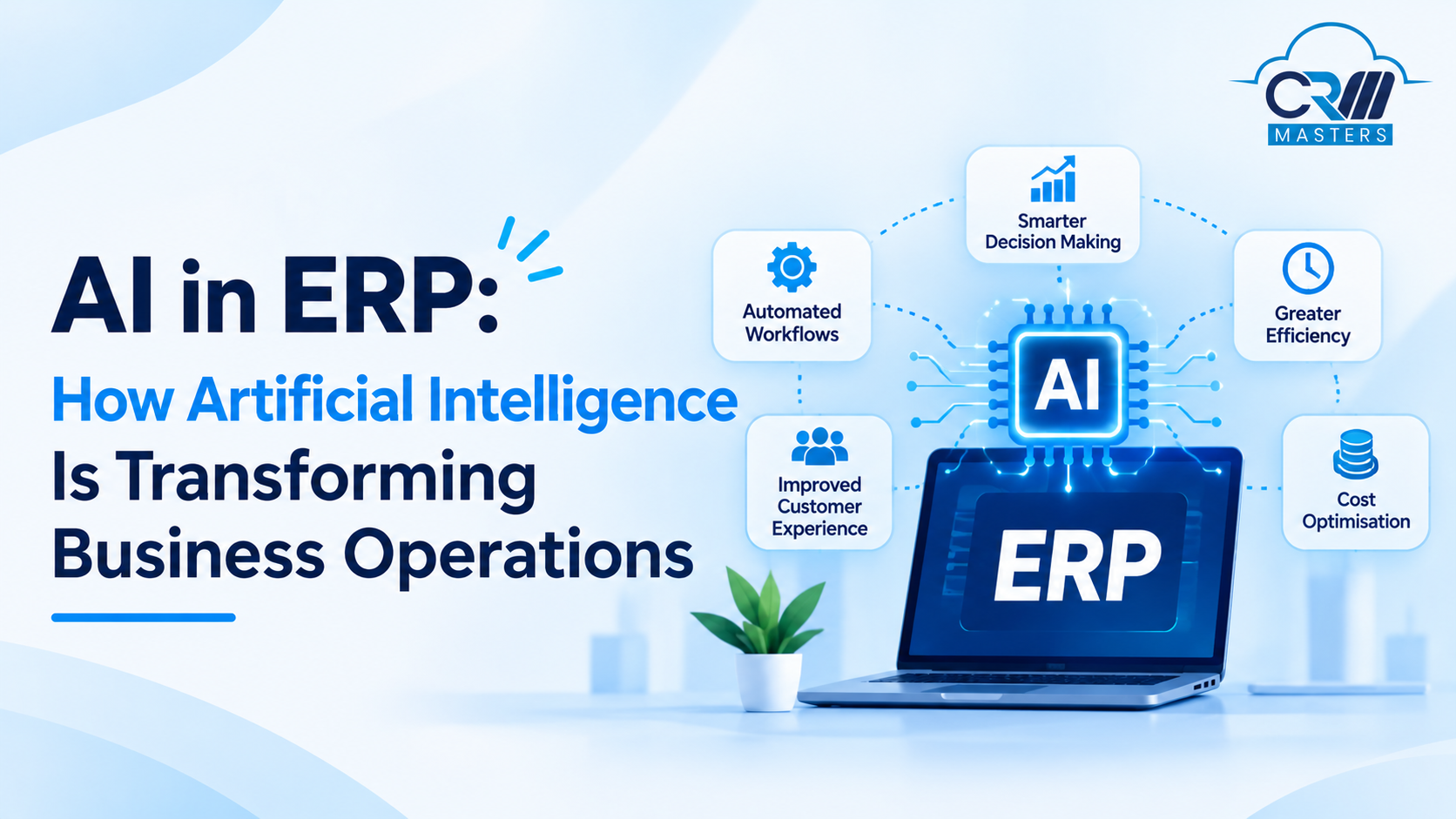
AI in ERP means adding smart technology like machine learning and automation to your ERP software. It helps the system predict what may happen, handle routine tasks, and support better decisions. A regular ERP shows you what happened last month. An ERP with AI can also warn you about what is likely to happen next month.
This guide explains how AI works inside ERP, where businesses use it, what can go wrong, and how to get started.
What Is AI in ERP?
AI in ERP means adding smart technology to your ERP software so it can do more than store data. ERP connects your finance, purchasing, inventory, HR, and sales teams on one shared system. AI uses that data to find patterns, predict what may happen next, and take care of routine tasks.
Think of it this way: a regular ERP tells you what happened last month. An ERP with AI can also warn you about what is likely to happen next month.
Core Applications of AI in ERP
AI brings several capabilities to ERP systems, helping businesses automate operations, analyse data, and make better decisions. Some of its key applications include:
Predictive Analytics and Forecasting: Analyses historical data, sales trends, and customer demand to forecast inventory requirements, cash flow, and future business needs.
Automated Operations and RPA: Automates repetitive tasks such as invoice processing, data entry, purchase order matching, and financial transactions, reducing manual effort.
Intelligent Document Processing: Uses OCR and NLP to extract information from invoices, receipts, purchase orders, and other documents, making data entry faster and more accurate.
Quality Control and Predictive Maintenance: Uses computer vision and machine data to identify product defects, monitor equipment performance, and predict potential machine failures.
Anomaly and Fraud Detection: Analyses financial transactions and procurement records to identify unusual activities, duplicate payments, suspicious entries, and potential compliance risks.
Conversational AI and Virtual Assistants: Allow employees to ask questions in plain language, retrieve business reports, check financial information, and access ERP data without navigating multiple menus.
How Does AI Work Inside an ERP System?
AI in ERP follows the same five-step cycle in every module, whether it is working in finance, inventory, HR, or sales. Each step builds on the one before it.
- Gather Your Business Data: Your ERP already records sales, payments, stock movements, purchase orders, and employee details. This daily record is what AI learns from.
- Clean and Connect Records: Duplicate customers, mismatched product codes, and missing fields are fixed. Records from different teams are linked, so finance, sales, and inventory all work from the same information.
- Teach the AI Model: The AI studies your past data to learn what is normal for your business, such as seasonal sales changes or how long customers usually take to pay.
- Predict and Take Action: Once trained, the system puts that learning to use. It can forecast next month’s demand, flag an unusual invoice, or complete a routine task like matching an invoice to a purchase order.
- Improve Through User Feedback: When a user accepts, rejects, or corrects a result, the model uses that input to improve next time.
Where Do Businesses Use AI in ERP?
1. Finance and Accounting
- Invoice processing: AI reads invoices and checks them against other records. This cuts data entry errors and speeds up payments. SAP modules can verify receipts and invoices automatically, and Oracle’s tools read vendor invoices using document recognition.
- Cash flow forecasting: Oracle’s tools compare forecasts with actual results to improve future predictions. In Microsoft Dynamics 365 Finance, AI looks at how customers pay and flags accounts receivable that may be paid late.
- Fraud and error detection: AI flags unusual entries so your team can review them early.
2. Inventory and Supply Chain
- Demand forecasting: AI uses past sales data to predict what will sell, which helps you avoid stockouts.
- What-if planning: Dynamics 365 Supply Chain Management can test what happens if a vendor fails to deliver or prices change.
- Order tracking: AI can combine data from all your sales channels and warn you about likely delays.
3. Manufacturing
- Predictive maintenance: Sensors on machines, or digital twins (virtual copies of equipment), track how a machine is running. AI uses that data to forecast when a repair is needed, before the machine breaks down. This has been used to increase wind farm output and reduce wasted energy in agricultural manufacturing plants.
- Quality control: AI with image recognition can monitor materials on the production line and help spot quality problems early.
- Production planning: Better demand forecasts lead to steadier production schedules, fewer last-minute changes, and better use of plant capacity.
4. Human Resources
- Employee self-service: AI chatbots answer common questions about topics like PTO balances and pay stubs, so HR teams spend less time on routine requests.
- Learning recommendations: SAP SuccessFactors suggests training courses based on each employee’s needs.
- Candidate matching: The same platform finds candidates who match a job description, which speeds up the first round of recruiting.
- Routine HR tasks: AI can automate repetitive paperwork and personalize the experience for each employee.
5. Purchasing and Projects
- Smarter buying: In SAP Ariba, AI recommends bids that fit your budget or sustainability goals.
- Project risk: Dynamics 365 Project Operations spots patterns that lead to budget overruns and suggests how to assign team members.
6. Sales and Customer Support
- Email drafting: SAP’s CRM module uses AI to write emails for sales and service teams. Reps edit and send instead of starting from a blank page.
- Account summaries: The same module prepares account briefings, so a rep can see the key details about a customer before a call.
- 24/7 customer answers: Chatbots can answer common customer questions at any hour, such as order status or basic how-to requests, and pass harder issues to a person.
- Customer sentiment: AI can read customer emails and flag whether the tone is happy, neutral, or upset, so support teams can respond to urgent cases first.
Traditional ERP vs AI-Enabled ERP
AI does not replace ERP. It needs the ERP’s data to work.
AI Features, AI Assistants, and AI Agents: What Is the Difference?
People often mix these up. They differ in how much the AI does on its own.
Agents save the most effort but carry the most risk. That is why human approval steps matter.
What Are the Benefits of AI in ERP?
The benefits depend on which part of the business you apply AI to. These are the ones that are best supported and most relevant to ERP:
- Faster Month-End Close. AI can match transactions, flag exceptions during the month, and draft explanations for budget variances. Your team fixes problems as they appear instead of in a last-minute rush. Gartner predicts that finance teams using cloud ERP with embedded AI assistants will close 30% faster by 2028.
- Fewer Payment Mistakes. AI checks each invoice against the purchase order and the delivery record. It flags mismatches and possible duplicates before you pay, so your accounts payable team reviews exceptions instead of typing in every invoice.
- Early Cash Flow Warnings. AI studies how your customers have paid in the past. In Microsoft Dynamics 365 Finance, this helps flag accounts receivable that are likely to be paid late, so you can follow up sooner.
- Smarter Inventory Decisions. When demand forecasts connect to inventory data, reorder decisions reflect what you expect to sell. That means fewer stockouts and less cash tied up in slow-moving stock.
- Fewer Machine Breakdowns. For manufacturers, sensor data helps AI predict when equipment needs service. Your team schedules the repair before the machine fails, not after production stops.
- Answers Without Reports. With plain-language questions, a manager can ask about cash flow trends, inventory turnover, or project margins without waiting for someone to build a report. Microsoft’s Copilot in Dynamics 365 works this way.
- Earlier Fraud and Error Detection. AI flags unusual entries as they happen. Your compliance team spends time on the real concerns instead of scanning routine transactions.
- Time for Higher-Value Work. The savings are specific: accounting staff review exceptions instead of keying in data, and HR chatbots handle routine questions about PTO and pay stubs.
What Are the Challenges of AI in ERP?
Poor Data Quality
Duplicate customers, inconsistent product codes, and missing fields lead to unreliable predictions. Clean your data before you expand AI. In the manufacturer survey above, 56% of respondents were not sure their ERP was ready for AI.
Security and Access
AI tools that read and write ERP data create new risks. In the cybersecurity survey above, 61.8% of respondents said better access control was the top improvement needed before they would trust AI with their ERP data.
Lack of Clear Rules
You need clear rules for who can see what, how data is handled, and how AI decisions are recorded. Finance and compliance teams should be able to see why the system made a recommendation.
Stopping at Small Pilots
Many companies try AI in one corner of the business and never scale it. Plan how a successful pilot will grow.
Too Much Automation
Large payments, hiring decisions, and compliance actions should always have a human approval step.
Which ERP Platforms Offer AI?
How Does AI in ERP Work With CRM?
ERP and CRM systems manage different parts of a business, but their data is closely connected. ERP handles backend operations such as inventory, purchasing, orders, invoices, and payments. CRM manages customer-facing activities, including leads, sales opportunities, customer interactions, and service requests.
When both systems are integrated, AI can analyse information from these connected systems to give teams a more complete picture of business performance and customer activity.
Here are some practical ways this integration helps:
1. Smarter Sales Decisions: AI combines customer purchase history, payment records, and sales pipeline data to help sales teams identify valuable opportunities and make informed offers.
2. Better Customer Service: Support teams can access order details, payment status, inventory availability, and delivery updates directly from customer records, helping them resolve queries faster.
3. More Accurate Sales Forecasting: AI analyses CRM sales opportunities alongside historical ERP order data to improve demand forecasts, revenue projections, and inventory planning.
4. Personalised Customer Experiences: AI studies previous purchases, order frequency, and customer interactions to help teams identify relevant products, recommend repeat purchases, and plan targeted campaigns.
5. Improved Order Management: When a customer places an order, integrated systems can connect sales information with inventory, fulfilment, and invoicing, reducing manual coordination between departments.
Early Payment Risk Identification: AI combines customer payment history with CRM account information to identify accounts that may delay payments, helping finance and sales teams plan timely follow-ups.
For example, when a sales representative receives a new order request, they can check the customer’s purchase history, outstanding invoices, and current inventory availability before confirming pricing and delivery timelines.
The key advantage is that sales, finance, inventory, and customer support teams work with connected information instead of maintaining separate records. Planning ERP and CRM integration together also helps businesses avoid duplicate data entry, disconnected workflows, and expensive integration rework later.


FAQs
Q1. What is AI in ERP?
Ans. It means using smart technology inside ERP software so the system can predict problems, find errors, and handle repetitive tasks.
Q2. What is an example of AI in ERP?
Ans. Automatic invoice checking is a common one. The system reads an invoice, compares it with related records, and flags only the mismatches for a person to review.
Q3. Will AI replace accountants or ERP consultants?
Ans. No. AI handles repetitive checks and drafts. People still make decisions, set policies, and review exceptions.
Q4. What is the difference between ERP and AI?
Ans. ERP stores and connects your business data. AI studies that data and automates tasks. AI in ERP combines both.
Q5. Is AI in ERP only for large companies?
Ans. No. ERP vendors of all sizes now offer AI features. Small and midsize businesses (SMBs) should check which features come with their plan and which cost extra.
Q6. What is the biggest risk of AI in ERP?
Ans. Poor data quality and weak access control are the most common. Bad data leads to bad recommendations, and loose permissions can expose sensitive information.
Q7. Is my data safe when using AI in ERP?
Ans. It can be, with the right setup. Use role-based access, keep audit logs, confirm how your vendor handles data, and keep human approval on sensitive actions.
Q8. What are AI agents in ERP?
Ans. AI agents watch your processes and take action on their own, such as flagging a risky account receivable. Assistants only respond when you ask.