




Finance and Operations SOLUTIONS
Customer Service Automation That Resolves Tickets Faster
Manage tickets, SLAs, escalations, and customer support from one connected system built around how your team actually works.
Recommendations
Implementation
Your Team
Trusted by growing companies across industries






























Overview
What is Customer Service Automation?
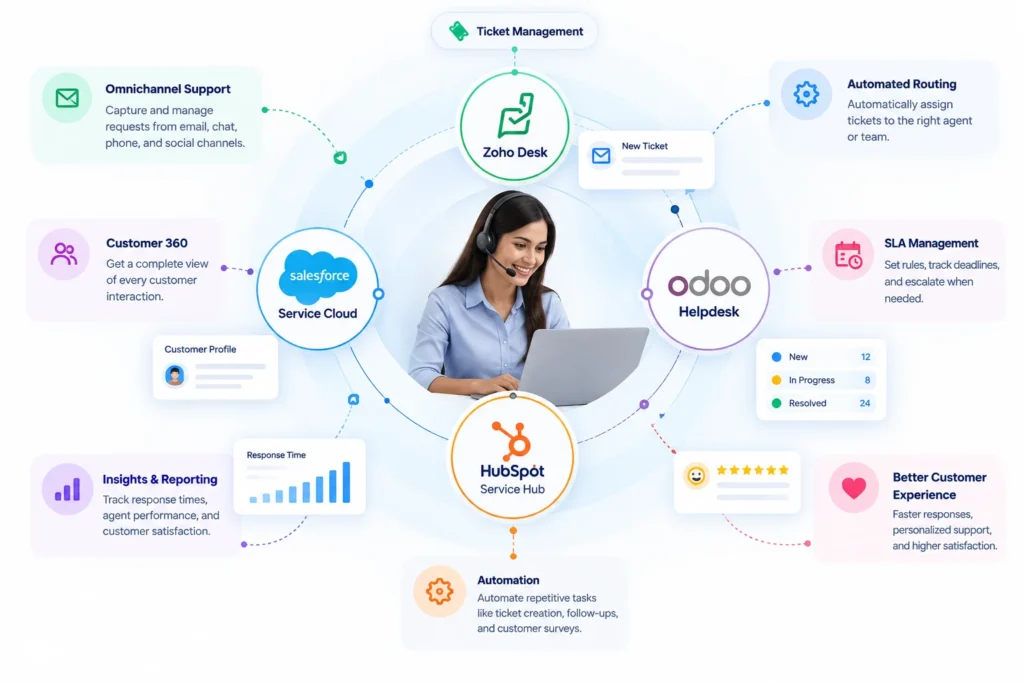
Customer service automation uses software rules and AI to handle repetitive support work automatically, such as creating tickets from emails and chats, routing them to the right agent, tracking SLA deadlines, escalating overdue cases, and sending satisfaction surveys. It shortens response times, reduces manual effort, and keeps every customer conversation in one place.
CRM Masters Infotech helps businesses design and implement support systems that match how their team actually handles customer issues, from first ticket to final resolution.
Not Sure Where Support Is Breaking Down?
A short call is all it takes. We'll walk through your current setup and show you exactly what's worth fixing first.
Common Customer Service Challenges that Automation Solves
Tickets Falling Through
the Cracks
Without a structured system, requests get missed, duplicated, or forgotten, leaving customers waiting without any response.
Missed SLA Deadlines
Without automated tracking, response and resolution targets slip past without anyone noticing until the customer complains.
FEATURES
Core Customer Service Automation Capabilities
Everything your support team needs to capture, route, resolve, and measure every customer request.
Ticketing Solutions
- Capture support requests from email, chat, phone, and social in one queue
- Convert customer messages into trackable tickets automatically
- Organize tickets by priority, category, and status
SLA Management
- Set response and resolution targets by ticket priority or customer tier
- Get automatic alerts before an SLA is about to be breached
- Track SLA performance across agents and teams
Ticket Assignment and Distribution
- Auto-assign tickets by agent skill and workload
- Route tickets to the right team based on issue type
- Rebalance workload automatically as ticket volume changes
Escalation Management
- Escalate unresolved tickets automatically based on time or priority
- Notify managers when a ticket needs senior attention
- Track escalation history for accountability and review
Customer Portal
- Let customers submit and track tickets without calling support
- Offer a searchable knowledge base to reduce repeat tickets
- Show customers their full ticket history in one place
Customer Satisfaction Tracking
- Send automated CSAT surveys after ticket resolution
- Track satisfaction scores by agent, team, or ticket type
- Spot recurring complaints before they affect retention
Platforms
Choose the Right Customer Service Automation Software
We work across leading platforms, so you get customer service automation software that fits how you actually operate.

Zoho Desk
- Multichannel Ticket Management
- Zia Powered Ticket Insights
- Built-in SLA Automation
- Native Zoho CRM Integration

Odoo Helpdesk
- Open Source Ticketing Core
- Custom Pipeline And Stage Configuration
- Self-Hosted or Cloud Deployment
- No Per-Agent Licensing Restrictions

Salesforce Service Cloud
- Enterprise Case Management
- Einstein AI For Support
- Omnichannel Routing Engine
- Extensive AppExchange Ecosystem

HubSpot Service Hub
- Unified Customer Timeline
- Shared Inbox Across Channels
- Customer Feedback And CSAT Tools
- Native HubSpot CRM Sync
How We Recommend
a Platform
No HRMS is universally the best for lead management.
We weigh a set of key factors to recommend the platform
that truly fits your needs.
growth plans
requirements
complexity
requirements





for Your Business
How It Works
How Customer Service Automation Works in 4 Steps
From the first request to the final survey, every ticket follows a clear, automated path.
-
01
Capture
Every request from email, chat, phone, social, and your portal becomes a ticket in one queue.
-
02
Route
Rules assign each ticket by skill, workload, priority, and customer tier.
-
03
Track and Escalate
SLA timers, breach alerts, and escalation rules keep tickets moving without manual chasing.
-
04
Resolve and Improve
CSAT surveys, reports, and knowledge base updates show what to fix next.
Ready to Automate Your Customer Service?
You've seen what a connected support system covers. Let's talk about which platform fits your team and what to automate first.
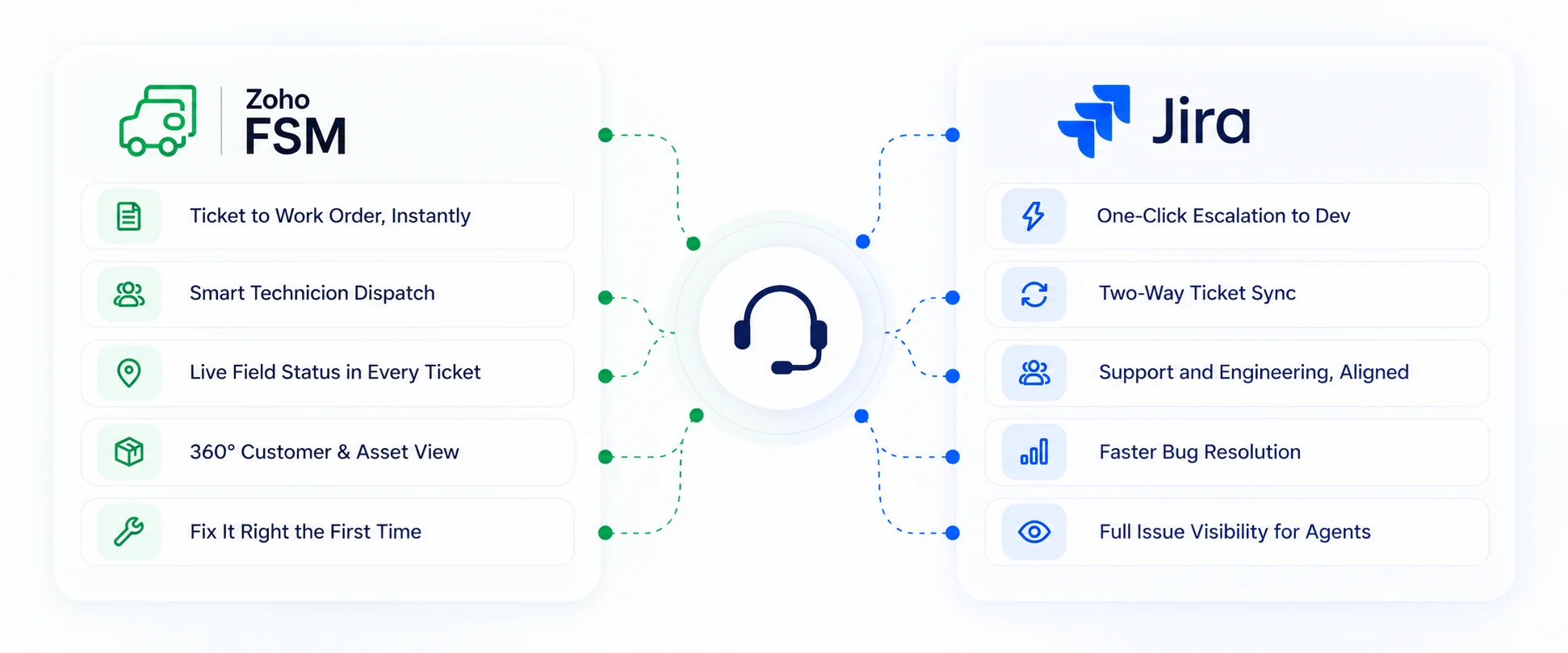
Integrate These Tools for Better Customer Service Management
Integrations


Why Choose CRM Masters for Customer Service Automation?
Customer service automation only works when it matches how your team handles support. Here is what you get when you work with CRM Masters Infotech.
Not Sure Where Support Is Breaking Down?
A short call is all it takes. We'll walk through your current setup and show you exactly what's worth fixing first.
See What We've Delivered
Take a look at the projects we're most proud of and the results they delivered for our clients.

Renewable Energy
Business Transforms Leads With Smarter CRM
A renewable energy company running lead tracking entirely on Excel needed a centralised system. Zoho CRM automated workflows and reporting, lifting lead conversion by 90% and customer engagement by 95%.

Salon & Beauty
Salon & Beauty Business Gains Complete Franchise Visibility
Managing 1,000+ salon franchises through spreadsheets left payment tracking and franchise records fragmented. CRM Masters centralised everything in Zoho CRM, Projects and SalesIQ for complete nationwide visibility.

Coworking & Real Estate
Coworking & Real Estate Operations Scale With Automation
India’s largest flexible workspace provider needed a CRM matching its scale across 200+ centres. A custom 22-module Zoho ecosystem automated operations and migrated 1.8 million records with zero downtime.

Telecom Infrastructure
Telecom Infrastructure Business Streamlines Operations With Zoho One
Manual contracts and Excel pipelines were slowing this European telecom infrastructure investor down. Zoho One brought digital signing and automated ROI tracking, driving 90% operational efficiency.
Industries
Accounting and Bookkeeping
Simplify client management and accounting operations. Automate lead management, client onboarding, document collection, recurring accounting tasks, tax workflows, approvals, invoicing, collections and client communication
Professional Services
Manage client onboarding, contract, resource planning, project delivery, billing, and time tracking on a single connected platform built for service delivery.
Retail & E-Commerce
We help D2C brands, online sellers and marketplaces streamline operations,inventory management improve customer experience and gain real-time visibility across their business.
Education
Streamline student journeys from enquiry to enrollment. Automate lead management, counselling, application tracking, document collection, university applications, follow-ups, visa processing, payments and student communication.
Non-Profit
Manage donor relationships, volunteer coordination, and program tracking on a single platform built for mission-driven organizations.
Software / IT
Automate lead management, demos, proposals, sales pipelines, onboarding, project delivery, resource allocation, renewals, support and billing.
Insurance
Convert enquiries into policies and renewals. Automate lead management, customer onboarding, quotation comparison, policy tracking, insurer coordination, renewals, follow-ups and claims support.
Mortgage Business
Manage the full lending journey from lead capture to loan disbursement or capital investment or grant with automated workflows and centralized customer data.
Pharmaceuticals
Automate doctor and hospital lead management, field sales, distributor management, MR route planning, product sampling, follow-ups, regulatory workflows and reporting.
Manufacturing
Optimize production planning, bill of material, inventory control, dispatch, procurement, dealer distributor management, invoicing, quality and customer service.
Real Estate
Manage property listings, automate lead follow-ups, streamline site visits, broker/channel partner coordination, bookings, documentation and collections and close deals faster with connected workflows.
Healthcare
Centralize patient operations, appointment scheduling, billing, and document management while supporting compliant, secure healthcare workflows.
FAQ
Frequently Asked Questions
What can you automate in customer service?
You can automate ticket creation from email, chat, phone, and social channels; ticket routing by skill, workload, or priority; SLA timers and alerts; escalations; status updates; CSAT surveys; and answers to common questions through a knowledge base or AI assistant. Complex or sensitive cases still go to human agents.
What are the benefits of customer service automation?
Customer service automation shortens first response and resolution times, reduces missed SLAs, removes manual sorting and follow-ups, and gives every agent the same customer history. Managers also get clearer reporting on where tickets stall, which makes it easier to fix bottlenecks one at a time.
Does customer service automation replace human agents?
No. Automation handles repetitive work such as sorting, routing, reminders, and common questions, so agents can focus on cases that need judgment and empathy. The goal is faster, more consistent service, not removing the human element from support.
What is the best customer service automation software?
It depends on your team and existing systems. Zoho Desk suits growing teams that want multichannel ticketing, built-in SLA automation, and native Zoho CRM sync. Salesforce Service Cloud suits enterprises with complex case management. HubSpot Service Hub suits teams whose support and marketing share customer data. Odoo Helpdesk suits teams that want an open-source, flexible core.
How does SLA automation work?
You set response and resolution targets by ticket priority or customer tier. The system starts a timer when a ticket arrives, alerts agents before a deadline is breached, and escalates the ticket automatically if it is not resolved in time. Managers can then track SLA performance by agent and team.
How does Zoho FSM work with customer service automation?
When a support issue needs an on-site visit, a Zoho Desk ticket can be turned into a Zoho FSM work order. Technicians are scheduled and dispatched, and job progress can be tracked against the original ticket, so support agents and customers stay informed without chasing updates.
Can customer service automation integrate with my existing CRM or ERP?
Yes. Zoho Desk, Salesforce Service Cloud, and HubSpot Service Hub offer native connectors or open APIs for CRM sync. CRM Masters also connects support systems with ERP and accounting tools such as SAP, Oracle, Tally, Microsoft Dynamics, QuickBooks, Xero, and Zoho Books, and with other platforms through REST API.
Where should I start with customer service automation?
Measure where tickets actually get stuck: first response time, resolution time, or reopened tickets. Automate that single bottleneck first, then add routing, escalation, self-service, and CSAT follow-up. Fixing one problem at a time is more reliable than overhauling the whole process at once.
Challanges
Common Customer Service Challenges
Tickets Falling Through the Cracks
Without a structured system, requests get missed, duplicated, or forgotten, leaving customers waiting without any response.
Missed SLA Deadlines
Without automated tracking, response and resolution targets slip past without anyone noticing until the customer complains.

Unclear Ticket Ownership
When tickets aren't assigned clearly, issues sit unresolved while agents assume someone else is handling them.
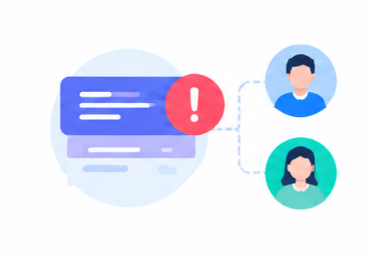
Escalations Handled Inconsistently
Without a defined escalation path, urgent issues take just as long to resolve as routine ones.

Customers Repeating Themselves
Without a shared history, customers explain their issue again every time they contact support, on any channel.
No Self-Service Option
Customers who could resolve simple issues themselves end up waiting in the same queue as complex cases.
Features
Core Customer Service Capabilities
Give every team access to the data, automation, and visibility they need to perform better.
Ticketing Solutions
- Capture support requests from email, chat, phone, and social in one queue
- Convert customer messages into trackable tickets automatically
- Organize tickets by priority, category, and status
SLA Management
- Set response and resolution targets by ticket priority or customer tier
- Get automatic alerts before an SLA is about to be breached
- Track SLA performance across agents and teams
Ticket Assignment and Distribution
- Auto-assign tickets by agent skill and workload
- Route tickets to the right team based on issue type
- Rebalance workload automatically as ticket volume changes
Escalation Management
- Escalate unresolved tickets automatically based on time or priority
- Notify managers when a ticket needs senior attention
- Track escalation history for accountability and review
Customer Portal
- Let customers submit and track tickets without calling support
- Offer a searchable knowledge base to reduce repeat tickets
- Show customers their full ticket history in one place
Customer Satisfaction Tracking
- Send automated CSAT surveys after ticket resolution
- Track satisfaction scores by agent, team, or ticket type
- Spot recurring complaints before they affect retention
CRM Integrations
- ERP sync with SAP, Oracle, Tally, and Microsoft Dynamics
- Accounting integration with QuickBooks, Xero, and Zoho Books
- E-commerce and marketing platform connections via REST API
AI and Intelligent CRM
- AI lead scoring with conversion probability via Zia and Einstein AI
- Predictive deal closure likelihood and pipeline anomaly detection
- Next best action recommendations for sales reps
Platforms
Choose the Platform That Fits How You Support Customers
We work across leading platforms, so you get the system that fits how you actually operate.








