





What is IT Infrastructure Management – A Beginner’s Guide for Businesses
Modern businesses depend on technology for almost every part of their daily operations. Employees use laptops and business applications, customers interact through websites and portals, and teams rely on networks, cloud platforms, databases, and communication systems to keep work moving.
All of these systems form part of an organization’s IT infrastructure. Managing them properly is important because a problem with one system can affect productivity, customer service, security, and business continuity.
IT infrastructure management is the process of monitoring, maintaining, securing, and optimizing the technology environment a business depends on. It covers everything from hardware and software to networks, servers, cloud resources, security systems, and backups.
In this blog, we will explain what IT infrastructure management is, how it works, its main components, benefits, best practices, common tools, and real-world examples.
What Is IT Infrastructure?
IT infrastructure is the combination of hardware, software, networks, data storage, facilities, and other technology resources that support an organization’s IT operations.
A typical IT infrastructure may include:
For example, when an employee logs into a CRM, sends an email, accesses a shared file, or connects to a business application, several parts of the IT infrastructure work together in the background.
A well-designed IT infrastructure provides the technical foundation a business needs to operate reliably. Poorly managed infrastructure can lead to downtime, security vulnerabilities, slow applications, data loss, and higher operating costs.
What Is IT Infrastructure Management?
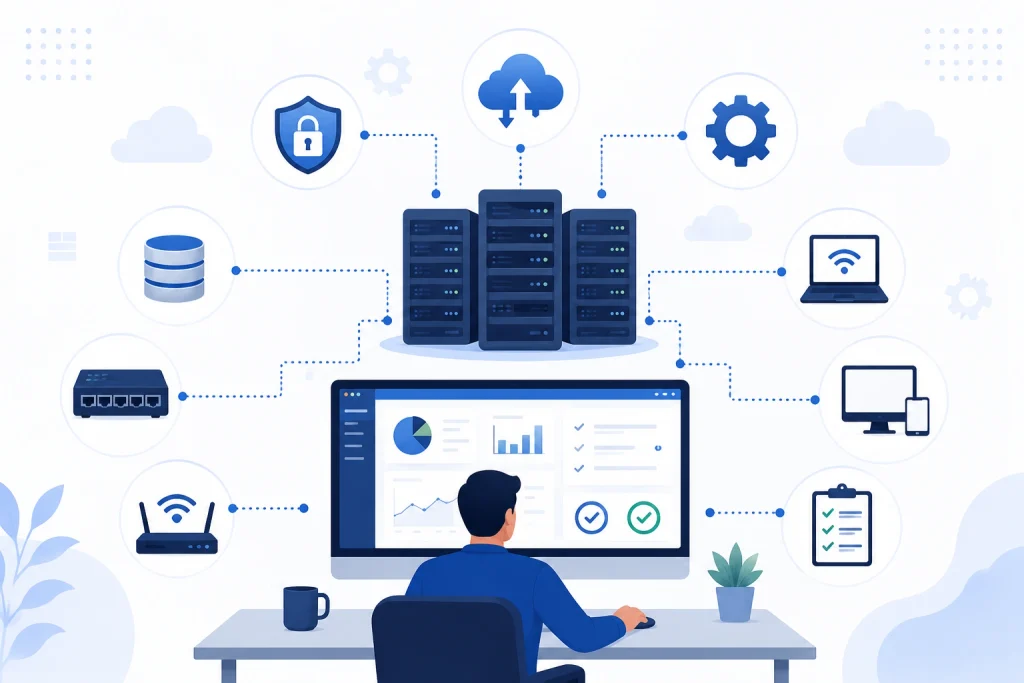
IT infrastructure management is the process of overseeing, maintaining, monitoring, securing, and optimizing an organization’s IT infrastructure. It covers both physical and digital technology resources.
In simple terms, it means making sure a company’s technology is available when people need it, protected from common risks, properly maintained, and used efficiently.
IT infrastructure management is not limited to fixing problems after they happen. A proactive approach helps IT teams identify potential issues, maintain systems, manage resources, improve performance, and prepare the infrastructure for future business needs.
The main objectives include:
- Reducing downtime
- Improving system performance
- Protecting business data
- Using IT resources efficiently
- Identifying problems before they become major incidents
- Keeping systems updated
- Supporting business growth
- Improving operational reliability
IT infrastructure management can involve monitoring platforms, automation tools, cloud management systems, security solutions, asset management processes, configuration management, and IT service management practices.
How Does IT Infrastructure Management Work?
IT infrastructure management follows an ongoing process rather than a one-time setup. IT teams first understand the existing environment, monitor its performance, identify risks, maintain systems, and continuously improve the infrastructure.
1. Assess the IT Environment
The first step is understanding what technology the business currently uses. This includes hardware, software, networks, cloud services, applications, databases, security systems, and data storage.
An infrastructure assessment can also identify outdated systems, performance issues, security gaps, unused resources, and areas where manual work can be reduced.
2. Track IT Assets
Businesses need an accurate record of the technology they own or use. Asset tracking can include employee devices, servers, software licenses, network equipment, cloud resources, and other IT assets.
Knowing what exists, where it is used, who is responsible for it, and when it needs to be replaced makes infrastructure management more organized.
3. Monitor Infrastructure Performance
Monitoring helps IT teams understand whether systems are working as expected. Teams can track server health, network performance, storage capacity, application availability, cloud usage, and other important metrics.
For example, monitoring can alert the IT team when an application becomes unavailable, network traffic crosses a defined threshold, or a server’s CPU usage remains unusually high.
4. Identify and Resolve Issues
When monitoring identifies an issue, IT teams investigate its cause and take corrective action. This could involve troubleshooting a network problem, replacing failing hardware, applying a security patch, increasing storage, or adjusting cloud resources.
5. Maintain and Update Systems
Regular maintenance keeps infrastructure reliable and secure. This can include software updates, security patches, hardware replacement, configuration changes, backup checks, and performance optimization.
6. Secure the Infrastructure
Security is built into the management process rather than handled separately. IT teams manage user access, endpoint protection, firewalls, encryption, vulnerability assessments, and security monitoring to reduce infrastructure risks.
7. Review and Optimize
Infrastructure management is an ongoing process. IT teams regularly review system performance, technology costs, security risks, and business requirements to determine what should be improved, replaced, automated, or scaled.
Why Does IT Infrastructure Management Matter?
Technology problems can quickly become business problems. If a CRM, email system, network, website, cloud application, or file server becomes unavailable, employees may not be able to work and customers may experience delays.
Proactive IT infrastructure management helps businesses:
- Keep critical systems available
- Identify infrastructure problems earlier
- Use computing and storage resources efficiently
- Protect systems and business data
- Scale technology as the business grows
- Reduce unnecessary IT spending
Global technology investment also highlights the growing importance of IT infrastructure. Gartner forecasts worldwide IT spending to reach $6.31 trillion in 2026, up 13.5% from 2025. Gartner also expects data center systems spending to grow by 55.8% in 2026, driven in part by demand for AI infrastructure.
As businesses invest in more applications, cloud services, data centers, and connected systems, managing the underlying infrastructure becomes increasingly important.
Components of IT Infrastructure Management
IT infrastructure management covers several interconnected areas. The exact scope depends on the size of a business and the technology environment it uses.
1. Hardware Management
Hardware management involves managing the physical technology used by an organization. This can include:
- Servers
- Laptops and desktops
- Storage devices
- Printers
- Routers
- Switches
- Firewalls
- Data center equipment
IT teams need to track these assets, monitor their condition, manage replacements, and ensure they are configured correctly.
2. Software Management
Software management covers the applications and operating systems used across the business. It includes:
- Software installation
- License management
- Version control
- Updates
- Security patches
- Application configuration
- Software removal
For example, an organization may need to ensure that employees are using supported versions of operating systems and business applications.
3. Network Management
Networks connect users, devices, applications, and systems. Network management focuses on:
- Network availability
- Traffic monitoring
- Connectivity
- Router and switch configuration
- Network performance
- Security
- Troubleshooting
A network problem can affect multiple departments at once, which makes continuous monitoring particularly important.
4. Server and Storage Management
Servers provide computing resources for applications, databases, websites, and other business systems.
Server management includes monitoring:
- CPU usage
- Memory
- Storage
- System health
- Operating system status
- Application performance
Storage management ensures that important business data has enough capacity and is stored securely.
5. Cloud Infrastructure Management
Many organizations now use cloud services instead of relying entirely on physical infrastructure.
Cloud infrastructure can provide:
- Computing resources
- Storage
- Databases
- Applications
- Backup services
- Scalable resources
Cloud infrastructure management involves monitoring usage, controlling costs, managing access, maintaining security, and scaling resources according to business requirements. Cloud environments can also make it easier to increase or reduce resources as demand changes. However, businesses still need proper controls to prevent unused resources, security gaps, and unexpected costs.
6. Security Management
Security is a major part of IT infrastructure management. Organizations need to protect infrastructure from unauthorized access, malware, vulnerabilities, and other security threats. Common security practices include:
- Access control
- Identity management
- Firewalls
- Encryption
- Vulnerability assessments
- Endpoint protection
- Security monitoring
- Regular patching
Security management should be treated as an ongoing process rather than a one-time activity.
7. Backup and Disaster Recovery
IT infrastructure management also includes preparing for system failures and unexpected events. A disaster recovery strategy determines how critical systems and data will be restored after events such as:
- Hardware failure
- Cyberattacks
- Power outages
- Natural disasters
- Accidental data deletion
- Major system failures
A good disaster recovery plan should define backup procedures, recovery priorities, responsible teams, and testing processes.
The goal is not simply to have backups, but to know that critical systems and data can actually be recovered when needed.
Benefits of IT Infrastructure Management
Effective IT infrastructure management can create several operational and business benefits.
1. Reduced Downtime
Regular monitoring and proactive maintenance can help identify potential problems before they cause major outages. This is particularly important when business applications depend on continuously available infrastructure.
2. Better IT Performance
Monitoring helps teams identify systems that are overloaded, underused, or performing below expectations. Resources can then be adjusted to improve performance.
3. Improved Security
Regular patching, access controls, vulnerability assessments, and security monitoring can reduce exposure to common infrastructure risks.
4. Lower IT Costs
Infrastructure management can identify unused resources, unnecessary software, outdated equipment, and inefficient systems. Removing or optimizing these resources can help control technology spending.
5. Easier Business Growth
A scalable IT infrastructure makes it easier to add users, applications, storage, and computing resources as the business grows.
Cloud infrastructure, virtualization, and automation can make this process more flexible.
6. Better Business Continuity
Backups, redundancy, monitoring, and disaster recovery planning help organizations continue operating when technology failures occur.
Common IT Infrastructure Management Tools
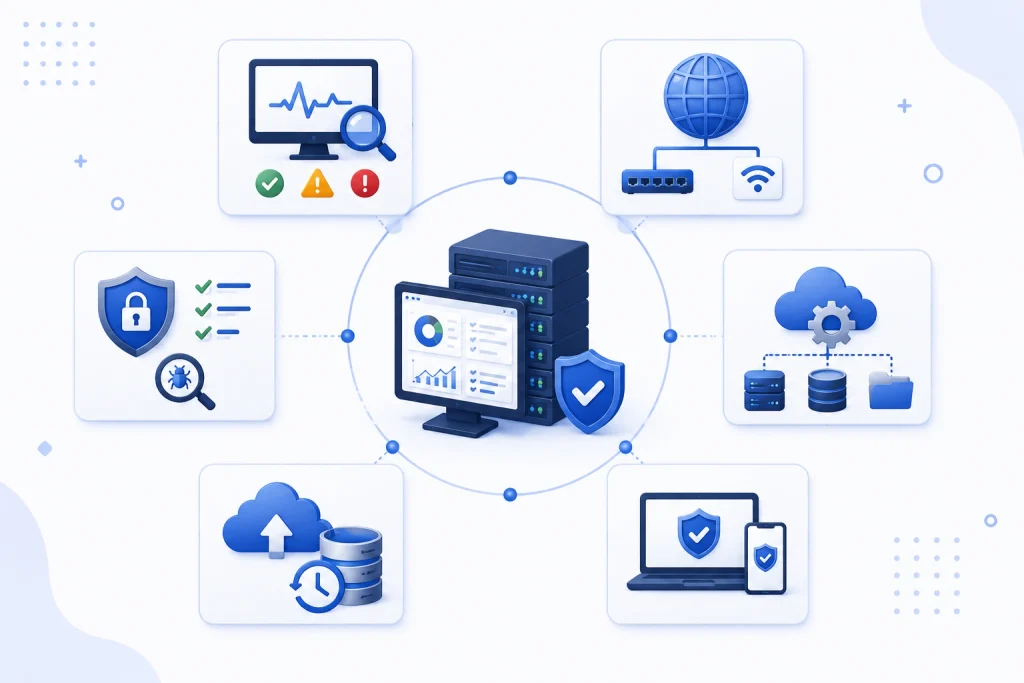
IT infrastructure management relies on different types of tools to monitor, maintain, secure, and optimize technology environments.
1. Infrastructure Monitoring Tools
These tools monitor servers, applications, storage, and other infrastructure components. They can generate alerts when performance drops, resources reach defined limits, or systems become unavailable.
2. Network Management Tools
Network management tools help IT teams monitor connectivity, traffic, network devices, availability, and performance. They can also help identify network problems and configuration issues.
3. Cloud Management Tools
Cloud management platforms provide visibility into cloud resources, usage, performance, access, and costs. They can help businesses identify unused resources and manage cloud environments more efficiently.
4. Endpoint Management Tools
Endpoint management tools help organizations manage employee laptops, desktops, mobile devices, software, configurations, and security requirements from a centralized environment.
5. Backup and Disaster Recovery Tools
These tools help automate data backups, monitor backup status, and support the recovery of systems and data after failures or other disruptive events.
6. Security and Vulnerability Management Tools
Security tools help identify vulnerabilities, monitor suspicious activity, manage access, protect endpoints, and support ongoing infrastructure security.
The purpose of these tools is not simply to add more technology. The right tools should give IT teams better visibility, reduce manual work, and help them respond to infrastructure issues faster.
IT Infrastructure Management Best Practices
Businesses can improve infrastructure management by following a few practical principles.
1. Standardize IT Environments
Standardized hardware, software, and configurations reduce unnecessary complexity. When systems follow consistent configurations, IT teams can troubleshoot and maintain them more easily.
- Maintain Accurate Documentation
- Outdated documentation can make troubleshooting and recovery much harder.
- Keep documentation for:
- Hardware assets
- Software licenses
- Network configurations
- System dependencies
- Security procedures
- Backup policies
- Disaster recovery processes
2. Apply Patches Regularly
Security patches and software updates should be applied according to a defined process. Unpatched systems can remain exposed to known vulnerabilities and compatibility issues.
3. Monitor Before Problems Occur
Reactive IT management means waiting for users to report a problem. Proactive infrastructure management uses monitoring and alerts to identify potential issues earlier.
4. Automate Where Practical
Automation is useful for repetitive tasks such as backups, software deployment, patching, provisioning, and monitoring.
This allows IT teams to spend more time on planning and improvement rather than repetitive administration.
5. Test Disaster Recovery Plans
Having a backup does not automatically mean that recovery will work. Businesses should periodically test their recovery procedures to verify that systems and data can actually be restored.
6. Review Infrastructure Regularly
IT infrastructure should be reviewed as business requirements change. Regular reviews can help identify outdated hardware, unused software, growing storage requirements, rising cloud costs, security gaps, and systems that need to scale.
IT Infrastructure Management vs IT Service Management
IT infrastructure management and IT service management are related, but they are not the same. Infrastructure management focuses on the technology and systems that support the business, while IT service management focuses on delivering and supporting IT services for users.
| Dimension | IT Infrastructure Management | IT Service Management |
|---|---|---|
| Focus | Focuses on technology infrastructure | Focuses on delivering and managing IT services |
| Core assets managed | Manages hardware, networks, servers, software, and cloud resources | Manages incidents, service requests, changes, problems, and service delivery |
| Performance emphasis | Focuses heavily on infrastructure performance and availability | Focuses heavily on service quality and user experience |
| Inclusions | Includes monitoring, maintenance, configuration, and infrastructure security | Includes processes, workflows, service desks, and support |
| Outcome/Benefit | Helps keep technology systems reliable | Helps ensure IT services meet business and user needs |
What IT Infrastructure Management Looks Like in a Real Business
IT infrastructure management becomes easier to understand when you look at how technology works together in a real business.
Consider a company with 200 employees that uses a CRM, ERP system, email, cloud storage, employee laptops, office networks, cybersecurity tools, and customer-facing applications. Each system has a different purpose, but they are all connected through the company’s IT infrastructure.
For example, when an employee logs into the CRM, several infrastructure components may be involved:
Employee device → Network → Identity and access → Business application → Cloud/server → Database → Security controls
IT infrastructure management helps ensure that each part of this chain is available, secure, and performing as expected.
What Are the Future Trends in IT Infrastructure Management?
IT infrastructure is becoming more distributed, cloud-based, connected, and automated. As businesses use more digital services, IT teams need greater visibility across physical infrastructure, cloud environments, applications, endpoints, and connected devices.
1. AI and Predictive Management
AI and machine learning can help identify unusual system behavior, predict potential failures, automate routine tasks, and improve resource allocation. Gartner forecasts worldwide AI spending of $2.59 trillion in 2026, a 47% increase from the previous year. Gartner also expects AI infrastructure to account for more than 45% of AI spending, highlighting the growing infrastructure requirements behind AI workloads.
2. Hybrid and Multi-Cloud Infrastructure
Businesses increasingly operate across multiple cloud platforms and on-premises environments. Managing these environments requires better visibility, security, integration, and cost control.
3. Edge Computing
Edge computing moves processing closer to where data is generated. This can create new infrastructure management requirements because organizations need to manage systems across more locations.
4. Internet of Things
IoT devices generate large volumes of data and introduce additional connected endpoints that need to be monitored and secured.
Overall, infrastructure management is moving beyond individual servers and networks toward centralized monitoring, automation, predictive analysis, and management across increasingly complex digital environments.
Conclusion
IT infrastructure management provides the foundation for reliable business technology. From hardware and networks to cloud platforms, software, security systems, and backups, every part of the IT environment needs to be monitored and maintained.
A proactive approach helps businesses reduce downtime, improve performance, protect critical data, manage technology costs, and scale their systems as business needs change.
As businesses continue adopting cloud services, AI, connected devices, and digital applications, effective IT infrastructure management will become even more important. The goal is not simply to keep technology running, but to create an IT environment that is secure, reliable, efficient, and ready for growth.
FAQ
Q1. What is IT infrastructure management in simple terms?
Ans. IT infrastructure management is the process of managing an organization’s technology systems, including hardware, software, networks, servers, cloud resources, and security systems, so they remain reliable, secure, and available.
Q2. Why is IT infrastructure management important?
Ans. It helps businesses reduce downtime, improve system performance, protect data, control IT resources, manage costs, and support business growth.
Q3. What are the main areas of IT infrastructure?
Ans. The main areas are hardware, software, and networking. Modern IT infrastructure can also include cloud services, security systems, storage, backup, data centers, and business applications.
Q4. What are the main components of IT infrastructure management?
Ans. The main components include hardware, software, network, server and storage, cloud infrastructure, security, and backup and disaster recovery management.
Q5. What does an IT infrastructure manager do?
Ans. An IT infrastructure manager oversees the technology environment used by an organization. Their responsibilities can include infrastructure planning, system monitoring, hardware and software management, network oversight, security coordination, capacity planning, vendor management, and disaster recovery planning.
Q6. What is an example of IT infrastructure management?
Ans. Monitoring server performance, automatically applying security patches, managing employee devices, maintaining network equipment, monitoring cloud resources, and testing data backups are all examples of IT infrastructure management.
Q7. What is the difference between IT infrastructure and IT infrastructure management?
Ans. IT infrastructure refers to the technology components a business uses. IT infrastructure management refers to the processes used to monitor, maintain, secure, and optimize those components.
Q8. Why is proactive IT infrastructure management important?
Ans. Proactive infrastructure management helps businesses identify potential problems before they become major incidents. Monitoring, alerts, preventive maintenance, regular updates, and capacity planning can reduce downtime and improve system reliability.
Q9. How does cloud computing affect IT infrastructure management?
Ans. Cloud computing changes how businesses provision and manage computing, storage, applications, and other resources. It can provide greater scalability, but businesses still need to manage security, access, performance, availability, and costs.








