Top Zoho Integrations Every Business Should Use in 2026
Zoho covers a wide range of business functions, from sales and marketing to finance, customer support, project management, and analytics. But businesses rarely use Zoho alone as they often need to connect it with the other platforms they already rely on, such as Google Workspace, WhatsApp, Shopify, Stripe, or Microsoft Teams.
Without integrations, teams spend hours manually transferring data, updating records, and switching between applications. This not only reduces productivity but also increases the chances of errors, duplicate information, and delayed customer responses.
That’s where Zoho integrations come in. By connecting Zoho applications with the tools your business already uses, you can automate routine tasks, maintain consistent data across systems, and give every department access to the information they need.
Whether you’re using Zoho CRM as a standalone solution or the complete Zoho ecosystem, the right integrations can help create faster workflows, improve collaboration, and deliver a better customer experience.
⚡ Quick Summary
- Zoho integrations connect your CRM with tools like WhatsApp, Shopify, and Google Workspace to eliminate manual data entry.
- In 2026, connected systems drive better reporting, faster response times, and smarter AI-powered insights.
- Choose from native integrations, Marketplace extensions, custom APIs, or middleware platforms like Zoho Flow.
- Start with high-impact integrations such as CRM with email, accounting, support, and ecommerce.
What Are Zoho Integrations?
A Zoho integration connects Zoho applications with other business software so they can exchange information automatically. Instead of manually entering the same data into multiple systems, integrations keep information synchronized across your technology stack.
For example, when a customer submits a lead form on Facebook, that lead can automatically appear in Zoho CRM. When a payment is completed through Stripe, the transaction can instantly update Zoho Books. If your support team resolves a customer issue in Zendesk, your sales team can view that history directly inside Zoho CRM.
These connections reduce repetitive work and ensure every team is working with the latest information.
Types of Zoho Integrations
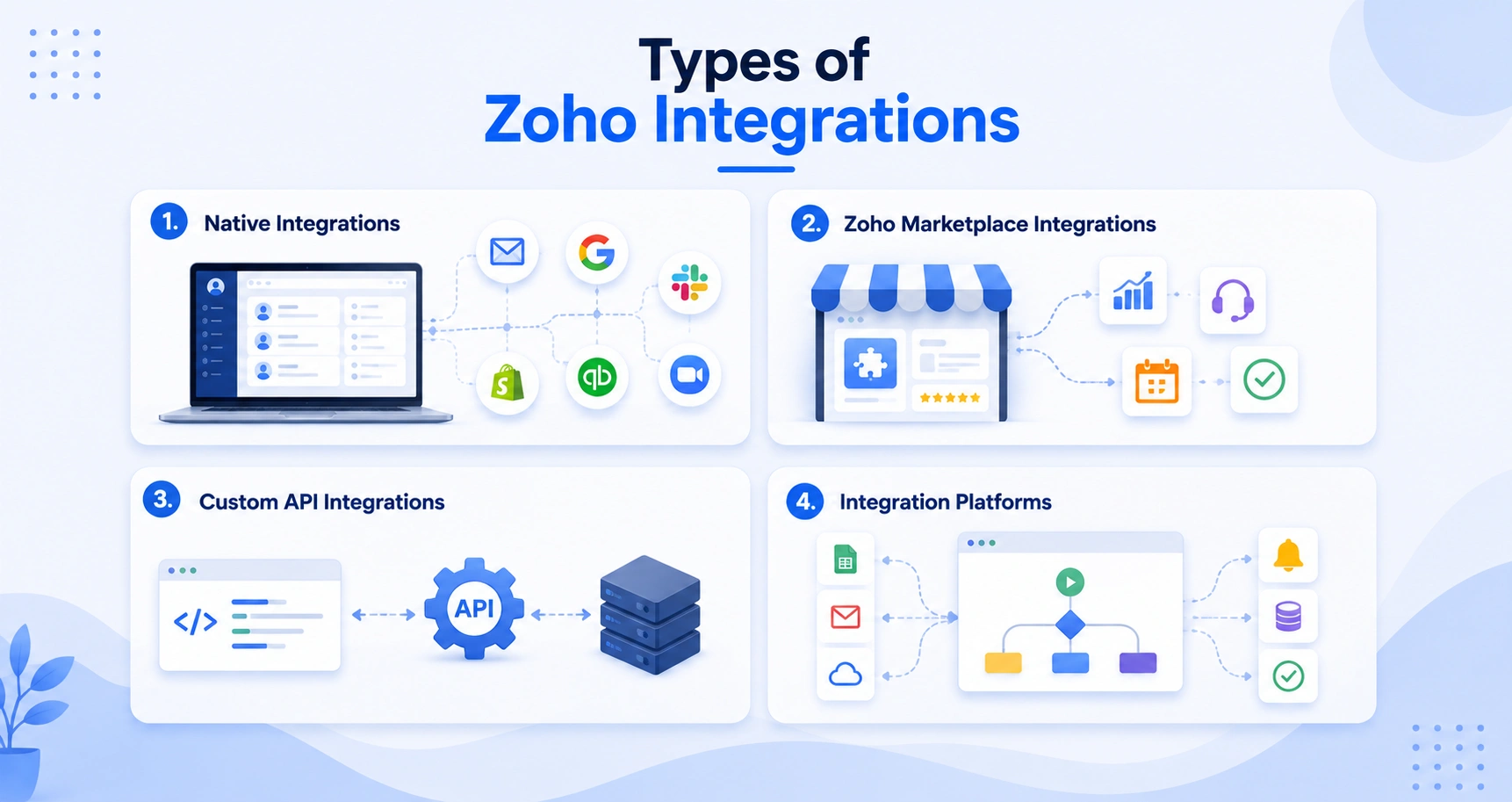
Not every business has the same integration needs. Zoho supports several approaches depending on your existing systems and business processes.
1. Native Integrations
Zoho offers hundreds of built-in integrations with popular business applications such as Microsoft 365, Google Workspace, Slack, Shopify, QuickBooks, Mailchimp, Zoom, and many more. These integrations are typically the easiest to configure and require minimal technical expertise. They’re ideal for businesses that want quick deployment with standard workflows.
2. Zoho Marketplace Integrations
The Zoho Marketplace includes thousands of extensions built by Zoho and third-party developers. These extensions allow businesses to connect industry-specific applications or add specialized functionality without building custom solutions. For many organizations, Marketplace extensions provide a balance between flexibility and ease of implementation.
3. Custom API Integrations
Some businesses rely on proprietary software or industry-specific platforms that don’t have ready-made integrations. In these cases, developers can use Zoho APIs to build custom connections that fit unique business requirements. Custom integrations are common in industries with specialized workflows, legacy systems, or advanced automation needs.
4. Integration Platforms
Middleware platforms such as Zoho Flow can connect multiple applications without extensive coding. These platforms allow businesses to automate workflows between hundreds of cloud applications using visual workflow builders. This option works well for organizations that need more flexibility than standard integrations but don’t want to invest in fully custom development.
Why Zoho Integrations Matter More Than Ever in 2026
Business software has become more advanced over the last few years, but businesses are also using more applications than ever before. It’s not uncommon for a growing company to rely on ten or more different tools across departments.
The challenge isn’t finding software anymore. It’s making sure those applications work together. Here are the biggest reasons Zoho integrations have become increasingly important in 2026.
1. Businesses Need Connected Customer Data
Customers interact with businesses through websites, email, social media, phone calls, messaging apps, and support portals. If each interaction stays inside a different system, teams never see the complete customer journey. Integrations bring these touchpoints together, giving sales, marketing, and support teams a shared view of every customer relationship.
2. Automation Saves Valuable Time
Many routine business activities follow predictable patterns. Examples include:
- Creating CRM records from website forms
- Sending welcome emails
- Generating invoices
- Assigning follow-up tasks
- Updating project status
- Notifying sales representatives
Instead of completing these actions manually, integrations automate them based on predefined rules. This allows employees to focus on customer relationships and strategic work rather than repetitive administration.
3. Better Decision Making
Business decisions are only as good as the data behind them. When information lives in separate systems, reports often become inconsistent. Marketing may report one number while sales reports another. Integrated systems create a single source of truth, making dashboards and performance reports far more reliable.
4. Faster Customer Response Times
Customers expect quick answers regardless of how they contact a business. If support agents can instantly access purchase history, previous conversations, invoices, and CRM records, they spend less time searching for information and more time solving problems. This leads to faster resolutions and a better customer experience.
5. AI Performs Better with Connected Data
Many businesses are now using AI-powered features for forecasting, lead scoring, customer insights, and workflow recommendations.
However, AI is only effective when it has access to complete, accurate data. Disconnected applications create gaps that limit the quality of AI-driven insights. Well-integrated systems provide the complete context needed for more accurate recommendations and automation.
How to Choose the Right Zoho Integrations
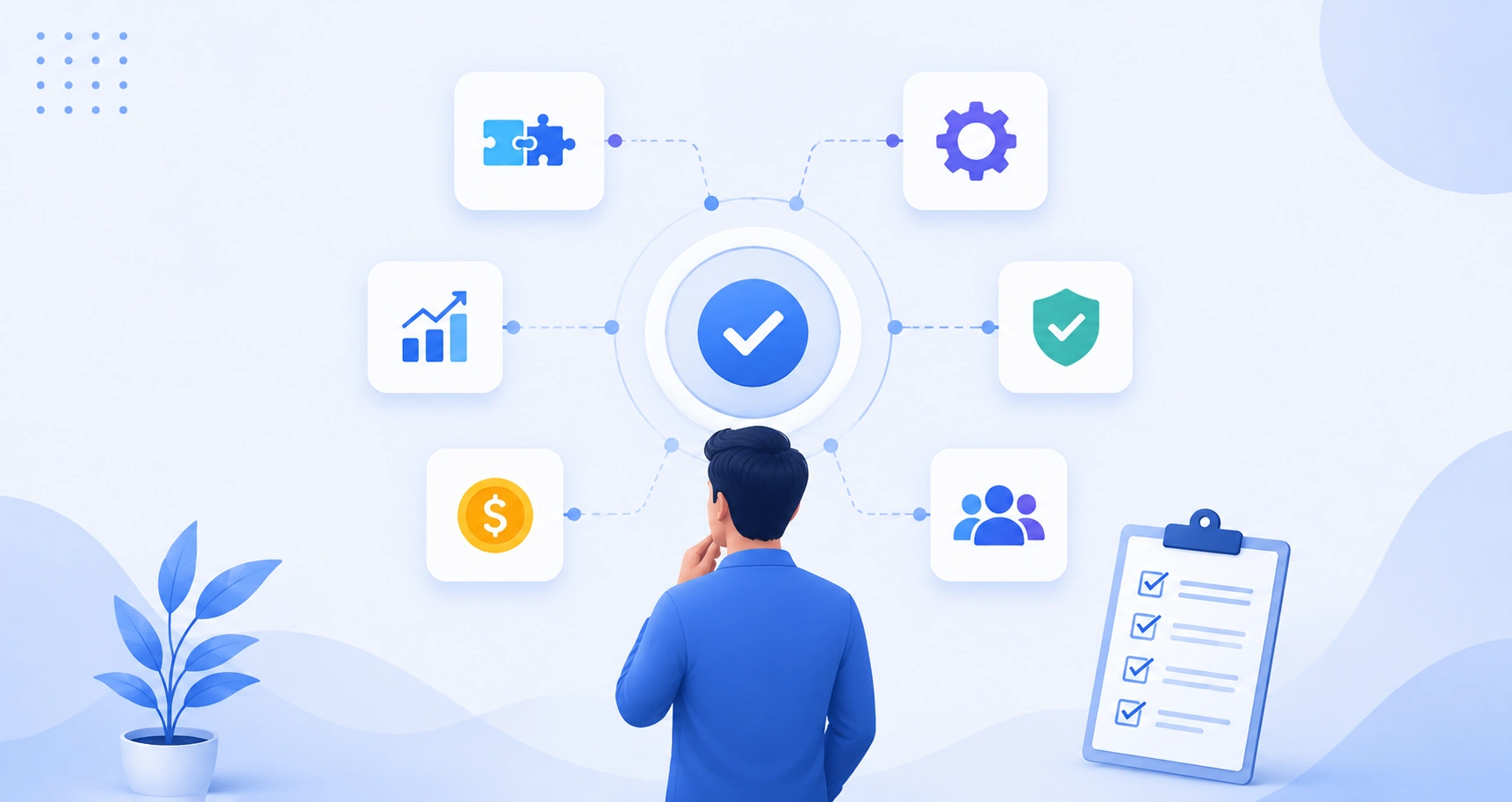
Not every available integration will benefit your business. Choosing the right ones starts with understanding your existing workflows rather than simply connecting every application you use. Here are the factors worth considering before implementing any integration.
Step 1: Start with Your Business Goals
Ask yourself what problem you’re trying to solve. For example:
- Reduce manual data entry
- Improve sales follow-up
- Shorten response times
- Eliminate duplicate records
- Improve reporting accuracy
- Connect finance with sales
- Automate customer onboarding
Starting with business outcomes helps prioritize integrations that deliver measurable value.
Step 2: Review Your Existing Software Stack
List every application your business currently uses. This might include:
- CRM
- Accounting software
- Marketing platforms
- Project management tools
- Communication apps
- Ecommerce platforms
- Customer support software
Understanding your software ecosystem makes it easier to identify where data should flow between systems.
Step 3: Look for Repetitive Manual Tasks
One of the simplest ways to identify valuable integrations is by observing where employees spend unnecessary time. Questions to ask include:
- Are leads entered manually?
- Are invoices created twice?
- Do employees copy information between systems?
- Are reports built manually every week?
- Are customer records updated in multiple applications?
If the answer is yes, automation can likely eliminate much of that work.
Step 4: Consider Future Growth
An integration should support your business not only today but also as it grows. Think about:
- Additional users
- More customers
- New departments
- International operations
- Additional sales channels
- Increased automation requirements
Scalable integrations reduce the need for major system changes later.
Step 5: Evaluate Security and Compliance
Business applications often contain sensitive customer and financial information. Before implementing integrations, review:
- User permissions
- Authentication methods
- Data encryption
- Audit logs
- Compliance requirements
- API security
A well-designed integration should improve efficiency without compromising security.
Step 6: Prioritize Reliability Over Quantity
More integrations don’t always mean better workflows. Too many unnecessary connections can create complexity, duplicate automations, and maintenance challenges.
Instead, focus on integrating the applications your teams rely on every day. A smaller number of well-planned integrations often delivers greater long-term value than connecting every available tool.
Best Zoho Integrations by Business Function
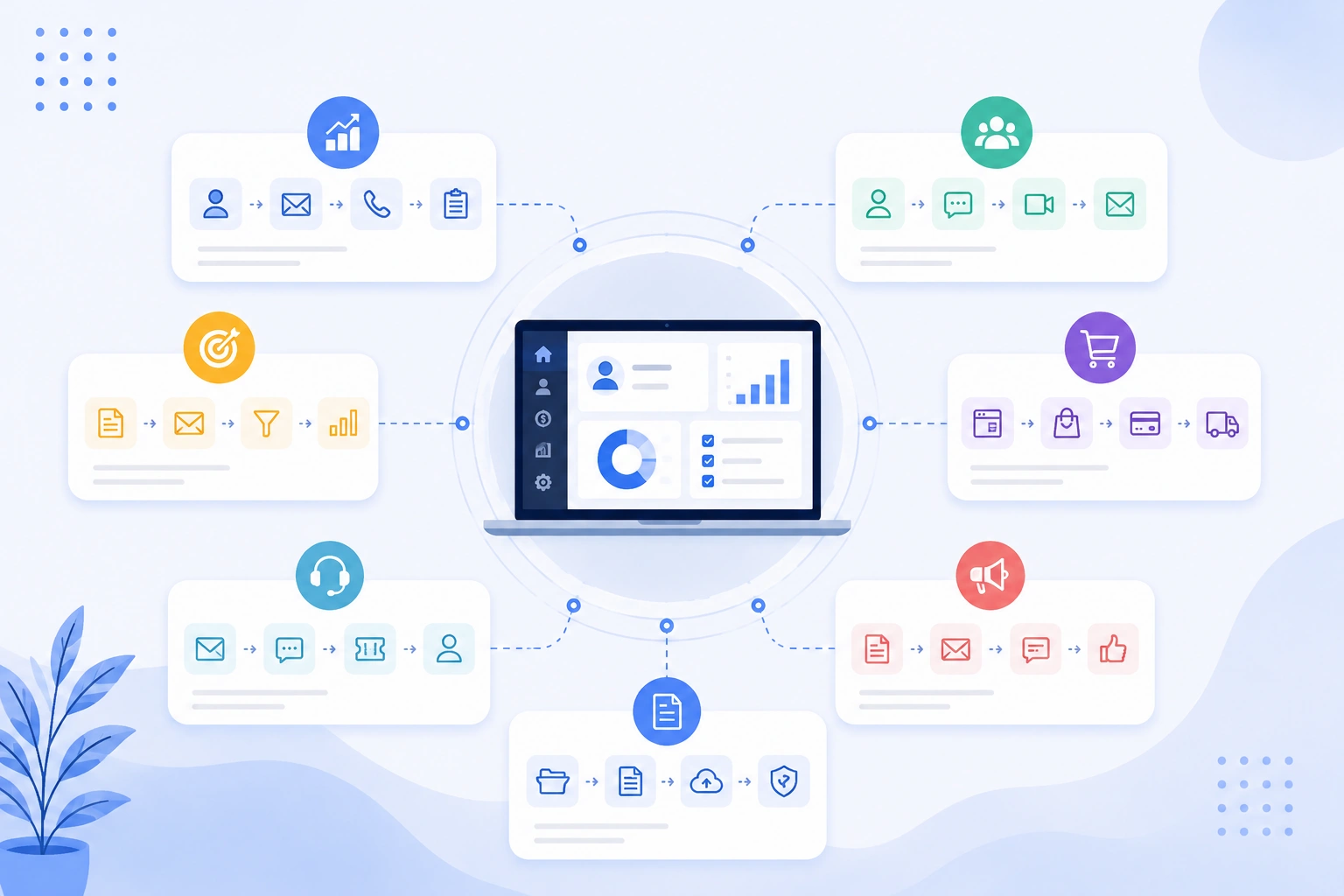
The best Zoho integrations aren’t necessarily the most popular ones. They’re the ones that remove friction from your daily workflows and help different teams work together more efficiently.
Rather than looking at integrations one by one, it helps to group them by the business problems they solve.
1. Sales & Customer Relationship Management
Sales teams rely on timely information. Every missed notification, delayed follow-up, or incomplete customer record can impact revenue. These integrations help keep your sales process connected and organized.
-
WhatsApp Business + Zoho CRM
For many businesses, WhatsApp has become one of the primary customer communication channels. Without integration, conversations often remain disconnected from the CRM. Connecting WhatsApp Business with Zoho CRM allows businesses to:
- Store conversations automatically
- View customer history
- Respond from CRM
- Track follow-ups
- Reduce duplicate communication
Instead of relying on individual employees’ phones, customer conversations become part of your business records.
Best for: Real estate, education, healthcare, professional services, and customer support teams.
-
LinkedIn Sales Navigator + Zoho CRM
For B2B businesses, LinkedIn is often the first place where relationships begin. The integration allows sales representatives to:
- View LinkedIn profiles from CRM
- Access company insights
- Discover decision-makers
- Personalize outreach
- Keep prospect information together
Rather than jumping between platforms, representatives have the context they need in one place.
Best for: B2B sales organizations.
2. Marketing & Lead Generation
Marketing teams generate leads from multiple channels. The challenge is ensuring those leads reach the right people quickly and consistently.
These integrations help build a smoother path from lead generation to sales.
-
Facebook Lead Ads + Zoho CRM
Exporting CSV files after every advertising campaign is both time-consuming and error-prone. With Facebook Lead Ads integrated with Zoho CRM:
- New leads appear automatically
- Lead source information is preserved
- Sales teams receive notifications faster
- Automated follow-up workflows can begin immediately
- This reduces response time, which is often a key factor in improving lead conversion.
Best for: Businesses running Facebook advertising campaigns.
-
Google Ads + Zoho CRM
Clicks don’t always translate into customers. Integrating Google Ads with Zoho CRM helps businesses understand which campaigns actually generate qualified leads and closed deals. Instead of measuring only:
- Clicks
- Impressions
- Cost per click
You can also measure:
- Qualified opportunities
- Revenue
- Customer acquisition
- Return on ad spend
This allows marketing teams to make budget decisions based on business outcomes rather than advertising metrics alone.
-
Mailchimp + Zoho CRM
Keeping email lists synchronized manually often results in outdated contacts and missed opportunities. The Mailchimp integration automatically keeps customer information updated between both platforms. Businesses can:
- Sync contact lists
- Create targeted campaigns
- Track engagement
- View campaign responses inside CRM
- Segment audiences automatically
This creates a more consistent email marketing workflow.
Best for: Companies using email marketing for lead nurturing.
Also Read: Zoho Campaigns vs Mailchimp
3. Ecommerce & Online Sales
Online businesses rely on accurate customer, order, inventory, and payment information. When ecommerce platforms and CRM systems work together, teams spend less time updating records and more time serving customers.
-
Shopify + Zoho CRM
Shopify stores generate valuable customer information beyond individual purchases. Integrating Shopify with Zoho CRM helps businesses connect:
- Customer profiles
- Orders
- Products
- Purchase history
- Lifetime value
- Repeat buying behavior
Sales and marketing teams can use this information to create personalized campaigns and strengthen customer relationships.
Best for: Growing ecommerce businesses.
-
WooCommerce + Zoho CRM
WooCommerce users often want more visibility into customer behavior after a purchase. This integration allows businesses to:
- Track purchase history
- Trigger automated follow-ups
- Segment customers
- Identify repeat buyers
- Personalize recommendations
It becomes much easier to build long-term customer relationships rather than focusing only on one-time sales.
Also Read: Shopify vs WooCommerce: Which E-Commerce Platform is Right for Your Business?
-
Stripe + Zoho Books & Zoho CRM
Subscription businesses and online service providers frequently rely on Stripe for payment processing. By connecting Stripe with Zoho Books and Zoho CRM, businesses can automatically:
- Record payments
- Update invoices
- Track subscription status
- Reduce manual accounting work
- Improve financial visibility
This helps finance and sales teams work from the same set of records.
4. Communication & Collaboration
Even the best CRM loses value if teams aren’t informed about what’s happening. Communication integrations help keep everyone aligned without requiring constant manual updates.
-
Slack + Zoho CRM
Many sales conversations happen in Slack, while customer information lives in Zoho CRM. Switching between the two can slow decision-making. With the Slack integration, important CRM activities can automatically appear in relevant Slack channels, including:
- New lead notifications
- Deal stage updates
- Task reminders
- Customer activity alerts
- Team mentions
This helps sales managers stay informed without constantly checking the CRM.
Best for: Sales teams, agencies, SaaS companies, and remote organizations.
-
Microsoft Teams + Zoho
Organizations already using Microsoft Teams can access Zoho applications without constantly switching tabs. Useful capabilities include:
- Viewing CRM records during meetings
- Sharing customer information
- Managing tasks
- Accessing project updates
- Collaborating around opportunities
This integration is especially valuable for businesses with distributed or hybrid teams.
Best for: Enterprises using Microsoft 365.
-
Zoom + Zoho CRM
Virtual meetings have become a standard part of sales and customer success. Integrating Zoom with Zoho CRM makes it easier to:
- Schedule meetings
- Track customer interactions
- Record meeting history
- Access meeting links
- Manage follow-up activities
Sales representatives spend less time organizing meetings and more time preparing for meaningful conversations.
5. Finance & Accounting Integrations
Finance teams often spend significant time reconciling payments, creating invoices, and matching customer records. Integrating accounting software with Zoho helps automate these processes while improving data accuracy.
-
QuickBooks + Zoho CRM
For businesses already using QuickBooks, connecting it with Zoho CRM creates a smoother transition from sales to finance. Once a deal is finalized, the integration can automatically:
- Create customer records
- Generate invoices
- Sync payment status
- Update financial information
- Reduce duplicate data entry
Instead of manually sharing information between departments, sales and finance work from the same customer data.
Best for: Small and mid-sized businesses already using QuickBooks.
-
Xero + Zoho CRM
Many businesses choose Xero for accounting while managing customer relationships in Zoho CRM. Connecting the two platforms allows teams to:
- Sync customer records
- View invoice status
- Track outstanding payments
- Reduce manual reconciliation
- Improve financial visibility
Sales teams can quickly understand a customer’s payment history before starting new conversations, while finance teams receive accurate customer information automatically.
-
Stripe + Zoho Books
Businesses offering subscriptions, retainers, or recurring services often rely on Stripe. By integrating Stripe with Zoho Books, organizations can automate:
- Invoice updates
- Payment confirmations
- Subscription records
- Refund tracking
- Revenue reporting
This reduces administrative work while helping finance teams maintain accurate records.
-
PayPal + Zoho Books
If your business accepts PayPal payments, connecting it with Zoho Books can eliminate many manual accounting tasks. Benefits include:
- Automatic transaction recording
- Faster bank reconciliation
- Better cash flow visibility
- Reduced bookkeeping errors
For businesses processing hundreds of online payments each month, this integration can save several hours of administrative work.
6. Analytics & Business Intelligence
Collecting data is only valuable if it helps you make better decisions. These integrations bring together marketing, sales, finance, and customer data to provide a clearer picture of business performance.
-
Google Analytics + Zoho CRM
Many businesses know how many website visitors they receive but struggle to understand which visitors become customers.
Connecting Google Analytics with Zoho CRM helps answer questions such as:
- Which marketing channels generate qualified leads?
- Which landing pages produce the highest-value customers?
- How long does the customer journey take?
- Which campaigns contribute to revenue?
This helps marketing teams optimize their strategy based on actual business outcomes rather than traffic alone.
-
Power BI + Zoho Analytics
Organizations often store information across multiple systems, making reporting difficult. Integrating Power BI with Zoho Analytics allows businesses to:
- Build executive dashboards
- Monitor KPIs
- Analyze sales trends
- Forecast revenue
- Track operational performance
Instead of creating reports manually each month, decision-makers gain access to real-time insights from connected data sources.
Best for: Businesses with advanced reporting requirements.
7. Productivity & Project Management
Winning new customers is only the beginning. Teams also need efficient systems for managing projects, internal collaboration, and day-to-day work.
-
Asana + Zoho Projects
Once a project is approved, work often moves from the sales team to delivery teams. Connecting Asana with Zoho Projects helps automate this transition by:
- Creating project tasks
- Assigning responsibilities
- Tracking deadlines
- Monitoring progress
This reduces delays during project handovers and improves collaboration between departments.
-
Trello + Zoho CRM
Visual project management works well for many businesses. With the Trello integration, sales opportunities or customer requests can automatically create cards, making it easier to monitor progress throughout the customer lifecycle.
This approach works particularly well for agencies, consulting firms, and service-based businesses.
-
Google Workspace + Zoho
Many organizations already depend on Gmail, Google Drive, Calendar, and Meet. Integrating Google Workspace with Zoho allows employees to:
- Attach Drive documents to CRM records
- Schedule meetings
- Sync calendars
- Access customer emails
- Collaborate more efficiently
Rather than replacing familiar tools, this integration helps them work together seamlessly.
Also Read: Zoho vs Google Workspace
-
DocuSign + Zoho CRM
Contracts are often one of the final steps before closing a deal. With DocuSign integrated into Zoho CRM, businesses can:
- Send agreements for signature
- Track signing progress
- Store completed documents automatically
- Reduce turnaround time
Electronic signatures also simplify compliance and improve document management.
8. Customer Support Integrations
Providing great customer support requires context. When agents have access to previous conversations, purchases, and account details, they can resolve issues more quickly.
-
Zendesk + Zoho CRM
Connecting Zendesk with Zoho CRM gives sales and support teams a shared view of customer interactions. Support representatives can access CRM information, while sales teams can see active tickets before contacting customers. This reduces repetitive conversations and improves the overall customer experience.
-
Intercom + Zoho CRM
Businesses using live chat often collect valuable customer insights that never reach the CRM. The Intercom integration syncs:
- Chat history
- Customer details
- Conversation timelines
- Lead information
This helps sales representatives continue conversations with full context instead of starting from scratch.
-
Twilio + Zoho CRM
Businesses communicating through SMS or voice calls can use Twilio to automate customer communication. Common use cases include:
- Appointment reminders
- Order updates
- Payment notifications
- Verification messages
- Customer follow-ups
With customer communication recorded inside Zoho CRM, teams maintain a complete interaction history.
Common Zoho Integration Challenges And How to Avoid Them
Integrations should be planned and implemented carefully to avoid data issues and workflow errors. For complex requirements, custom workflows, or multiple systems, consider taking help from a Zoho implementation partner. They can guide the setup, identify potential issues, and help ensure the integration works smoothly.
Here are some common challenges businesses encounter.
1. Duplicate Records
If customer information exists in multiple systems without proper matching rules, duplicate contacts can quickly accumulate. Best practice is to clean and standardize your data before connecting applications.
2. Incorrect Field Mapping
Different applications often use different field names and data structures. For example, one system might use Company Name, while another stores the same information as Organization. Without proper mapping, information may sync incorrectly.
3. Too Many Automations
Automating every possible process can create unnecessary complexity. Focus on workflows that save meaningful time or improve customer experience rather than automating tasks simply because you can.
4. Permission Issues
Employees should only access the information required for their roles. Review user permissions carefully before enabling integrations, especially when financial or customer data is involved.
5. Poor Monitoring
Integrations should not be treated as “set it and forget it.” Businesses should regularly monitor:
- Failed syncs
- API limits
- Automation errors
- Data quality
- Workflow performance
Routine reviews help identify issues before they affect day-to-day operations.
Native vs. Custom Zoho Integrations
One of the most common questions businesses ask is whether they should use Zoho’s built-in integrations or invest in custom development.
The answer depends on your workflows.
| Native Integrations | Custom Integrations |
|---|---|
| Faster deployment | Built for unique business processes |
| Lower implementation cost | Greater flexibility |
| Easier maintenance | Supports proprietary software |
| Best for common business tools | Ideal for industry-specific requirements |
| Limited customization | Can automate highly specialized workflows |
For many organizations, native integrations are sufficient. However, businesses with legacy systems, industry-specific software, or advanced automation needs may benefit from custom integrations built using Zoho APIs.
Which Businesses Benefit Most from Zoho Integrations?
Although almost any organization can benefit from connected systems, some industries see particularly strong results.
1. Professional Services: Connect CRM, invoicing, project management, and document signing to streamline client delivery.
2. Ecommerce: Sync customer information, orders, inventory, payments, and marketing campaigns across platforms.
3. Manufacturing: Connect ERP systems, CRM, inventory management, procurement, and customer support.
4. Real Estate: Automatically manage leads from property portals, schedule follow-ups, and centralize client communication.
5. Healthcare: Improve appointment management, patient communication, and document handling while maintaining organized records.
6. Education: Connect enquiry forms, admissions, payment systems, and student communication for a smoother enrollment process.
Signs Your Business Needs Better Zoho Integrations
Many businesses don’t realize they have an integration problem until inefficiencies begin affecting productivity or customer experience. If any of the following situations sound familiar, it’s probably time to review your current workflows.
-
Your Team Enters the Same Data Multiple Times
If employees are copying customer details, invoices, or order information between different systems, you’re spending time on work that can often be automated. Besides being repetitive, manual data entry increases the risk of human error and inconsistent records.
-
Customer Information Is Scattered Across Different Applications
Your sales team uses a CRM, marketing has an email platform, support works in a helpdesk, and finance manages invoices elsewhere.
If no single system shows the complete customer journey, employees spend valuable time searching for information instead of serving customers.
-
Reports Don’t Match Across Departments
Have you ever had sales, marketing, and finance report different numbers for the same period? This usually happens because each department relies on disconnected data sources. Integrations help create a single source of truth, making reports more reliable and easier to trust.
-
Follow-Ups Depend on Manual Reminders
If employees rely on sticky notes, spreadsheets, or memory to follow up with customers, important opportunities can easily be missed. Automated workflows can create reminders, assign tasks, or trigger communications based on customer activity.
-
Employees Frequently Switch Between Applications
Switching between multiple tools throughout the day may seem normal, but it often slows productivity. When applications are connected, employees spend less time navigating software and more time completing meaningful work.
Best Practices Before Implementing Zoho Integrations
Successful integrations begin long before the first application is connected. A little preparation can prevent many common issues later.
1. Define Clear Business Objectives
Start by identifying the problem you’re trying to solve. Examples include:
- Reducing manual data entry
- Improving reporting
- Speeding up customer response times
- Automating lead management
- Connecting finance and sales
Having clear objectives also makes it easier to measure whether the integration delivers value.
2. Clean Your Existing Data
Integrations only work as well as the data they exchange. Before connecting systems:
- Remove duplicate records
- Standardize contact information
- Archive outdated data
- Review custom fields
- Fix inconsistent formatting
Clean data improves reporting accuracy and reduces synchronization issues.
3. Map Your Workflows
Instead of connecting applications immediately, document how information should move between systems. Ask questions like:
- Which system should create the customer record?
- Which application owns invoice data?
- When should updates be synchronized?
- Which department is responsible for maintaining data quality?
A simple workflow diagram often prevents future confusion.
4. Start with High-Impact Integrations
There’s no need to connect every application on day one. Begin with integrations that solve your biggest operational challenges, such as:
- CRM and email
- CRM and accounting
- CRM and customer support
- CRM and ecommerce
Once these workflows are stable, additional integrations can be added gradually.
5. Test Before Going Live
Testing with a small group of users helps identify issues before they affect the entire organization. Always validate:
- Field mapping
- Automation rules
- Notifications
- Permissions
- Error handling
- Data synchronization
6. Review Integrations Regularly
Businesses evolve over time. New software, changing processes, and organizational growth can all affect existing integrations. Schedule periodic reviews to:
- Remove unused workflows
- Update automations
- Monitor API usage
- Improve performance
- Identify new automation opportunities
Continuous optimization helps ensure your integrations continue delivering value.
FAQ
Q1. What are Zoho integrations?
Ans. Zoho integrations connect Zoho applications with other business software, allowing data to move automatically between systems. This reduces manual work, improves data accuracy, and helps teams collaborate more effectively.
Q2. Does Zoho integrate with third-party applications?
Ans. Yes. Zoho integrates with hundreds of third-party applications, including Google Workspace, Microsoft 365, Slack, Shopify, Mailchimp, QuickBooks, Stripe, Zoom, WhatsApp Business, and many more through native integrations, Zoho Marketplace, and APIs.
Q3. Do I need coding knowledge to set up Zoho integrations?
Ans. Not always. Many integrations are available as pre-built connectors that require little or no coding. More advanced business requirements may require custom development using Zoho APIs or middleware platforms like Zoho Flow.
Q4. Which Zoho integration should I implement first?
Ans. It depends on your business priorities. Most organizations start by connecting their CRM with communication, accounting, marketing, or customer support tools since these integrations often deliver the fastest operational improvements.
Q5. Are Zoho integrations secure?
Ans. Zoho provides secure integration capabilities with authentication controls, user permissions, and encrypted data transfer. Businesses should also follow security best practices such as role-based access, regular audits, and API monitoring.
Q6. Can small businesses benefit from Zoho integrations?
Ans. Absolutely. Even small teams can reduce manual work by automating tasks like lead capture, email marketing, invoicing, appointment scheduling, and customer communication.
Q7. What’s the difference between native and custom integrations?
Ans. Native integrations are ready-made connections designed for commonly used applications and can usually be implemented quickly. Custom integrations are built for unique business requirements and offer greater flexibility when standard connectors aren’t sufficient.
Q8. Can Zoho integrations scale as my business grows?
Ans. Yes. Businesses often begin with a few essential integrations and gradually expand their connected ecosystem as they add users, departments, and new software.