




Zoho People 2026 Guide: Features, Pricing, and Everything You Need to Know
Choosing an HR platform is rarely simple. Growing teams need software that keeps employee data organized, automates repetitive HR work, and scales without forcing a switch every couple of years. Zoho People is one of the more established names in this space, used by more than 50,000 businesses across industries and geographies.
This guide breaks down what Zoho People actually does, what it costs, how to set it up, and how it compares to other options, so you can decide if it fits your organization without wading through a sales pitch.
Key Points
What Is Zoho People?
Zoho People is a cloud-based human resource management system (HRMS) that helps businesses manage the full employee lifecycle, from onboarding to offboarding, in one platform. It covers core HR functions like employee records, attendance, and leave management, along with performance reviews, learning management, and HR analytics.
It is part of the wider Zoho product suite, so it can run as a standalone HR tool or work alongside other Zoho applications like Zoho Payroll, Zoho Recruit, and Zoho Expense. Zoho People is used by organizations ranging from small startups to large enterprises, spanning industries such as retail, logistics, aviation, and food delivery, and by businesses operating across more than 160 countries.
At the center of the platform is Zia, Zoho’s built-in AI assistant, which supports HR teams with tasks like candidate matching, query resolution, and data-driven suggestions throughout the system.
Core Features of Zoho People
Zoho People groups its functionality into a few core areas, covering everything from hiring to day-to-day HR operations.
Feature summary
1. Hiring and Onboarding
Zoho People helps HR teams move new hires from offer to day one through customizable onboarding workflows, digital offer letters with e-signature support, and onboarding progress reports. It also connects with Zoho Recruit for candidate sourcing and evaluation, so hiring data flows directly into the employee record once someone is hired.
2. Employee Database and Core HR
At the center of the platform is a single, searchable employee database that stores personal details, job history, and documents for every employee. This is the record HR teams reference for everything else in the system, from leave balances to performance history, so it removes the need to maintain separate spreadsheets.
3. Attendance and Time Tracking
Zoho People tracks attendance through web check-in, the mobile app, or facial recognition, and supports shift scheduling, rosters, and overtime tracking. Higher plans add features like geo-restriction and biometric device integration, useful for businesses with field staff or multiple work locations.
4. Leave Management
Leave requests, approvals, and balance tracking are automated based on configurable leave policies. Employees can apply for leave through self-service, and approvals route automatically through the defined hierarchy, which cuts down on manual back-and-forth over email.
5. Timesheets
Employees log hours against projects or clients, which then feed into payroll processing and, where relevant, client billing. This is particularly useful for service-based businesses that need to track billable hours alongside standard HR data.
6. Performance Management
Zoho People supports structured performance reviews, including 360-degree feedback, self-appraisals, and OKR tracking. Compensation management is tied into the same module, so salary revisions can be linked directly to performance outcomes rather than handled as a separate process.
7. Learning Management
A built-in learning management system lets HR teams create courses, manage training batches, and collect feedback on training sessions, supporting employee development without needing a separate LMS tool.
8. HR Help Desk
Employees can raise HR queries through a centralized help desk, with cases categorized and tracked against SLAs. This gives HR teams visibility into response times instead of queries getting lost across email threads.
9. HR Analytics
Standard and custom reports, along with dashboards, let HR teams track metrics like attendance trends, leave patterns, and headcount changes. Higher plans add advanced analytics through a Zoho Analytics integration for deeper, customizable reporting.
10. Employee Engagement
Tools like eNPS surveys and engagement surveys help HR teams gauge employee sentiment, which feeds into retention and culture initiatives.
Which Businesses Should Use Zoho People
Zoho People is built to scale, which is why it works across very different company sizes and industries, though the right fit depends on what you need from it.
By company size
- Startups and small teams: The Free plan covers up to 5 users with basic employee database and leave management, useful for teams just formalizing their HR processes.
- Growing SMBs: The Essential HR and Professional plans add onboarding, document management, and attendance tracking at a low per-user cost, which suits teams that need structure without enterprise complexity.
- Mid-sized companies: The Premium plan brings in performance management and advanced analytics, useful once formal review cycles and compensation planning become a priority.
- Large enterprises: The Enterprise plan adds a help desk, learning management, and a sandbox environment for testing changes before rollout, which matters once HR processes span multiple departments or locations.
By industry
Zoho People is used across retail, logistics, aviation, food and beverage, IT services, and manufacturing, among others. Its shift scheduling, biometric attendance integrations, and multi-location support make it a reasonable fit for businesses with field staff, shift workers, or multiple office locations, not just desk-based teams.
Zoho People vs Zoho People Plus
Zoho People Plus isn’t simply a higher-priced tier of Zoho People. It’s a broader human capital management (HCM) suite that connects the entire employee journey, from recruitment through payroll to internal collaboration, into a single system rather than a standalone HR tool.
What Zoho People Plus adds
Where Zoho People focuses on core HR functions like employee records, attendance, and leave, People Plus extends that into the areas that sit just outside traditional HRMS scope:
Talent acquisition: Recruitment and hiring workflows to source and onboard candidates before they even enter the HR system.
Payroll: Automated payroll calculations and compliance, so salary processing runs off the same employee data rather than a separate tool.
Travel and expenses: Expense reporting, policy compliance checks, and reimbursement processing built into the same platform.
Business chat and collaboration: Company-wide announcements, updates, and recognition, aimed at building a connected workplace culture rather than just managing HR records.
AI across the employee lifecycle: Rather than AI support limited to HR queries, People Plus applies it across hiring, performance, learning, and service delivery, including automated approvals, notifications, and field updates that would otherwise need manual handling.
Why some businesses choose the Plus suite over standalone People
Organizations that move to People Plus generally do so because their HR needs have outgrown a single-purpose tool. In practice, that comes down to a few things: workflow automation that removes repetitive manual approvals, the flexibility to customize the system as the organization changes, a mobile-first experience for employees and managers who need to act on the go, and a data security model built on Zoho’s own infrastructure rather than third-party hosting.
Zoho People vs Zoho People Plus
Zoho People Pricing & Plans
Zoho People uses per-employee, per-month pricing, with a lower rate for annual billing and a permanently free tier for very small teams. Every paid plan also comes with a 30-day free trial, no forced contracts, and enterprise-grade security by default.
Free plan
The free edition covers up to 3 users at no cost, with employee database management, time off and vacation planning, and document management. It’s meant for very small teams that just need the basics in place.
Paid plans
What each plan includes:
- Essential HR: AI agent, benefits management and compensation planning, onboarding and offboarding, document management, engagement surveys, HR help desk, reports and analytics.
- Workforce: Everything in Essential HR, plus time off and vacation planning, timesheets with overtime compliance, and attendance tracking for full-time employees.
- Talent: Everything in Essential HR, plus OKR and performance evaluation, and a learning management system.
- Enterprise: Includes Essential HR, Workforce, and Talent combined, plus a sandbox environment and premium support.
How to Set Up Zoho People in Easy Steps
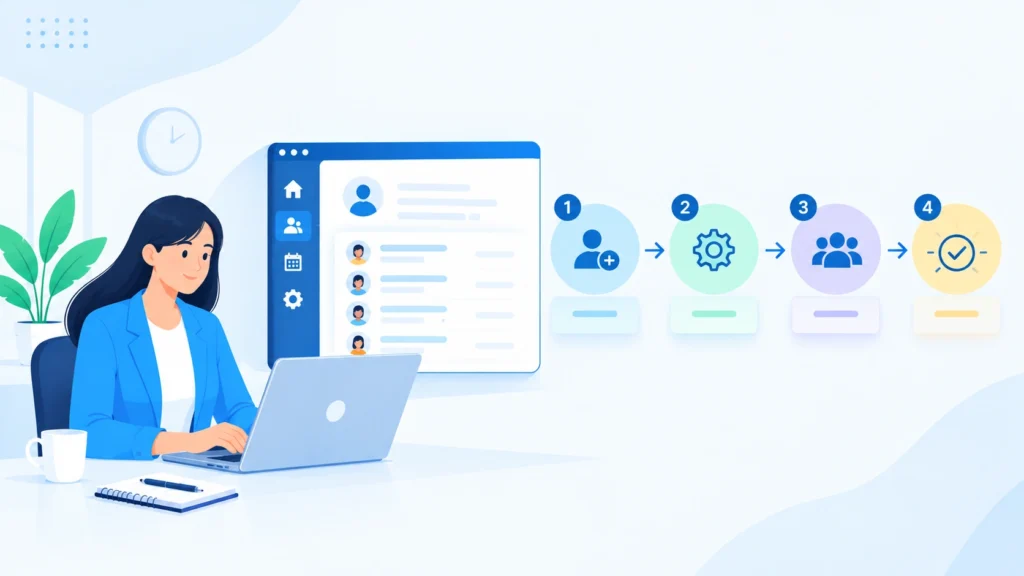
A Zoho People rollout works best when it follows a clear sequence. Skip a step or rush through it, and you usually end up fixing the same thing twice, once during setup and again after employees start using the system. Here’s how a typical implementation flows from start to finish, in ten steps.
Step 1: Gather requirements
Before touching any configuration, map out how HR actually works in your organization today, who approves what, how leave is currently tracked, and what onboarding looks like. This becomes the blueprint for everything that follows.
Step 2: Set up the organization
Add your company details, locations, departments, designations, and employee types. This is the foundation every other module builds on, so getting the structure right here saves rework later.
Step 3: Configure roles and permissions
Decide exactly what Admins, HR, Managers, and Employees can each see and do. Getting this granular early avoids awkward permission fixes once real employee and salary data is already in the system.
Step 4: Prepare employee data and forms
Clean up your employee master data, fix duplicates, standardize formats, and import it in. At the same time, configure the employee information fields and any custom fields your organization or industry needs.
Step 5: Set up leave management
Define leave types, accrual policies, balances, holiday calendars, and who approves what. If different locations or entities need different rules, configure that now rather than patching it in later.
Step 6: Configure attendance
Set shifts, working hours, check-in and check-out rules, geo-location restrictions, and how regularization requests get handled. This step matters most for businesses with shift workers or multiple locations.
Step 7: Set up employee files and onboarding
Configure document uploads and employee file management, then build out new-joiner forms, required documents, tasks, and checklists so every new hire gets a consistent, structured start.
Step 8: Configure performance, time tracking, and workflows
Set up KRAs, KPIs, goals, and review cycles, along with project timesheets if you bill clients or track project hours. Layer in approvals, notifications, reminders, and escalations so requests don’t sit unanswered.
Step 9: Test everything
Run through each process with a handful of sample employees before go-live. This is where you catch a misrouted approval or a broken leave policy while it’s still easy to fix.
Step 10: Train and go live
Train HR, managers, and employees on their part of the system, then launch. Keep an eye on real usage in the first few weeks and fine-tune configuration based on what actually comes up, not just what was assumed during setup.
Common Zoho People Implementation Challenges
The biggest challenge in a self-led Zoho People implementation usually isn’t knowing which feature exists, it’s configuring the right feature to match how your organization’s HR process actually works. This is where most rollouts get stuck.
1. Migrating employee data accurately
Moving existing employee data into Zoho People while keeping the format, accuracy, and structure intact. Data that doesn’t map cleanly to the system’s fields tends to create errors that surface much later, often in payroll or attendance.
2. Configuring leave policies correctly
Setting up leave types and accrual rules, including monthly, quarterly, and yearly accruals, to match the organization’s actual HR policy. Getting the accrual logic wrong is easy to miss during setup and hard to untangle once employees start applying for leave.
3. Integrating attendance and biometric devices
Connecting Zoho People with biometric devices and correctly mapping employees, shifts, working hours, and attendance rules. Misaligned mapping here is one of the more common sources of incorrect attendance records after go-live.
4. Building custom solutions and automation
Designing custom modules, workflows, and automations, often through Zoho’s Deluge scripting, to handle business requirements that don’t fit standard out-of-the-box configuration. This is usually where organizations with non-standard processes need the most support.
5. Setting up custom reports
Building reports with the right data, filters, and visibility for how the business actually needs to see HR information, rather than relying only on the standard reports available by default.
An implementation partner typically helps close this gap, making sure the system is correctly designed, tested, and integrated with other business apps before it goes live.
Where CRM Masters Can Help?
CRM Masters is a Zoho Premium Partner with 10+ years of hands-on experience, backed by 60+ Zoho-certified experts specialized across Zoho CRM, Zoho Books, Zoho Desk, Zoho People, Zoho Creator, and 50+ apps in the Zoho ecosystem. We’ve delivered 2,400+ successful Zoho projects for clients including Jawed Habib, OutdoorTech, and M25 Systems Ltd, with 24×7 support and clients across India, the US, the UK, and the UAE.
A few things set our implementations apart:
- Availability: Round-the-clock support, so implementation and post-launch issues don’t wait until business hours.
- Architecture-first approach: We design the system structure around your HR process before any configuration begins, not after.
- Communication: Fluent English-speaking staff, so nothing gets lost in translation during requirement discussions or troubleshooting.
- Certified staff only: No freelancers or interns on your project, with a dedicated project manager overseeing delivery.
- Industry expertise: Experience across 15+ industries means we’ve likely solved a version of your HR challenge before.
- Built for adoption and scale: Systems configured to actually get used by employees, and built to grow as your organization does.
See real results on our case studies page, or get in touch to discuss your Zoho People implementation.


FAQ
Q1. Is Zoho People suitable for small businesses?
Ans. Yes. Its Free plan covers up to 5 users, and the Essential HR and Professional plans are priced per employee at a low monthly rate, making it accessible for small teams that need structured HR processes without a large upfront investment.
Q2. Can Zoho People be integrated with other business tools?
Ans. Yes. It connects natively with Zoho Payroll, Zoho Expense, Zoho Recruit, and Zoho Sign, and integrates with third-party tools like Microsoft 365, Google Workspace, and Zapier, along with biometric attendance devices.
Q3. How does Zoho People compare to other HR management systems?
Ans. Zoho People is generally priced lower than platforms like BambooHR, while offering a comparable range of core HR, attendance, and performance features. Its main trade-off is a less polished interface compared to some competitors, balanced by deeper integration with the wider Zoho ecosystem if your business already uses other Zoho apps.
Q4. What is the difference between Zoho People and Zoho People Plus?
Ans. Zoho People covers core HR functionality alone. Zoho People Plus bundles Zoho People with Recruit, Payroll, Expense, Connect, Cliq, and Vault into one suite, aimed at businesses that want hiring, HR, payroll, and collaboration tools unified under a single subscription.
Q5. How do I log in to Zoho People?
Ans. Employees log in through the Zoho People web portal or mobile app using their registered email and password, or through single sign-on if your organization has configured it with Microsoft 365 or Google Workspace. Admins can also enable Zia AI bot access for quick queries without a full login.
Q6. Does Zoho People offer a free trial?
Ans. Yes, Zoho People offers a 30-day free trial across its paid plans. After the trial period, accounts that do not upgrade are moved to the permanently free plan.








