





Zoho Mail Overview: Features, Pricing & Zia AI (2026)
Zoho Mail is a business email service from Zoho Corporation with no ads and no selling of user data. Paid plans start at $1 per user per month, and a free plan for up to 5 users is available in selected regions. It includes a calendar, tasks, notes and contacts inside the inbox, uses Zia AI for writing help, and connects directly with Zoho CRM. This guide covers what Zoho Mail is used for, who owns it, how much it costs, how to set it up and where it falls short.
What is Zoho Mail?
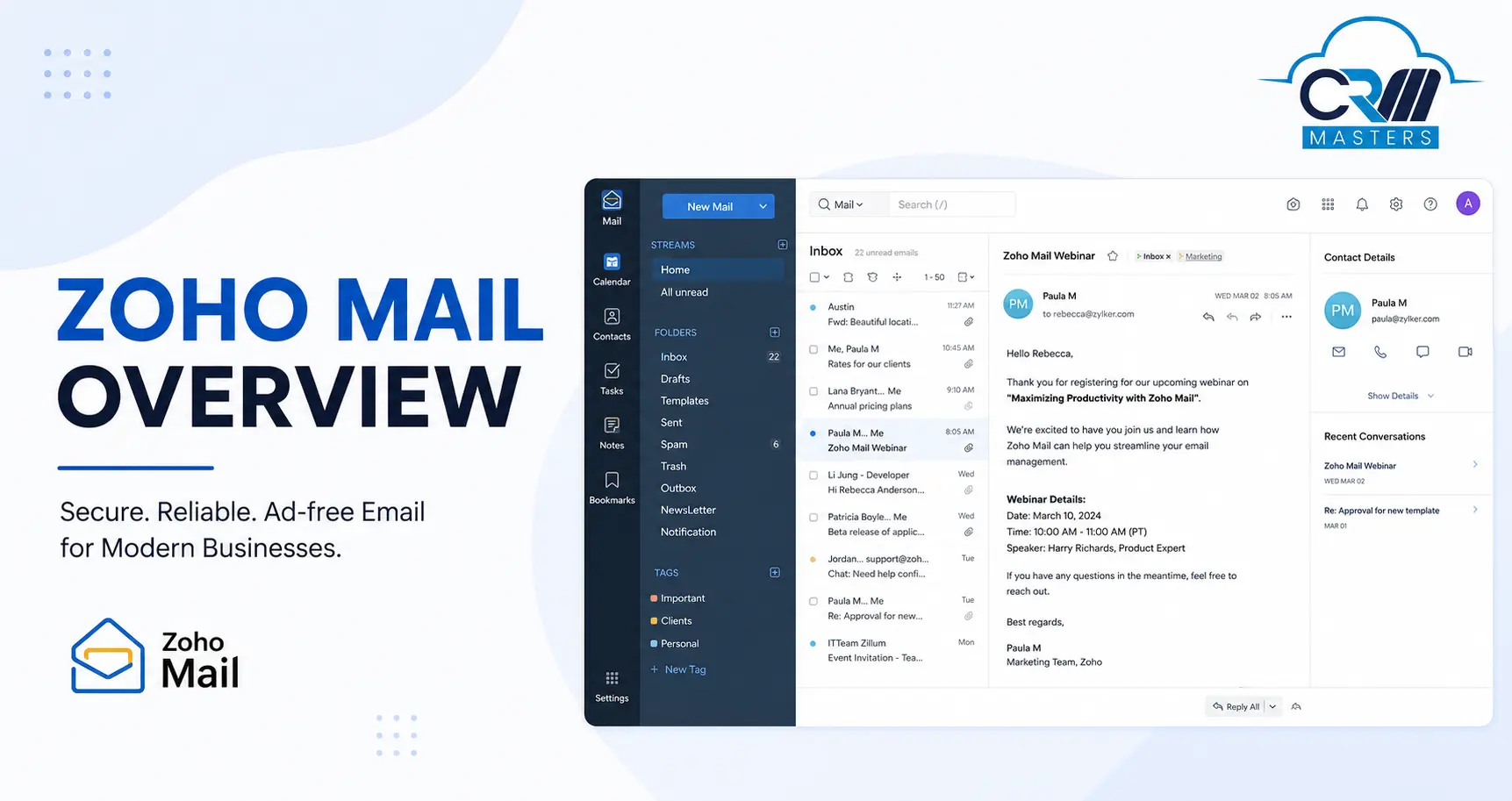
Zoho Mail is a secure, ad-free email hosting service developed by Zoho Corporation, designed specifically for businesses of all sizes. It is used to send and receive email from your own domain name, such as name@yourcompany.com, and to manage calendars, tasks, shared inboxes and customer conversations from one place.
Unlike Gmail’s free tier, which monetizes through advertising, Zoho Mail is built on a privacy-first model with no ads, no data selling, and infrastructure entirely owned and operated by Zoho. This makes it one of the most trusted business email platforms globally, with over 16 million users across 200+ countries.
At its core, Zoho Mail goes far beyond basic email. It bundles Calendar, Tasks, Notes, Contacts, and Bookmarks directly in the inbox, giving your team everything they need to manage daily work from a single interface. The platform integrates natively with the full Zoho product suite, including Zoho CRM, Zoho Projects, Zoho Desk, and Zoho Workplace, making it the obvious choice for businesses already operating within the Zoho ecosystem.
What is Zoho Mail used for?
In 2026, Zoho Mail has evolved significantly, with the addition of Zia AI capabilities, improvements to shared mailboxes, stronger security controls, and deeper Workplace integration, all covered in detail below. Businesses use Zoho Mail for the below-mentioned main jobs:
- Professional email on a custom domain. Every employee gets an address that matches the company name, which builds trust with customers.
- Team collaboration. Streams lets people comment on emails, tag teammates and share drafts, so nobody has to forward long email chains.
- Shared inboxes. Addresses like support@ and sales@ can be handled by several people, with tags, bulk actions and thread summaries from Zia.
- Email connected to a CRM. With Zoho CRM, the inbox shows contact details, deal stages and past activity next to each email, and new senders can be turned into leads.
- AI writing help. Zia can draft emails, fix grammar, suggest sentences as you type and summarize long threads.
- Moving away from Gmail or Outlook. Built in migration tools copy emails, contacts and calendar entries into Zoho Mail.
Who is Zoho Mail Best For?
Zoho Mail is the strongest fit for:
- SMBs (5–500 users) that want a professional business email without enterprise pricing
- Teams already using or planning to use Zoho CRM, Zoho One, or Zoho Workplace
- Organizations where privacy and data ownership matter — healthcare, legal, finance
- Businesses switching from Gmail or Outlook that need a smooth migration path
- Startups that want a free professional email plan with a custom domain
Zoho Mail is not the ideal choice for teams that need deep Microsoft 365 integrations, heavy third-party app ecosystems outside Zoho, or AI features that require OpenAI GPT natively without configuration.
Zia AI Features in Zoho Mail
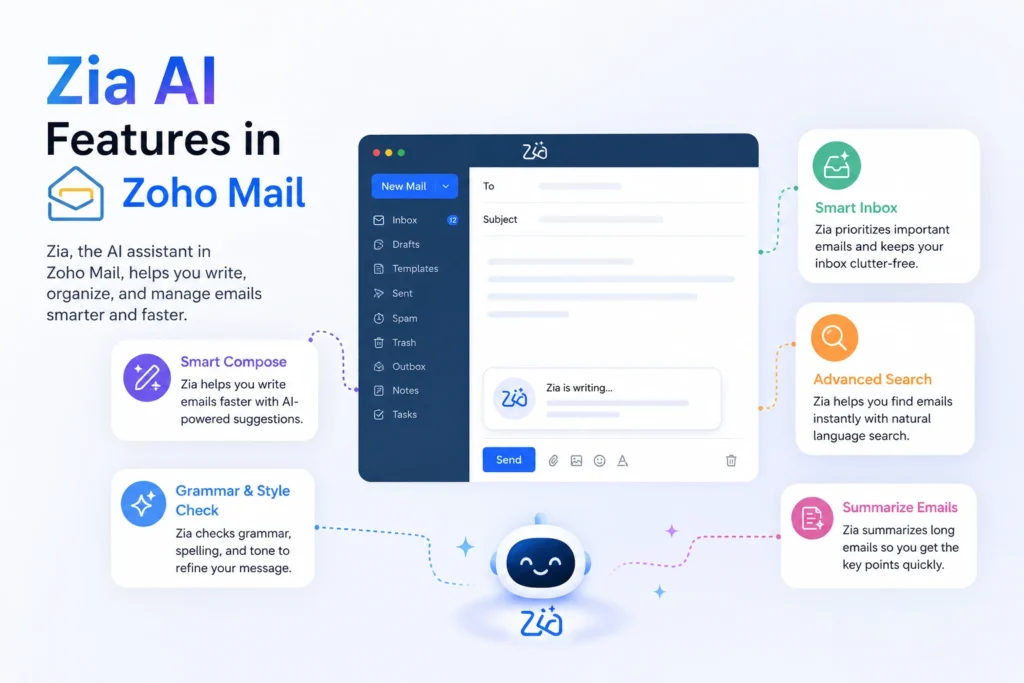
The biggest change in Zoho Mail over the past two years is the deep integration of Zia AI. Zoho’s built-in artificial intelligence engine. Zia is not a bolted-on chatbot; it is woven directly into the email workflow. Here is what Zia does inside Zoho Mail today:
AI Email Composition
Users can provide a brief context prompt, and Zia generates a complete, professional email draft. Once generated, the content can be refined further; users can change the tone (Formal, Informal, Friendly, or Persuasive), adjust the length (Elaborate or Shorten), regenerate entirely, or edit with a follow-up prompt. This makes drafting routine business emails significantly faster.
Grammar and Writing Refinement
Zia’s writing assistant checks grammar, readability, clarity, and fluency in real time as you compose. It suggests corrections inline and helps ensure your emails always look professional, particularly useful for teams where English is not the primary language.
Auto-Suggest While Typing
As users type in the compose window, Zia suggests sentence completions based on the context. Accept a suggestion with the right arrow key. This accelerates email writing for repetitive communication patterns.
Email Thread Summarisation
Long email threads, especially in shared mailboxes with multiple participants, can now be summarised by Zia with one click. Teams can catch up on a 50-message thread in seconds without reading every reply. This is particularly valuable for support and operations inboxes.
Inbox Cleanup Agent
Zia analyses your interaction patterns with specific senders and email types, then proposes a cleanup plan. Once approved, it performs the cleanup automatically and continues monitoring for similar patterns, keeping your inbox organised without manual effort.
Writing Agent (Follow-Up Scheduling)
The Writing Agent goes beyond simple suggestions. It scans email content for implied dates and tasks, checks Zoho Calendar for conflicts, and proposes follow-up actions. This bridges the gap between email and calendar management.
BYOK — Bring Your Own Key (LLM Flexibility)
For organizations that prefer a specific AI model, Zoho Mail supports BYOK (Bring Your Own Key). Administrators can connect their own API keys from GPT (OpenAI), Gemini (Google), Claude (Anthropic), or Cohere, and use those models to power Zia features. This gives businesses full control over their AI tooling and data privacy.
What Are the Main Features of Zoho Mail for Business Use?
Zoho Mail’s main business features are custom domain email, an integrated calendar, tasks and notes, Streams for team collaboration, a full admin console, one-click migration and mobile and desktop apps. Beyond AI, it offers a comprehensive feature set that goes well beyond basic email hosting.
1. Integrated Productivity Suite
The following modules are built directly into the Zoho Mail interface — no switching between apps:
- Calendar — Multi-view (day, week, month), shared team calendars, appointment scheduling, calendar sync
- Tasks — Create tasks directly from emails, assign to team members, set due dates, prioritise
- Notes — Virtual sticky notes with collaboration; notes from Streams post directly to group notes
- Contacts — Organised address book with contact cards and public profile enrichment via Zia
- Bookmarks — Save and organise important links inside your inbox
2. Streams — Team Collaboration Inside Email
Streams is Zoho Mail’s social-layer collaboration tool that replaces endless email forwarding. Key capabilities include:
- @mention teammates or teams directly on emails, folders, and drafts
- Share email drafts with colleagues for feedback before sending
- Team walls — a personal space for groups to post messages and collaborate
- In 2025, shared mailboxes added bulk actions (tag, archive, delete, mark spam/read), compact view, and quick-jump navigation to unread, archived, spam, or trash
3. Custom Domains
Add your own domain name (e.g., yourname@yourcompany.com) for professional branding. Zoho Mail supports multiple domains, domain aliases, email routing, and group email addresses, all managed from one admin console. The setup is guided with step-by-step DNS configuration instructions.
4. Extensive Admin Control Panel
The centralized admin console gives IT teams full control over:
- User management — add, remove, and configure individual user accounts and permissions
- Group management — create email groups with specific restrictions and roles
- Email policies — control content, retention, and delivery rules across the organization
- Audit logs — track administrator operations and email activity for compliance
- Domain management — control MX records, aliases, and email routing
5. Migration Tools
Zoho Mail makes switching straightforward. One-click migration is available from Gmail, Google Workspace, and Microsoft Office 365 / Exchange — migrating emails, contacts, and calendar entries in one process. For other providers, IMAP migration is available with real-time progress tracking.
6. Powerful Email Organization
Zoho Mail includes advanced inbox management features that experienced email users will appreciate:
- Advanced search — filter by sender, date range, folder, attachment status, and keywords simultaneously
- Filters — create rules to auto-label, move, archive, or flag incoming emails
- Scrub — bulk archive or delete emails from selected senders across all folders
- Outbox — review and edit emails before they are sent
- Templates — create and reuse email templates for recurring communication
7. Mobile Apps (iOS and Android)
Zoho Mail has a mobile app for iPhone and Android and a free desktop app for Windows, Mac and Linux, and all of them work with your Zoho Mail account. It delivers a first-class experience that mirrors the desktop interface:
- Support for multiple accounts within one app
- Offline access to recent messages — read and compose without internet
- Calendar, contacts, and task management on mobile
- Custom swipe actions for power-user inbox management
- Push notifications with folder-specific controls
- Consistent performance across iOS and Android
8. Integrations
Zoho Mail connects with the full Zoho ecosystem natively, including Zoho CRM, Zoho Projects, Zoho Creator, Zoho Desk, and Zoho Docs. For third-party integrations, Zoho Mail supports Jira, Zapier, HubSpot, WordPress, and PGP. Developers can build custom integrations using the Zoho Mail API and the no-code Developer Space.
Main Advantages of Zoho Mail Over Gmail and Outlook?
Zoho Mail’s main advantages over Gmail and Outlook are lower price, a privacy-first model with no ads, native connection to Zoho CRM, and a choice of data center region. Gmail and Outlook are stronger where you depend on their own app ecosystems.
Where Zoho Mail comes out ahead:
- Price. Mail Lite starts at $1 per user per month, while Google Workspace and Microsoft 365 start at about $7 (see the pricing comparison below).
- Privacy model. Zoho’s business is not built on advertising. There are no ads in the inbox, and Zoho does not use email content for ad targeting. Gmail’s free tier is ad supported, though paid Google Workspace plans do not show ads.
- Zoho ecosystem. If you use Zoho CRM, Desk, Projects or Books, email connects to them without third party tools.
- Choice of data region. You can host your account in the US, EU, India and other regions for data residency needs.
- Flexible AI. Zia is built in, and administrators can connect their own model through BYOK.
- Mixed plans. You can give different users different plans, so you do not pay top rates for everyone.
Where Gmail or Outlook wins:
- A much larger set of third party integrations
- Deeper Word, Excel and PowerPoint use in Microsoft 365
- Google Workspace’s larger pooled storage on higher plans
- Calendar sync with non-Zoho services, which can be inconsistent in Zoho Mail
If most of your tools are in the Google or Microsoft world, staying there may save you effort. If you run on Zoho, or cost and privacy come first, Zoho Mail is a strong option. For a closer comparison, read our Zoho Mail vs Gmail guide.
Zoho Mail Pricing Plans 2026
Zoho Mail offers flexible plans for businesses of all sizes. All paid plans are billed annually. Monthly billing is available at a slightly higher rate.
Pricing notes:
- Total cost is the per user price multiplied by the number of users. Paid plans do not include free users.
- You can mix plans inside one organization, for example Premium for managers and Lite for other staff.
- Prices vary by country and billing cycle. If you are in India, check the INR prices on Zoho’s pricing page before you decide.
- Zoho One customers get Zoho Mail as part of the bundle.
- A Workplace Professional plan adds 100 GB email storage, shared WorkDrive storage, Zoho Cliq and Zoho Connect.
Zoho Mail vs Zoho Workplace — What’s the Difference?
Zoho Mail standalone (Lite and Premium) is email-only hosting. Zoho Workplace bundles Zoho Mail with additional collaboration tools: WorkDrive (cloud storage), Zoho Cliq (team messaging), and Zoho Connect (intranet). If your team needs more than email — file sharing, team chat, and a company intranet — Workplace Standard at $4/user/month offers remarkable value, delivering everything Google Workspace does at a fraction of the price.
Is Zoho Mail’s Free Plan Suitable for Small Businesses?
Yes, the free plan suits very small businesses with up to 5 users that only need email on a custom domain and can work in webmail or the Zoho app. It does not suit teams that need Outlook, more than 5 users or extra storage.
The free plan gives you: up to 5 users, 5 GB storage per user, 1 custom domain, and access through the web and Zoho’s mobile apps.
The free plan does not give you: IMAP or POP access (so no Outlook, Thunderbird or Apple Mail), Zia AI, S/MIME, or multiple domains. It is also available only in selected data centers, so it may not appear when you sign up in some regions. In those regions, new accounts start with a paid plan or a trial.
Good fit: freelancers, consultants, new startups and small offices where everyone uses webmail or a phone.
Poor fit: teams that live in Outlook, need shared team mailboxes at scale, or expect to grow beyond 5 people soon. In that case, start on Mail Lite from day one so you avoid a switch later.
Zoho Mail Lite Review: Is It Enough for Small Business or Personal Use?
Yes, Mail Lite is enough for most small businesses. At $1 per user per month, it adds IMAP and POP, MFA, migration tools and a calendar to the free plan’s basics. For personal use it makes sense only if you want your own domain name or need to use an email app like Outlook.
What Mail Lite includes:
- Custom domain email with IMAP and POP access
- Calendar, contacts and tasks
- Basic Zia AI features
- Migration tools and multi-factor authentication
- 5 GB storage per user, or 10 GB for $1.25 per user per month
Where Mail Lite is strong: price, easy setup, and use with any standard email app.
Where Mail Lite falls short: 5 GB fills up quickly for heavy attachment users, and it lacks the archiving, eDiscovery, S/MIME and larger storage of Mail Premium. It also has no WorkDrive, chat or intranet, which come with Workplace.
Who should choose it: small teams, agencies, clinics and startups that need reliable business email at the lowest cost. Who should skip it: teams with large mailboxes, compliance archiving needs or a need for HIPAA coverage.
For personal use, Zoho also offers personal accounts on zohomail.com addresses in some regions. Mail Lite is worth paying for only when you want a custom domain.
How to Set Up Zoho Mail?
Zoho Mail is a wonderful choice if you’re searching for an email and productivity suite solution for your company or organization. We will guide you through every step of the Zoho Mail setup.
1. Create a Free Zoho Mail Account
Zoho mail adds users to up to five accounts in its forever-free plan and provides 5GB of storage per user which is enough for using a mail account. However, with this edition of Zoho Mail, you can use a single domain name. You must first sign up to use Zoho Mail’s services. Since you only need a working phone number and a domain name that you have purchased in advance.
- Use your domain name to register for the Forever Free Plan on the Zoho Mail Pricing page.
- A domain name is required for completing the registration form by creating an administrator email with your login account. Remember that you cannot use the email you gave for your contact information.
- You’ll get a text message with a verification number after signing up. When you enter the verification code and click “Verify My Mobile.
After completing the above steps, you will have successfully created a free Zoho Mail account.
Zoho Mail + Zoho CRM Integration — Our Expert Perspective
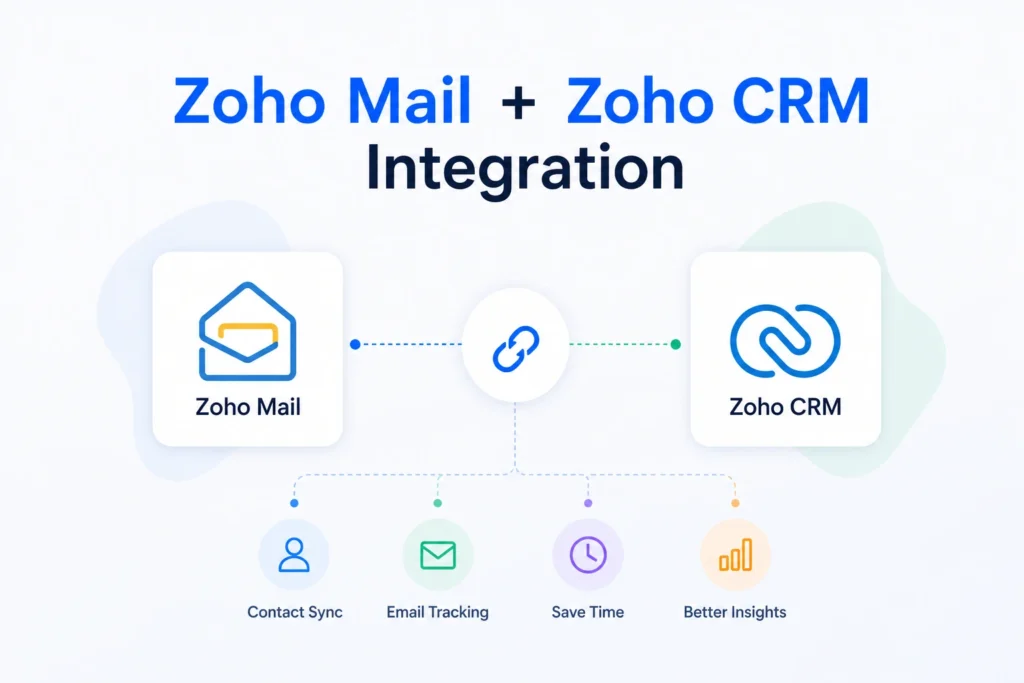
As a Zoho Premium Partner with over 4,000 implementation projects, CRM Masters has deployed Zoho Mail alongside Zoho CRM for hundreds of clients. This integration is one of the most powerful — and most underutilised — capabilities in the Zoho ecosystem.
What the Integration Enables
1. Email-to-lead capture: Incoming emails from new contacts are automatically matched against CRM records; unmatched senders can be converted to leads with one click.
2. CRM contact sync: The Zoho Mail contact card shows a contact’s full CRM profile — deal stage, last activity, open tasks — without leaving the inbox.
3. Deal notes from email: Using Streams, team members can comment on customer emails, and those comments sync as activity notes in the related CRM deal.
4. Email templates from CRM: Sales templates created in Zoho CRM are available directly in the Zoho Mail compose window for consistent outreach.
5. Task creation: Any email can be converted to a CRM task or follow-up activity with due dates and owner assignment.
If you need help setting up this integration for your organization, our certified Zoho consultants can configure it as part of a Zoho CRM or Zoho One implementation.
If you need help setting up this integration for your organization, our certified Zoho consultants can configure it as part of a Zoho CRM or Zoho One implementation
Zoho Mail Pros and Cons
What Works Well
- Genuinely ad-free and privacy-respecting, with no data monetisation
- Excellent value, since $1 per user per month for professional email is hard to beat
- Deep, native Zoho ecosystem integration (CRM, Projects, Desk, Workplace)
- Zia AI is built in and improving rapidly, with no third party AI subscription needed
- Shared mailboxes significantly improved in 2025, making them viable for lightweight support teams
- Strong security: PGP, S/MIME, TLS, 2FA, audit logs
- Migration tools are reliable and cover major providers
- Mobile and desktop apps are full-featured and stable
Where It Falls Short
- The admin console has a learning curve for first-time setup, with more options than consumer email
- Calendar sync with non-Zoho services (Google Calendar, Apple Calendar) can be inconsistent
- Third-party integrations outside the Zoho ecosystem are limited compared to Microsoft 365 or Gmail
- The free plan has no IMAP or POP, so users are limited to webmail and Zoho’s own apps, and the plan is not available in every region
- Spam filtering is aggressive, so cold email and bulk outreach users may see delivery issues
Conclusion
Zoho Mail in 2026 is a mature, business-first email platform that has grown well beyond basic email hosting. With Zia AI writing assistance, improved shared mailboxes, strong security, and pricing that undercuts every major competitor, it is a natural choice for SMBs, particularly those already using Zoho CRM or considering Zoho One.
Start with the free plan if your region offers it, or with Mail Lite if you need IMAP and email apps. As your business grows, the progression from Mail Lite to Workplace Professional scales smoothly, and at no point do you give up the privacy and ad-free experience that make Zoho Mail worth choosing in the first place.
FAQ
Q1. Is Zoho Mail free?
Ans. Yes, in supported regions. Zoho Mail’s Forever Free plan allows up to 5 users with 5 GB storage per user and one custom domain. No credit card is required, and it is a permanent plan, not a trial. It does not include IMAP or POP, and it is not available in every region.
Q2. How many users can I add on the free plan?
Ans. The free plan supports up to 5 user accounts. If you need more users, the Mail Lite plan starts at $1 per user per month (billed annually) with no user limit.
Q3. How do I migrate from Gmail to Zoho Mail?
Ans. Zoho Mail provides a one-click migration tool in the Admin Console. Select Gmail as your source, authenticate with your Google account, and Zoho migrates your emails, contacts, and calendar. The process typically completes within a few hours depending on mailbox size.
Q4. What is Zia AI in Zoho Mail?
Ans. Zia is Zoho’s built-in AI engine. In Zoho Mail, Zia helps you compose emails from prompts, refine grammar and tone, auto-complete sentences, and summarise long email threads. Zia also powers the Inbox Cleanup Agent and Writing Agent for follow-up scheduling. BYOK support lets you connect GPT, Gemini, Claude, or Cohere as the underlying AI model.
Q5. Is Zoho Mail HIPAA compliant?
Ans. Yes, but only on Zoho Workplace plans (Standard and Professional). The standalone Zoho Mail plans (Lite and Premium) are not covered under HIPAA. If you are in healthcare, you must sign a Business Associate Agreement (BAA) with Zoho and use a qualifying Workplace plan.
Q6. What is the difference between Zoho Mail and Zoho Workplace?
Ans. Zoho Mail standalone (Lite and Premium) is email hosting only. Zoho Workplace bundles email with WorkDrive (cloud file storage), Zoho Cliq (team messaging), and Zoho Connect (intranet and social collaboration). Workplace Standard costs $3 per user per month, which is less than Mail Premium at $4, and it includes all the additional tools.
Q7. Does Zoho Mail work offline?
Ans. Yes. The web application includes offline mode for reading and composing emails without an internet connection. Changes sync automatically when connectivity is restored. The mobile apps for iOS and Android also support offline access to recent messages.
Q8. How do I set up Zoho Mail with my own domain?
Ans. Setup takes about 30 to 60 minutes, plus DNS waiting time. Sign up with your domain, verify ownership with a TXT, CNAME or HTML record, create users and aliases, point your MX records to Zoho, then add SPF, DKIM and DMARC records. Finally, migrate old emails and connect email apps through IMAP on paid plans. The full steps and server settings are in the setup section above.
Q9. How do I log in to Zoho Mail, and is there an app?
Ans. Go to mail.zoho.com and sign in with your Zoho email and password. Zoho redirects you to your regional address, such as mail.zoho.eu or mail.zoho.in. There are apps for iOS and Android, and a free desktop app for Windows, Mac and Linux that supports up to 10 accounts. If two-factor authentication is on, third party email apps need an app-specific password.
Q10. Is Zoho Mail secure, and where is my data stored?
Ans. Yes. Zoho Mail uses TLS encryption and two-factor authentication, offers S/MIME and PGP on paid plans, includes audit logs and does not scan email content to show ads. You choose the data center region at signup, with options in the US, EU, India, Australia and Japan. HIPAA coverage applies only to Zoho Workplace plans with a signed Business Associate Agreement.
Q11. Why do Zoho Mail emails go to spam?
Ans. The usual causes are missing SPF, DKIM or DMARC records, a new domain with no sending history, or bulk-style content. Set up all three authentication records, send small volumes first on a new domain, avoid spam trigger words and shortened links, and keep your list clean. For newsletters, use Zoho Campaigns, and for system emails, use ZeptoMail.