




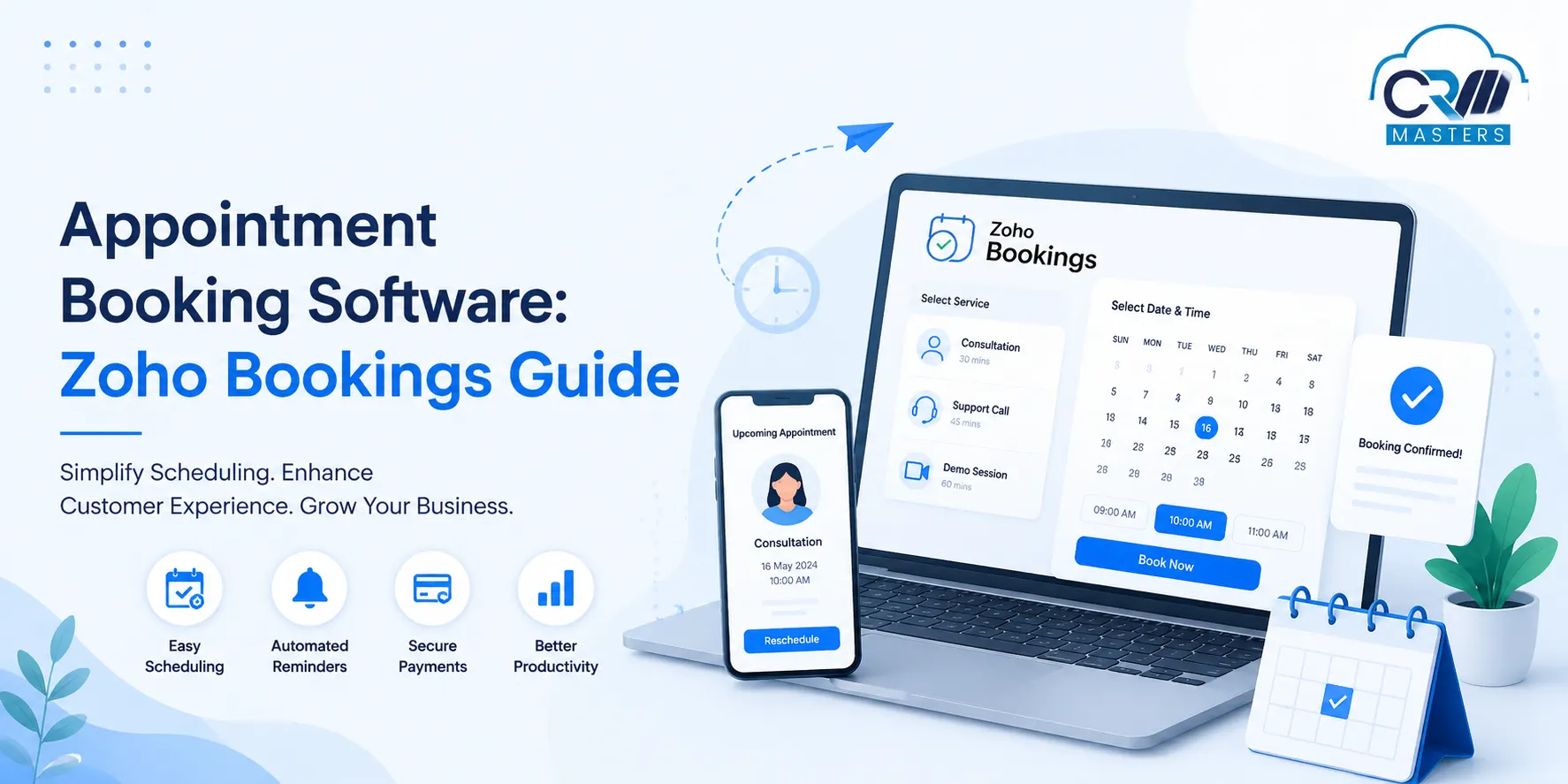
Appointment Booking Software: Zoho Bookings Guide
Booking an appointment should be simple for both the customer and the business. Yet many companies still manage appointments through phone calls, emails, spreadsheets, messaging apps, and shared calendars. This creates avoidable problems: conflicting schedules, missed reminders, slow confirmations, manual follow-ups, and limited visibility into customer appointments. Appointment Booking Software solves this by giving customers a digital way to view available time slots and book appointments while giving businesses a central system to manage availability, staff schedules, reminders, payments, and appointment data.
One example is Zoho Bookings, which combines online scheduling with calendar synchronization, booking pages, notifications, payments, integrations, reports, and workflow automation. Its current feature set also includes integrations with tools such as Google Calendar, Microsoft/Outlook, Zoho CRM, Zoho Desk, Zoho Meeting, WhatsApp, and other applications.
This guide explains what appointment booking software does, how it works, which features matter, and where Zoho Bookings can fit into a modern scheduling process.
Quick Summary: Key Points
- 1 What appointment booking software does: A digital system that lets customers book online while businesses manage availability, staff schedules, reminders, payments, and appointment records from one place.
- 2 How the typical system works: Create services and availability, publish a booking page, allow customers to select a time, handle confirmation and payment, send automated reminders, and record appointment data for CRM and other systems.
- 3 Key features to look for: Real time calendar synchronization, customizable booking pages, automated reminders, payment collection, staff and resource scheduling, and integrations with calendars, CRM, and video or communication tools.
- 4 Impact on no-shows and process use: Online scheduling can reduce no-shows in some settings but results vary. Reminders and effective booking rules, communications, and processes determine how well it works.
- 5 Zoho Bookings as a fit for businesses: Suitable for online self-booking, multiple appointment types, calendar sync, automated notifications, online payments, video meeting integration, CRM connectivity, and workflow automation across a range of industries.
What Is Appointment Booking Software?
Appointment booking software is a digital system that allows customers to schedule, reschedule, or cancel appointments online while businesses manage availability, staff, services, reminders, and appointment information from one place. Unlike a basic calendar, appointment booking software is designed around the complete booking process. A typical system can handle:
- Customer appointment requests
- Real-time availability
- Staff schedules
- Service selection
- Booking confirmations
- Email, SMS, or messaging reminders
- Rescheduling and cancellations
- Online payments
- Calendar synchronization
- Customer information
- Appointment reports
- Video meeting links
- Automated follow-ups
The exact features vary between platforms, so businesses should choose software based on their actual scheduling process rather than simply choosing the tool with the longest feature list.
How Does Appointment Booking Software Work?
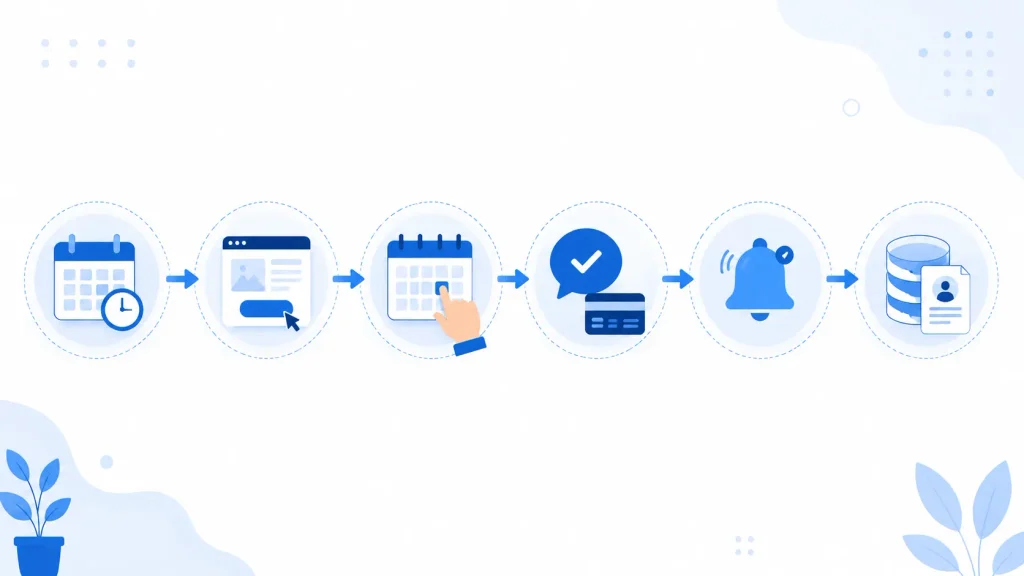
The basic process is straightforward.
1. Create services and availability
The business defines the services it offers, appointment duration, working hours, staff members, locations, and booking rules. For example, a consulting company could create:
30-minute discovery call
60-minute consultation
90-minute strategy session
2. Publish a booking page
Customers receive a booking link or use an embedded booking page on the company’s website. Instead of contacting the business to ask, “When are you available?”, customers can see available slots themselves.
3. Customer selects a time
The customer chooses a service, date, time, and other required information. If calendars are connected, existing events can be checked when determining available slots. Zoho Bookings supports connections with Zoho Calendar, Google Calendar, and Office 365/Outlook Calendar.
4. Confirmation and payment
The appointment is confirmed, and the customer receives the relevant notification. For paid services, businesses can also collect a full or partial payment during booking, depending on the supported setup and plan.
5. Automated reminders
The system sends reminders before the appointment, reducing the need for staff to manually contact every customer.
6. Appointment and customer data are recorded
The booking becomes part of the business’s scheduling records. With suitable integrations, appointment information can also be connected to CRM and other business systems. This creates a more connected process:
Booking → Confirmation → Reminder → Appointment → Follow-up → Customer record
Also Read: Zoho Bookings vs Calendly: Best Scheduling Software 2025
Why Do Businesses Need Appointment Booking Software?
Manual scheduling becomes difficult as appointment volume, staff, locations, and services increase. Consider a business receiving 50 appointment requests a day. If every request requires an employee to check calendars, suggest available times, wait for confirmation, send reminders, and update records, scheduling itself becomes an administrative task. Appointment booking software moves much of that work into a structured system.
Key benefits include:
However, booking software does not automatically eliminate no-shows.
Research published in Frontiers in Digital Health in 2025 found that the effect of online scheduling on no-shows varied by setting. In one ophthalmology practice, online-booked appointments had a lower no-show rate than offline bookings, while the hospital setting showed the opposite pattern. The study also found that reminders were an important factor in reducing missed appointments.
This is an important distinction: software creates the capability, but booking rules, reminders, customer communication, and business processes determine how effectively it is used.
What Features Should You Look for in Appointment Booking Software?
Not every business needs the same scheduling system. Before selecting a platform, evaluate these core capabilities.
1. Real-Time Calendar Synchronization
Calendar synchronization is one of the most important features for businesses with multiple staff members. A useful system should be able to consider existing calendar events when showing availability. Zoho Bookings can connect with Zoho Calendar, Google Calendar, and Office 365/Outlook Calendar and use connected calendars when checking availability.
2. Custom Booking Pages
A booking page should provide more than a list of available times. Zoho Bookings supports customizable booking pages, including branding options and website embedding. Businesses may need to display:
- Service information
- Appointment duration
- Staff member
- Location
- Booking rules
- Customer questions
- Pricing
- Payment options
3. Automated Reminders
Reminder automation is particularly useful for appointments that are booked days or weeks in advance. Depending on the setup, businesses can create confirmation, reminder, and follow-up communications so employees do not have to manually contact every customer.
4. Payment Collection
For consultations, classes, treatments, training sessions, and other paid services, collecting payment during booking can simplify the process. Zoho Bookings supports payment integrations including Stripe, PayPal, Razorpay, Authorize.Net, Forte, Mercado Pago, and 2Checkout, although availability can depend on the region and configuration.
5. Staff and Resource Scheduling
A business may need to schedule more than people. Zoho Bookings supports different meeting and resource booking models, allowing businesses to structure appointments around their operational requirements. For example:
- A clinic may need a doctor and consultation room.
- A training company may need an instructor and classroom.
- A salon may need a stylist and treatment room.
- A rental company may need a vehicle or equipment.
6. Integrations
The value of booking software increases when it connects with the rest of the business system. Zoho Bookings currently supports integrations across calendars, payments, video conferencing, CRM, Zoho Desk, Zoho SalesIQ, Zoho Meeting, WhatsApp, Zoho Flow, and other applications.
Zoho Bookings as Appointment Booking Software
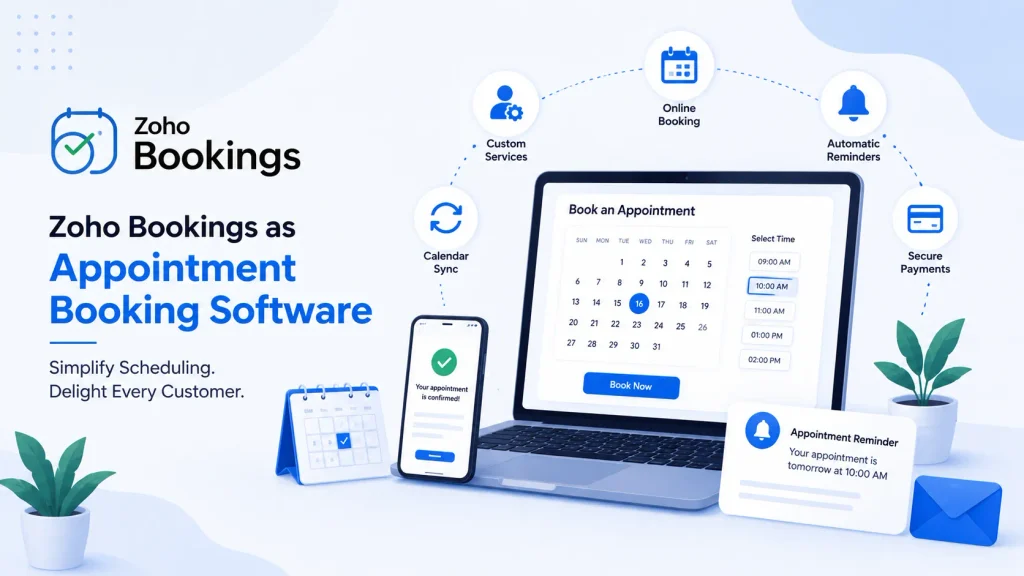
Zoho Bookings is designed for businesses that need more than a simple calendar link. It supports different appointment models, including one-to-one meetings, group bookings, collective bookings, and resource bookings. Businesses can also define scheduling rules, availability, services, notifications, and booking policies. This makes it useful for a wide range of appointment-based processes.
Example: Consulting Business
A consulting company could use Zoho Bookings to create:
Website visitor → Discovery call → Consultation → Payment → Follow-up
The discovery call could be free, while the consultation could require payment before the appointment is confirmed. If connected with Zoho CRM, appointment information can become part of the broader customer journey rather than remaining isolated inside a calendar. Zoho currently lists Zoho CRM and Bigin among its Bookings integrations.
Example: Fitness Business
Each service can have its own duration, availability, staff, and booking rules. A fitness business could create separate booking types for:
- Personal training
- Trial sessions
- Group classes
- Nutrition consultations
Example: Education and Training
A training organization can use different appointment types for:
- Student counselling
- Demo classes
- Parent meetings
- Course consultations
- Online sessions
Appointment Booking Software vs. a Basic Calendar
A calendar and appointment booking software are not the same thing.
A calendar is primarily designed to manage events. An appointment booking platform is designed to manage the process around those events.
How to Set Up an Appointment Booking System
A successful implementation starts with the business process, not the software settings.
Step 1: Identify your appointment types
List every appointment the business offers. For example:
- Sales demo
- Consultation
- Support session
- Paid service
- Follow-up meeting
Step 2: Define availability
Document:
- Working hours
- Staff availability
- Breaks
- Holidays
- Locations
- Minimum notice
- Maximum booking window
Step 3: Define booking rules
Decide:
- Can customers cancel?
- How late can they reschedule?
- Is payment required?
- Is approval required?
- How much information should customers provide?
Step 4: Connect calendars
Connect relevant calendars so the system can determine availability and reduce scheduling conflicts.
Step 5: Configure notifications
Create different messages for:
- Booking confirmation
- Upcoming appointment
- Rescheduling
- Cancellation
- Appointment completion
- Follow-up
Step 6: Connect business applications
If appointment information needs to reach sales, support, finance, or marketing teams, connect the booking system with relevant applications.
Step 7: Test the complete customer journey
Do not test only whether a booking can be made. Test the entire process:
Booking → Calendar update → Confirmation → Reminder → Payment → Appointment → Follow-up
This helps identify gaps before customers encounter them.
How to Make Appointment Booking More Customer-Friendly
Installing booking software is only the first step. The booking experience itself should be easy.
Keep booking forms short: Only ask for information that is genuinely needed.
Show clear service information: Customers should understand what they are booking, how long it will take, and whether payment is required.
Give customers control: Allowing customers to reschedule or cancel within defined rules can reduce unnecessary calls and emails.
Send useful reminders: A reminder should not simply say, “You have an appointment tomorrow.”
It can include:
- Date and time
- Location
- Meeting link
- Preparation instructions
- Cancellation policy
- Contact information
Use post-appointment communication: After an appointment, businesses can send:
- Thank-you messages
- Feedback requests
- Resources
- Next-step instructions
- Follow-up booking links
This turns appointment scheduling into part of the broader customer experience.
Industries That Can Use Appointment Booking Software
Appointment scheduling software is useful wherever customers need to reserve time with a person, service, or resource.
- Healthcare: Clinics can manage consultations, follow-ups, specialist appointments, and reminders.
- Salons and Spas: Businesses can schedule services according to staff, treatment duration, and availability.
- Consulting: Consultants can let prospects book discovery calls and paid sessions directly.
- Education: Coaching centers, tutors, trainers, and educational organizations can manage classes, counselling, and demo sessions.
- Fitness: Gyms and trainers can schedule personal training, assessments, and recurring sessions.
- Professional Services: Law firms, financial professionals, agencies, and other service businesses can use booking pages for consultations and client meetings.
When Should You Integrate Appointment Booking With a CRM?
A booking system becomes more valuable when appointments are connected to customer information. For example, a sales team may want to know:
- Who booked the meeting?
- Which service did they select?
- Has this person contacted the company before?
- What sales stage are they in?
- Did they attend the appointment?
- What follow-up is required?
A CRM integration can reduce the need to move this information manually between systems. For businesses already using the Zoho ecosystem, Zoho Bookings can connect with Zoho CRM and other Zoho applications. The right integration, however, depends on the actual workflow. Not every business needs every integration.
Is Zoho Bookings Right for Your Business?
Zoho Bookings can be a good fit if your business needs:
- Online customer self-booking
- Multiple appointment types
- Staff or resource scheduling
- Calendar synchronization
- Automated notifications
- Online payment collection
- Website booking pages
- Video meeting integration
- CRM connectivity
- Appointment reporting
- Workflow automation
It may be unnecessary for a very small business that only manages a few internal meetings and does not need customer self-booking. The best approach is to first map the scheduling process and then determine which features are actually required.
Make Zoho Bookings Work for Your Business
CRM Masters is a Zoho Premium Partner with years of experience helping businesses build and optimize Zoho solutions around their operational needs.
Our expertise is backed by:
- Zoho Premium Partner with certified implementation expertise
- 4,000+ projects delivered for businesses worldwide
- 100+ certified Zoho professionals across consulting and development
- 15+ industries served, from professional services to healthcare and education
- Global delivery experience across India, USA, UK, EU, and UAE
- 24×7 support to help businesses maintain and optimize their Zoho ecosystem
With this experience, CRM Masters helps businesses turn Zoho Bookings from a simple scheduling tool into a connected part of their customer and business operations.


FAQ
Q1. What is appointment booking software?
Ans. Appointment booking software is a digital system that allows customers to book appointments online while businesses manage availability, staff schedules, reminders, payments, and appointment records.
Q2. What is the difference between appointment booking software and a calendar?
Ans. A calendar mainly manages events and schedules. Appointment booking software manages the broader customer booking process, including availability, booking pages, reminders, payments, customer information, and integrations.
Q3. Can customers book appointments without contacting the business?
Ans. Yes. With an online booking page, customers can select an available service and time slot themselves instead of calling or emailing the business.
Q4. Can Zoho Bookings sync with Google Calendar and Outlook?
Ans. Yes. Zoho Bookings supports connections with Zoho Calendar, Google Calendar, and Office 365/Outlook Calendar. Connected calendars can be used to check availability and help prevent scheduling conflicts.
Q5. Can Zoho Bookings collect payments?
Ans. Yes. Zoho Bookings supports online payment integrations, including Razorpay, Stripe, PayPal, Authorize.Net, Forte, Mercado Pago, and 2Checkout, subject to regional availability and account configuration.
Q6. Can Zoho Bookings be connected to Zoho CRM?
Ans. Yes. Zoho lists Zoho CRM among the integrations available for Zoho Bookings, allowing appointment information to be connected with CRM processes.
Q7. Can appointment booking software reduce no-shows?
Ans. It can help, particularly through reminders and easier rescheduling, but results depend on the business and its process. Research has shown that the impact of online booking on no-shows can vary between settings.
Q8. Can businesses add appointments on behalf of customers?
Ans. Yes. Zoho Bookings supports staff and manager involvement in the booking process, including adding and rescheduling appointments according to assigned permissions.
Q9. Which businesses benefit from appointment booking software?
Ans. Healthcare providers, consultants, salons, spas, fitness businesses, educators, trainers, professional service firms, and other appointment-based businesses can benefit from online scheduling.








