




CRM vs AI-Native CRM: What’s Actually Different and What Isn’t
If you’ve spent any time researching CRM software lately, you’ve probably run into the term “AI-native CRM” more than a few times. And if you’re like most business owners or sales leaders, your first reaction was probably some version of: “Wait, do I need to throw out my current CRM and start over?”
Here’s the short answer: no, you don’t.
The longer answer is a bit more interesting, and it’s what this blog is about. There’s a lot of noise right now around AI-native CRM platforms, and much of it makes it seem like traditional CRM systems are outdated or on their way out. That’s not really true. What’s actually happening is more nuanced: AI is changing how CRMs work, not replacing the reason CRMs exist in the first place.
So let’s break this down properly: what a CRM actually does, what makes an AI-native CRM different, where AI genuinely helps, and, just as important, what traditional CRM systems are still doing that no AI layer has fully replaced yet.
What Is a CRM, and Why Does It Even Matter?
Let’s start simple. A CRM (Customer Relationship Management system) is the place where a business keeps track of everyone it interacts with: leads, prospects, customers, vendors, and sometimes even internal teams. Instead of contact details living in someone’s inbox, deal stages living in a spreadsheet, and support conversations living in three different apps, a CRM pulls all of that into one place.
At its core, a CRM handles a few non-negotiable jobs:
- Storing and organizing contact and account information
- Tracking where each deal or lead sits in the sales pipeline
- Logging interactions such as calls, emails, meetings, and support tickets
- Setting reminders and follow-ups so nothing falls through the cracks
- Generating reports so teams know what’s working and what isn’t
None of this sounds flashy, but it’s the backbone of how most businesses actually function day to day. Without it, teams operate on memory, guesswork, and scattered notes, which works fine when you have 20 customers, and falls apart completely once you have 2,000.
This is why CRM adoption isn’t really optional anymore for growing businesses. It’s less about “nice to have software” and more about “how do we keep track of relationships as we scale?” That hasn’t changed with AI. If anything, it’s become more true.
So What Is an AI-Native CRM, Really?
This is where a lot of the confusion starts, mostly because vendors use the term loosely. There’s a real difference between “a CRM that has an AI feature” and “an AI-native CRM,” and it’s worth understanding.
A traditional CRM with an AI feature usually looks like this:
You have your regular CRM, and somewhere in a menu there’s an AI assistant that can draft an email or summarize a call. It’s useful, but it’s an add-on. The rest of the system still runs on rules you set manually.
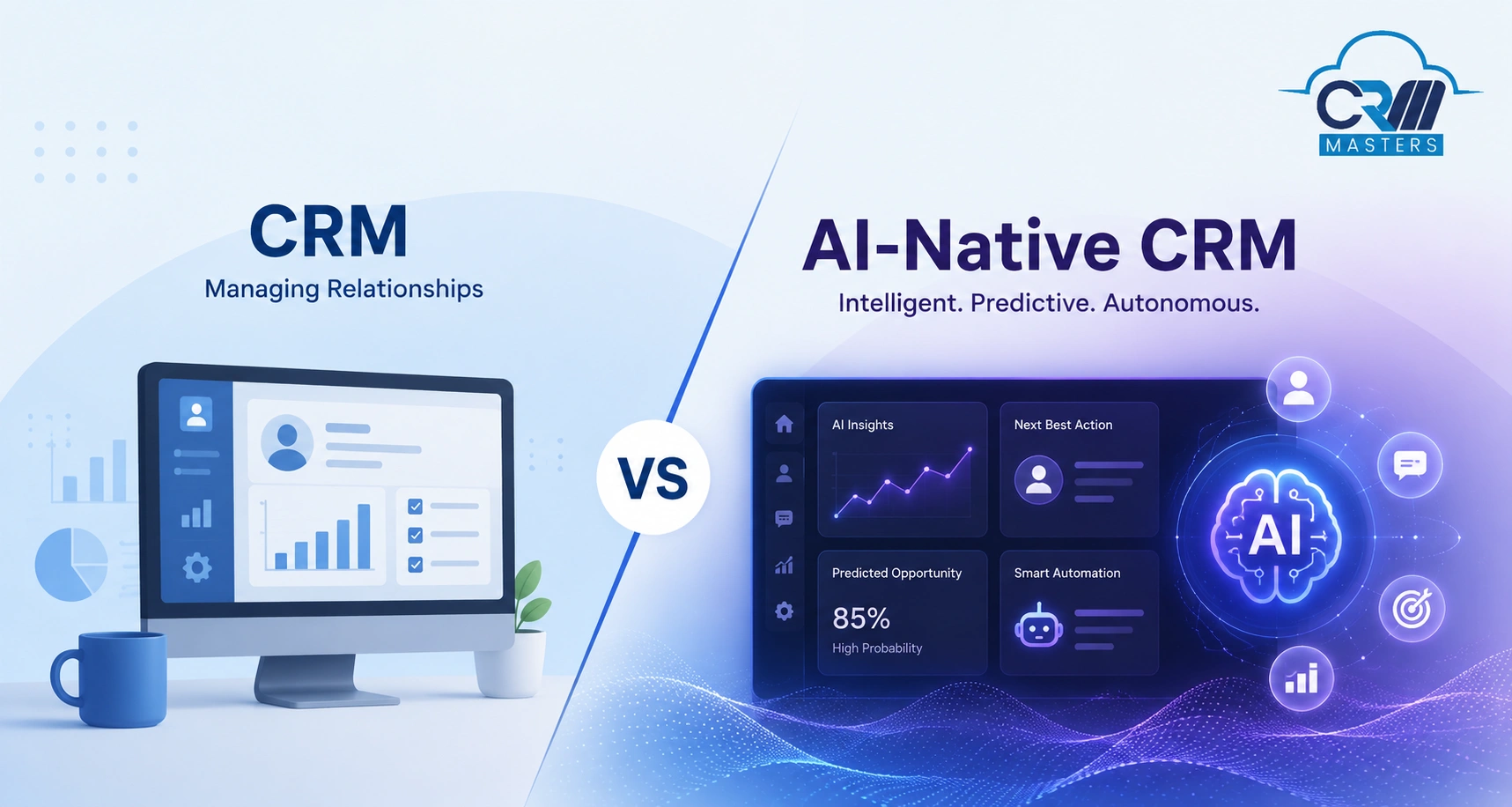
An AI-native CRM is built differently from the ground up. AI isn’t a feature you switch on;
It’s part of how the system thinks as it’s constantly processing the data flowing through the CRM and using it to make suggestions, flag risks, or adjust workflows without you having to configure every rule by hand.
In practice, this means:
Instead of you manually scoring leads, the system predicts which leads are worth prioritizing based on real behavior patterns.
Instead of static dashboards, you get insights that flag “this deal is likely to stall” before it actually does.
Instead of fixed automation rules, workflows can adapt based on what’s actually happening with a specific contact or deal.
The keyword is “native.” It’s not that AI was added to help you use the CRM faster. It’s that AI is part of how the CRM operates.
CRM vs AI-Native CRM: The Real Side-by-Side
Notice that none of this is really a case of one being “better.” They’re solving slightly different problems. A traditional CRM keeps your operations structured and reliable. An AI-native layer adds speed and foresight on top of that structure. One without the other usually falls short.
To make this clearer, here’s how the two actually compare on the things that matter day to day.

1. Data Handling
Traditional CRM relies on manual entry: someone has to log a call, update a deal stage, or add a note.
AI-native CRM can auto-capture and enrich data from emails, calls, and other touch points, reducing (though not eliminating) manual work.
2. Decision-Making
In a traditional CRM, decisions like “who do I call next” or “is this deal at risk” come down to human judgment based on what’s visible in the system.
AI-native CRM adds a layer of prediction. It surfaces suggestions based on patterns, though the final call is still yours.
3. Reporting
Traditional CRM reporting is largely descriptive: it tells you what happened.
AI-native CRM leans toward predictive reporting: it tries to tell you what’s likely to happen next, based on trends in the data.
4. Workflow Automation
Traditional automation runs on rules you set: “if X happens, do Y.”
AI-native automation can adjust based on context. It’s less rigid, but also less predictable, which is a trade-off worth understanding, not just a win.
Our Recommendation
This isn’t about picking a side. It’s about adding AI capabilities on top of the traditional CRM you already have, so it gets faster and smarter, without losing the structure and reliability that made it work in the first place.
Where AI-Native CRM Actually Helps Your Business
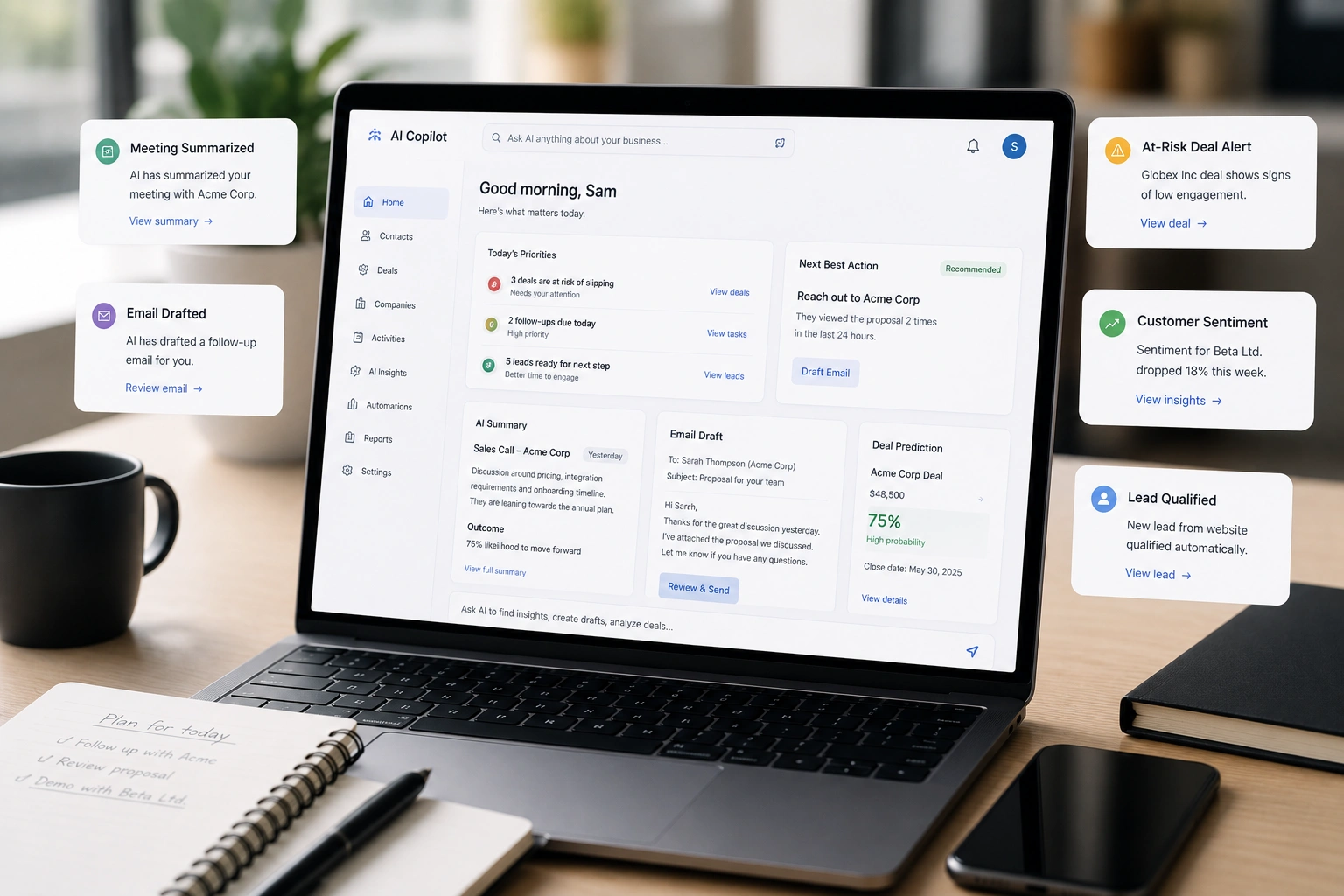
This is the part most people actually care about: where does this stuff make a real difference, not just in theory but in day-to-day work?
1. Lead Prioritization
Instead of your sales team working leads in the order they came in, AI can flag which leads are actually showing buying signals, such as repeated site visits, email opens, or pricing page views, so reps spend time where it counts.
2. Next-Best-Action Suggestions
Rather than a rep guessing what to do next with a stalled deal, the CRM can suggest a follow-up action based on what’s worked with similar deals in the past.
3. Call and Meeting Summarization
Nobody enjoys writing up notes after a 45-minute call. AI can auto-summarize the conversation, pull out action items, and log it, saving real hours over a month.
4. Churn and Drop-Off Prediction
For subscription or account-based businesses, AI can flag accounts showing early signs of disengagement, giving teams a chance to intervene before it’s too late.
5. Personalization at Scale
Sending a genuinely relevant email to 5 people is easy. Doing it for 5,000 isn’t, unless AI is helping tailor content based on each contact’s behavior and history.
6. Draft Assistance
AI can draft a first version of a proposal, follow-up email, or quote, which a human then reviews and adjusts. It’s a starting point, not a replacement for judgment.
7. Sentiment Detection in Support
AI can scan support tickets or chat conversations and flag frustration or urgency early, so nothing sits in a queue longer than it should.
Why Traditional CRM Still Matters
Here’s what a lot of AI-native CRM marketing conveniently leaves out: traditional CRM functions aren’t going anywhere, because they’re solving problems AI isn’t built to solve.
1. Data integrity and Structure
AI predictions are only as good as the data feeding them. That data still needs to be structured, deduplicated, and accurate, which depends on the same disciplined record-keeping traditional CRMs have always required. AI doesn’t remove the need for clean data; it depends on it even more.
2. Compliance and Audit Trails
In regulated industries such as finance, insurance, and healthcare, every customer interaction may need to be traceable and verifiable by a human, not just inferred by an algorithm. Traditional CRM’s rule-based, transparent record-keeping is often a compliance requirement, not a preference.
3. Operational Stability
Core business processes such as invoicing, pipeline stages, and ticket routing still need to run predictably. A rule that says “move deal to stage 3 when contract is signed” needs to work the same way every single time. That kind of deterministic reliability is what traditional CRM logic is built for, and it’s not something you’d want left to probabilistic AI decision-making.
4. Judgment-Heavy, Relationship-Driven Sales
Some sales processes, such as enterprise deals, long-term B2B relationships, and high-touch account management, depend on nuance AI simply can’t fully read, including internal politics, unspoken hesitations, and long-standing trust. Traditional CRM gives reps the structured space to manage these relationships manually, which still matters in complex sales.
5. Cost and Complexity
Not every business is ready to manage an AI layer: the data volume, the setup, the ongoing tuning. For smaller teams or simpler sales cycles, a well-run traditional CRM may genuinely be the more practical choice, at least for now.
How to Decide What Your Business Actually Needs
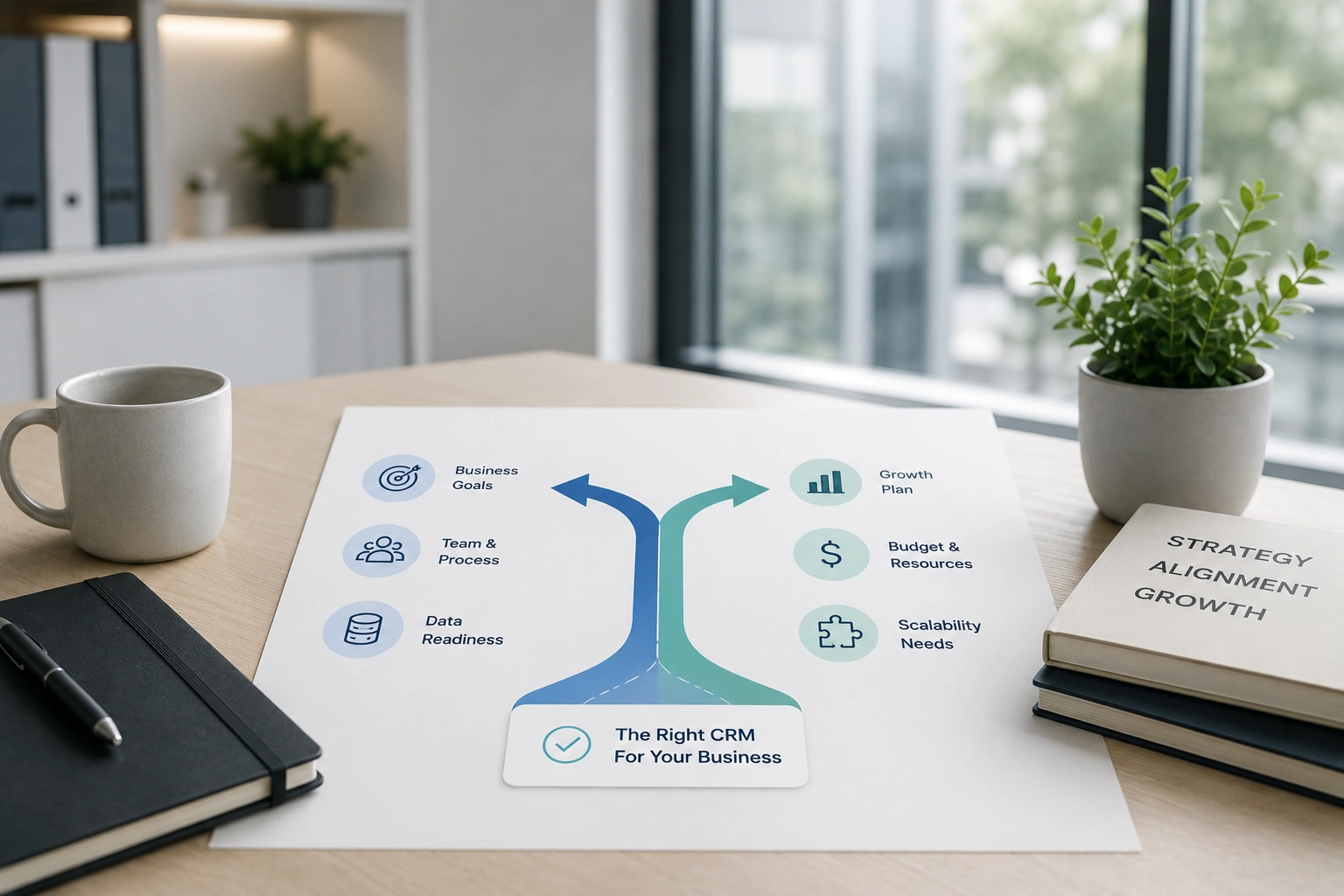
A few honest questions worth asking before deciding how much AI you need in your CRM:
How large is your data volume? AI needs enough data to make useful predictions, and a small contact list won’t see much benefit yet.
Is your industry regulated? If so, compliance requirements may shape how much you can automate.
How complex are your sales cycles? Highly relational, long-cycle sales may lean more on human judgment than AI suggestions.
What’s your team’s comfort level with new tools? AI adoption works best when a team actually trusts and uses the suggestions, not when it’s forced on them.
What’s your budget and bandwidth for setup? AI-native features often need proper configuration and clean data to actually deliver value.
There’s no universal right answer here, just a more informed one, based on what your business actually looks like.
Top 5 CRMs Leading the AI Shift
None of these platforms were built AI-native from scratch. They’re established CRMs that have invested heavily in AI layers over the past few years, which is exactly why they’re worth knowing. Here’s what each one actually offers.
1. Zoho CRM
Best for: Zoho CRM is ideal for small and mid-sized businesses
AI layer: Zia AI
Specific features: Predictive lead and deal scoring, sentiment analysis on emails and calls, anomaly detection in sales trends, conversational AI search, and auto-suggested next actions based on rep activity patterns.
How the AI is applied: Zia sits on top of Zoho’s existing data structure and analyzes historical patterns to generate scores and suggestions, rather than driving the workflow itself.
Worth knowing: Full value requires deliberate configuration; Zia isn’t fully self-adjusting out of the box.
2. Salesforce (Einstein / Agentforce)
Best for: Large enterprises with complex sales operations
AI layer: Einstein AI, now extended with Agentforce
Specific features: Predictive lead scoring, opportunity insights, automated email and case classification, and with Agentforce, autonomous AI agents that can complete multi-step tasks like qualifying leads or answering routine service queries without a rep triggering each step.
How the AI is applied: Agentforce is the closest of the five to genuine AI-native behavior, since agents can act independently within defined boundaries, but this still runs on top of Salesforce’s original CRM architecture.
Worth knowing: Deepest AI capabilities are usually locked behind higher-tier plans.
3. HubSpot (Breeze)
Best for: Growing businesses with a marketing-led sales process
AI layer: Breeze AI
Specific features: Content generation for emails and landing pages, conversational chatbot building, predictive lead scoring, and AI-summarized contact records that pull activity history into a quick digest
How the AI is applied: Breeze is more assistive than autonomous. It drafts and suggests, but a rep or marketer still has to review and act
Worth knowing: Strong for content-heavy teams, less built for complex, judgment-heavy enterprise sales
4. Freshsales (Freshworks)
Best for: Fast-growing SMBs and mid-market sales teams
AI layer: Freddy AI
Specific features: Deal insight scoring, contact and account scoring, auto-captured activity from calls and emails, and AI-generated deal health indicators
How the AI is applied: Freddy analyzes engagement data to flag which deals need attention, functioning as a layer of insight rather than a decision-making engine
Worth knowing: Reporting flexibility around these AI insights is more limited compared to the larger platforms
5. Pipedrive
Best for: Small, focused sales teams (roughly 3-15 reps)
AI layer: AI Sales Assistant
Specific features: Deal-win probability, personalized daily task suggestions, activity reminders based on rep behavior, and email-response time recommendations
How the AI is applied: The AI acts as a coaching layer for reps rather than an automation engine. It nudges; it doesn’t act on its own
Worth knowing: Lightest AI implementation of the five, which matches its focus on simplicity over depth
Take the Smarter Step Forward with CRM Masters
CRM Masters is a CRM implementation company that’s been helping businesses set up, customize, and get more out of CRM platforms since 2016. Whether a business is still running on a purely traditional CRM or trying to figure out which AI features are actually worth turning on, the work usually comes down to the same thing: making the system fit how the business actually operates, not the other way around.
A few ways this kind of implementation support typically helps:
Setting up your CRM the right way, so data stays clean and structured instead of turning into a mess six months in.
Configuring AI features you already have instead of leaving them switched off and unused.
Migrating or integrating systems when a business is moving between platforms or connecting its CRM with other tools it already relies on.
Customizing workflows for your actual sales process, rather than forcing your team to adapt to generic, out-of-the-box settings.
Ongoing support as things change, since a CRM setup that works today may need adjusting as the business grows or shifts direction.
CRM Masters has worked across 15+ industries and with clients in India, the US, the UK, and the UAE, bringing a platform-neutral perspective to every CRM decision. Not sure where your business stands? Book a free consultation with us, and we’ll help you figure out the right next step.
FAQs
Q1. Can I add AI to my existing CRM instead of switching platforms?
Ans. In many cases, yes. Most major CRM platforms now offer AI add-ons or modules that work within your existing system, rather than requiring a full switch.
Q2. Is AI-native CRM more expensive than traditional CRM?
Ans. Often, yes. AI features typically come at a premium tier or require additional licensing. Whether it’s worth it depends on your data volume and how much manual work it actually saves.
Q3. Which industries benefit most from AI-native CRM?
Ans. Industries with high transaction volume and repeatable patterns, such as retail, SaaS, and e-commerce, tend to see faster returns, since AI has more data to learn from.
Q4. Do small businesses need AI-native CRM?
Ans. Not necessarily right away. A well-implemented traditional CRM is often enough for smaller teams. AI tends to add more value as data volume and team size grow.








