





What Is Zoho MCP? Everything You Need to Know
Think about how you use AI today. You ask it a question, and it gives you an answer. But what if your AI assistant could actually go into your CRM, pull up a contact, create a task, check an invoice, and send a summary back to you, all without you switching tabs or copy-pasting anything? That is the future MCP is building. And Zoho MCP is one of the most exciting examples of it in action.
In this blog, we will break down what MCP is, why it was created, how it works, what Zoho MCP means for anyone using Zoho’s suite of business tools, and how a Zoho Implementation Partner can help.
What is MCP (Model Context Protocol)?
MCP stands for Model Context Protocol. It is an open standard that allows AI models to connect with external tools, apps, and data sources in a structured and consistent way.
Anthropic introduced MCP in November 2024. The idea was simple: AI models are smart, but they are locked inside a bubble. They cannot access your files, your CRM, your inbox, or your project management tool unless someone builds a custom connection every single time. MCP fixes that by creating one universal protocol that any AI model and any tool can use to talk to each other.
Think of it like a USB-C port. Before USB-C, every device had a different charger. USB-C created one standard connector that works everywhere. MCP does the same thing for AI and software tools.
What Exact Problem Does MCP Solve?
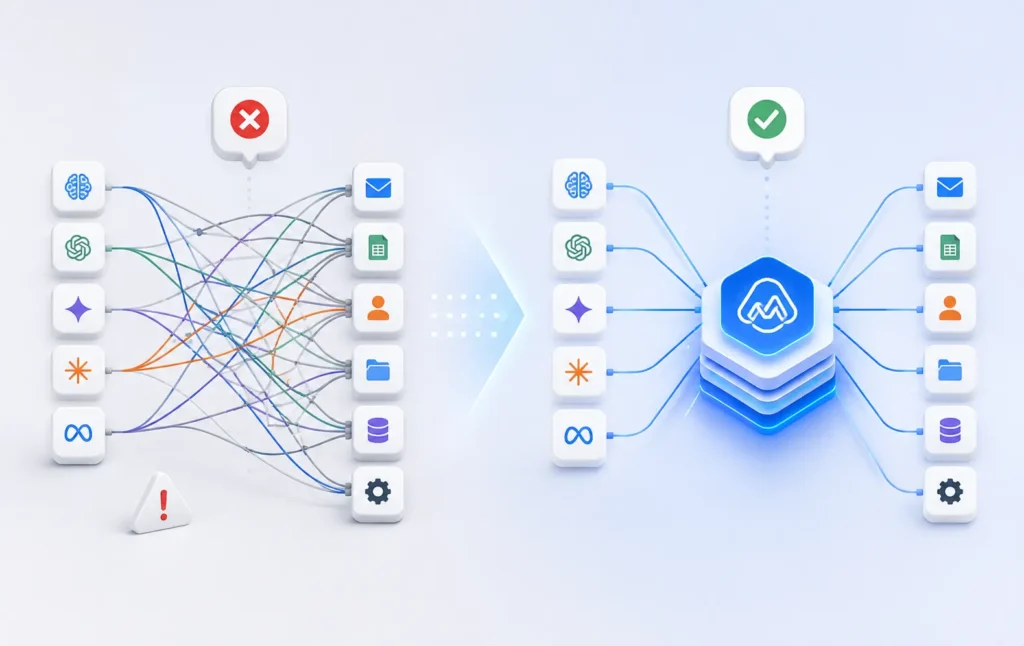
Before MCP, connecting an AI model to a tool meant building a custom integration from scratch. Every single time. That was fine when there were only a handful of AI tools and apps. But things got complicated fast.
Here is the actual problem developers faced:
- If you had 10 AI models and 20 tools, you would need up to 200 separate custom integrations
- Every integration was fragile and hard to maintain
- When a tool updated its API, integrations broke
- There was no shared standard, so every team was reinventing the wheel
MCP solves this with what is called the M+N model. Instead of M models times N tools equals hundreds of custom integrations, you now have M models plus N tools, each connected through one shared protocol. Build the MCP server once for a tool, and any MCP-compatible AI can use it.
How Does MCP Work?
MCP has three main components. Here is what each one does:
MCP Host
This is the AI application the user interacts with. For example, Claude by Anthropic, Cursor, or any other AI assistant that supports MCP. The host is what you see and talk to.
MCP Client
This lives inside the host. It is the part that manages the connection to the MCP server. You do not interact with this directly. It works in the background.
MCP Server
This is the tool or data source being connected. For example, Zoho CRM, Zoho Books, or Zoho Desk would each have an MCP server. The server exposes certain actions and data that the AI can use.
When you ask your AI assistant something like, show me my top 5 open deals in Zoho CRM, here is what happens:
- The host (your AI assistant) receives your request
- The MCP client connects to the Zoho MCP server
- The server fetches the data from Zoho CRM
- The response comes back to the AI, which presents it to you in plain language
The whole thing happens in seconds and feels completely seamless.
Why Is Everyone Talking About MCP Right Now?
MCP went from an Anthropic announcement to an industry-wide standard surprisingly fast. Here is why:
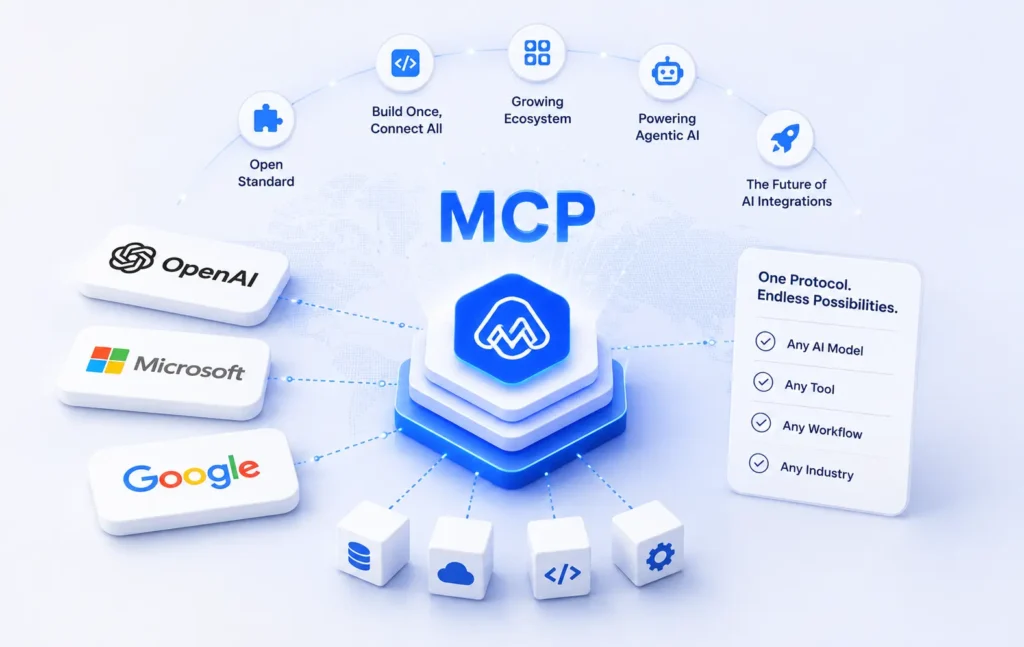
- Major players like OpenAI, Microsoft, and Google have all jumped on board
- The spec is open source, so anyone can build an MCP server for their tool
- Developers can build one MCP server and connect to every major AI platform at once
- The growing library of ready-made MCP servers means less custom work for teams
- Agentic AI, where AI takes actions on your behalf, cannot scale without something like MCP
MCP is quickly becoming the backbone of how AI agents interact with the real world. If you want your AI to do things, not just say things, MCP is how that happens.
What is Zoho MCP?
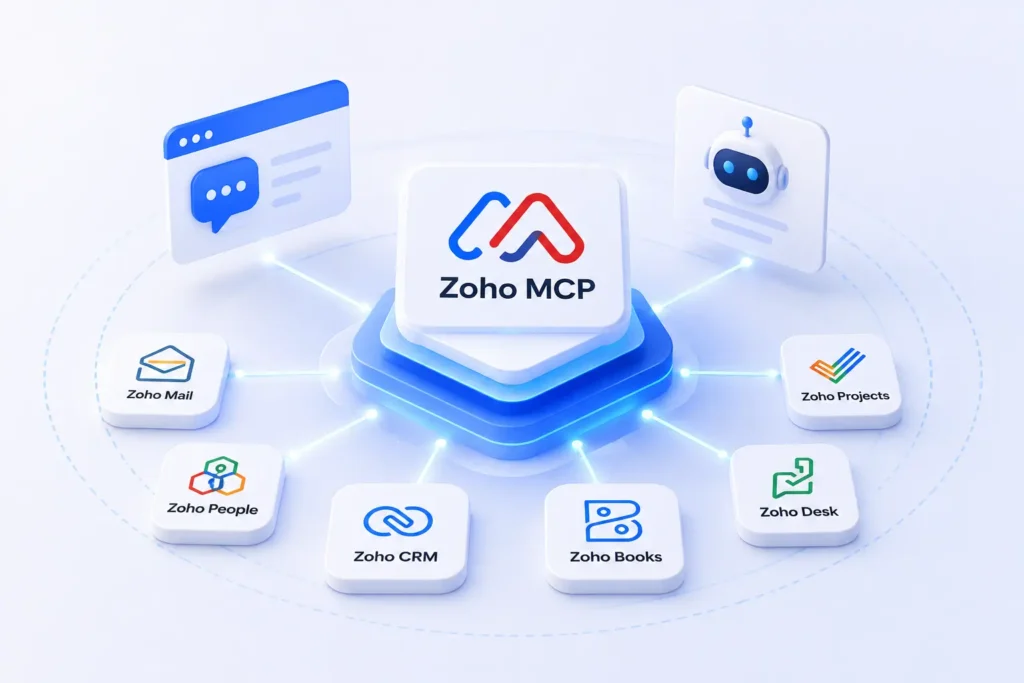
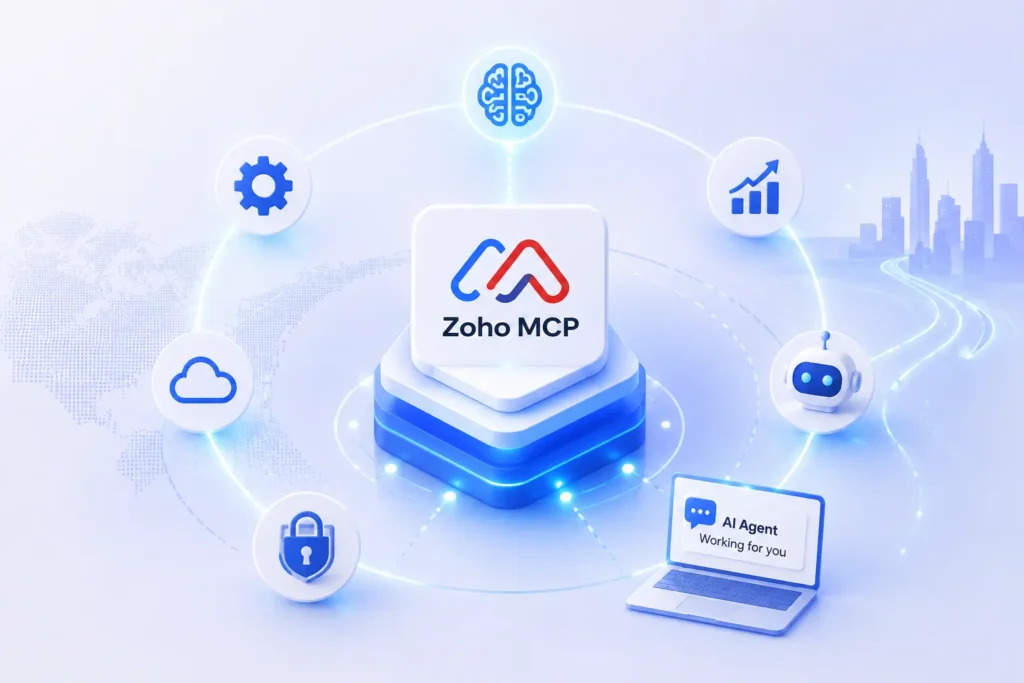
Zoho is one of the most widely used business software suites in the world. It covers everything from CRM and finance to helpdesk, projects, email, and HR. Millions of businesses run their daily operations on Zoho. Zoho MCP is Zoho’s implementation of the Model Context Protocol. It is an MCP server that exposes Zoho’s apps and data to any MCP-compatible AI assistant.
In plain terms, Zoho MCP lets your AI assistant talk directly to your Zoho data. You can ask it questions, give it commands, and get real information back from inside Zoho, without ever opening the Zoho app yourself. Zoho MCP is part of Zoho’s broader push into AI, which also includes Zia, their built-in AI assistant, and various AI automation features across the suite.
Also Read: How AI Helps in Customer Retention Management for Subscription-Based Businesses
Zoho MCP vs Traditional Zoho API: What Is the Difference?
Zoho already had APIs before MCP. So why does MCP matter? Here is a quick comparison:
Traditional Zoho API
- Requires custom code to build every integration
- Needs ongoing maintenance when APIs change
- Each AI tool needs its own separate integration
- Mainly built for developers, not accessible to non-technical users
Zoho MCP
- One MCP server works with any MCP-compatible AI
- No custom integration code required on the AI side
- Easier to set up and faster to get running
- Accessible through conversational AI interfaces, not just code
Traditional APIs are still useful for complex, custom workflows. But for AI-powered interactions and agentic tasks, Zoho MCP is a much faster and cleaner path.
What Makes Zoho MCP Stand Out? 6 Things Worth Knowing
Zoho MCP is not just a technical integration layer. It is built with real-world usability in mind. Here is a look at the features that set it apart.
1. It Plays Well with Every Major AI
Zoho MCP is not tied to a single AI platform. It works with Claude, ChatGPT, and other major LLMs right out of the box. Your team can use whichever AI tool fits best without worrying about compatibility. As the AI landscape grows, Zoho MCP is built to keep up with it.
2. Test Before You Build Anything
Zoho MCP comes with a built-in playground where you can explore and test integrations without writing any code. This lets your team validate what is possible before committing developer time. You connect your Zoho data, run queries, and see real results immediately. It makes experimentation fast, low-risk, and accessible to non-technical users, too.
3. The AI Always Knows What to Ask For
Zoho MCP follows a schema-first approach, meaning every tool and data source comes with a clearly defined structure. The AI knows exactly what inputs to send and what outputs to expect. This removes guesswork from the equation and leads to more accurate, consistent, and reliable results every time the AI interacts with your Zoho data.
4. One Experience Across All Zoho Apps
If you use multiple Zoho products, consistency matters. Zoho MCP uses the same patterns across the entire Zoho suite, whether you are working with CRM, Books, or Desk. There is no separate setup process or different logic for each app. The AI interacts with every Zoho product the same way, making the whole experience smooth and predictable.
5. Plug It In and Get Going
Zoho MCP is designed to be drop-in compatible with the agent frameworks and AI tools your team already uses. You do not need to rebuild your existing setup from scratch. It slots into your current workflow with minimal friction and starts delivering value almost immediately, cutting down the time between setup and actual productivity significantly.
6. Your Data Stays in the Right Hands
Security is a real concern when AI touches live business data. Zoho MCP uses OAuth-based authorization to make sure access is always permission-scoped. The AI can only see and interact with data that the user is authorized to access. There is no blanket access to everything, making Zoho MCP a safe and governance-friendly choice for businesses of any size.
The Future of Zoho MCP
MCP is not a trend. It is infrastructure. In the same way REST APIs became the standard for web integrations in the early 2000s, MCP is on track to become the default standard for AI integrations in the years ahead.
Here is what that future looks like for Zoho MCP:
- More Zoho apps will get full MCP support over time, expanding what you can access and automate through natural language
- Agentic workflows will get smarter, allowing AI to handle multi-step business processes across multiple Zoho apps in a single conversation
- Teams will move away from manual reporting and start relying on AI to surface insights from Zoho data in real time
- Integration setup will become even simpler as MCP tooling matures and more plug-and-play options become available
- Zoho MCP will likely become a core part of how businesses onboard new tools, connecting them to AI from day one
- As AI agents become more capable, Zoho MCP will serve as the bridge that lets those agents take real actions inside your business, not just answer questions about it
Ready to Make Your Zoho Smarter? Let Us Help You Get There
Zoho MCP is one of the most exciting developments in business AI right now. It bridges the gap between how smart AI has become and how much of your actual business data it can reach. For Zoho users, that gap is now closing fast.
Whether you are a sales team that wants faster CRM access, a finance team looking for quicker reporting, or an operations team trying to reduce manual work, Zoho MCP gives you a real path to getting there.
CRM Masters provides Zoho Consulting Services with over 4,000 projects delivered across 6 countries. We help businesses implement, customise, and get the most out of the entire Zoho suite, including the latest AI-powered capabilities like Zoho MCP.
If you are ready to explore what Zoho MCP can do for your business, our team is here to help you move from curious to confident. Book a free consultation with CRM Masters today and let us show you what a smarter Zoho setup looks like.
FAQ
Q1. Which AI tools are compatible with Zoho MCP?
Ans. Zoho MCP works with all major AI platforms, including Claude, ChatGPT, and other MCP-compatible agents. You are not locked into one tool; your team can use whichever AI fits best.
Q2. Do I need a developer to set up Zoho MCP?
Ans. Some technical familiarity is helpful for the initial setup. For teams without a developer, partnering with a certified Zoho partner like CRM Masters is the fastest way to get started without the hassle.
Q3. Is Zoho MCP secure to use with live business data?
Ans. Yes. Zoho MCP uses OAuth-based authorization, so the AI only accesses data the user is permitted to see. There is no open or blanket access to your business data.
Q4. How does Zoho MCP connect to the future of AI in business?
Ans. MCP is becoming the industry standard for connecting AI to real-world tools. Businesses adopting Zoho MCP now are building the foundation for smarter, more autonomous AI workflows down the line.








